13
To “Conguring the settings” (P.8)
●
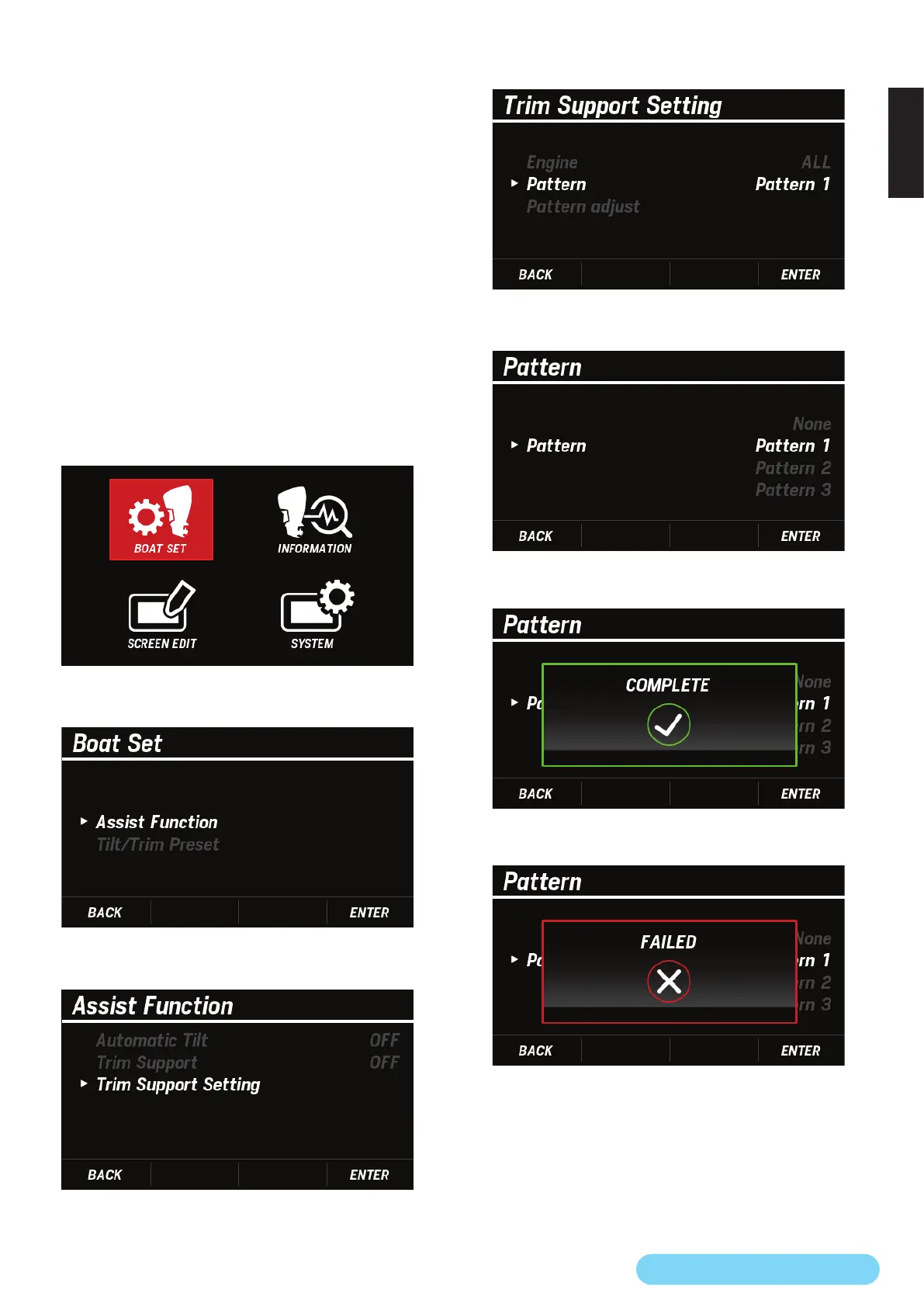
Selecting the target engine > Pattern setting > Pattern
adjustment
You can select the pattern to be applied when using the
trim support function from None, Pattern 1, Pattern 2, and
Pattern 3.
• If None is selected, you can adjust the pattern to suit your
needs.
• Pattern 1 to Pattern 3 have a trim angle preset according
to each boat velocity or engine speed.
• Under the following conditions, Pattern is grayed out and
cannot be congured.
– Trim Zero Set has not been completed. (P.20)
– When the engine does not support the trim support
function
– When an error occurs in the outboard motor
1. Use the [
∧
] or [
∨
] button to select BOAT SET and press the
[ENTER] button.
2. Use the [
∧
] or [
∨
] button to select Assist Function and
press the [ENTER] button.
3. Use the [
∧
] or [
∨
] button to select Trim Support Setting
and press the [ENTER] button.
4. Use the [
∧
] or [
∨
] button to select Pattern and press the
[ENTER] button.
5. Use the [
∧
] or [
∨
] button to select any pattern and press
the [ENTER] button.
• When the Pattern setting is successfully completed, the
COMPLETE pop-up window appears.
• If the Pattern setting is not completed, the FAILED pop-up
window appears. Retry setting from step 3.



 To Next Page