40
To “Conguring the settings” (P.8)
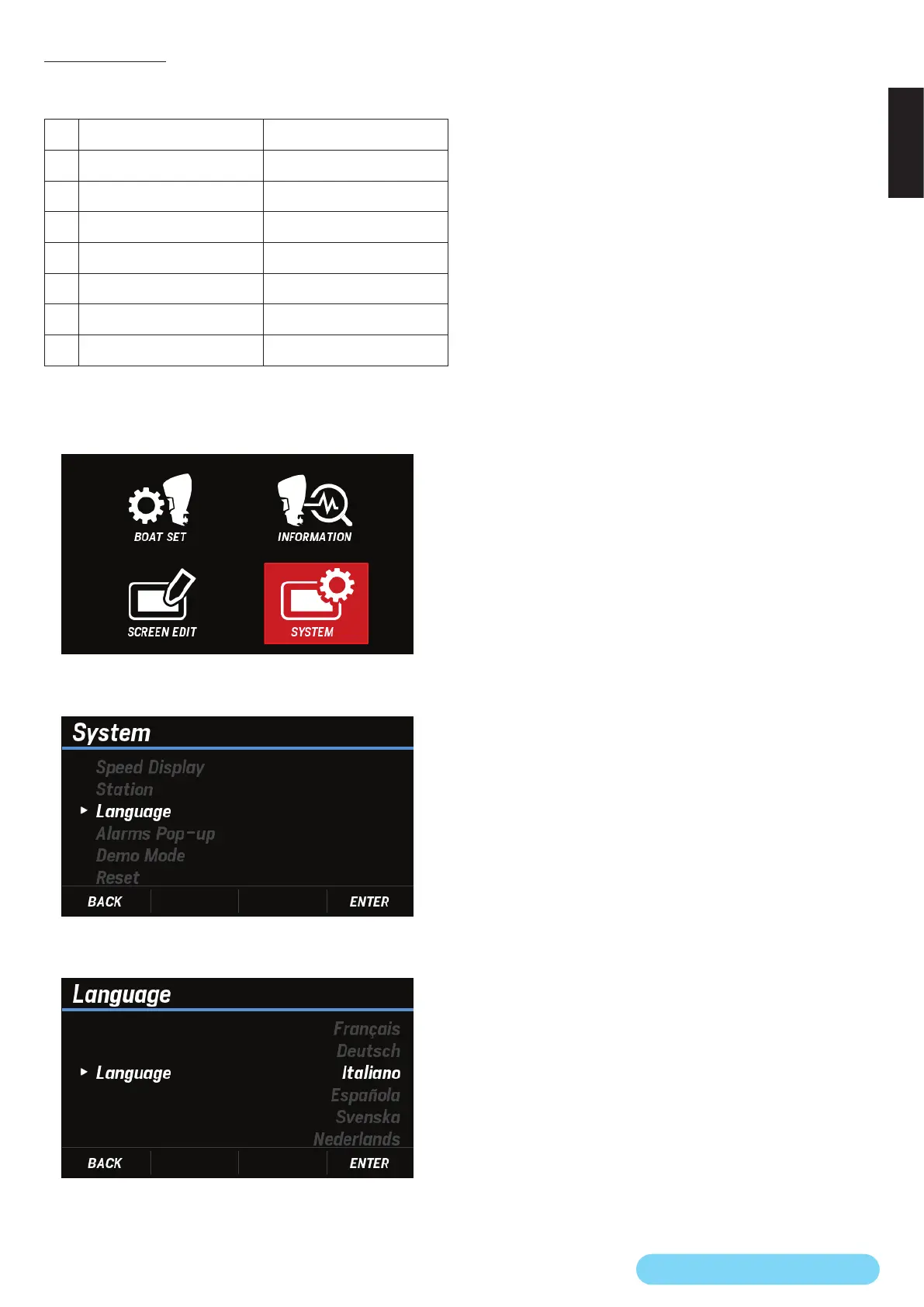
(24) Language
You can select the language to be displayed on the screen
from the following seven:
No. Screen notation Language
1 English English
2 Français French
3 Deutsch German
4 Italiano Italian
5 Española Spanish
6 Svenska Swedish
7 Nederlands Dutch
1. Use the [
∧
] or [
∨
] button to select SYSTEM and press the
[ENTER] button.
2. Use the [
∧
] or [
∨
] button to select Language and press
the [ENTER] button.
3. Use the [
∧
] or [
∨
] button to select any language and press
the [ENTER] button.



 To Next Page