44
To “Conguring the settings” (P.8)
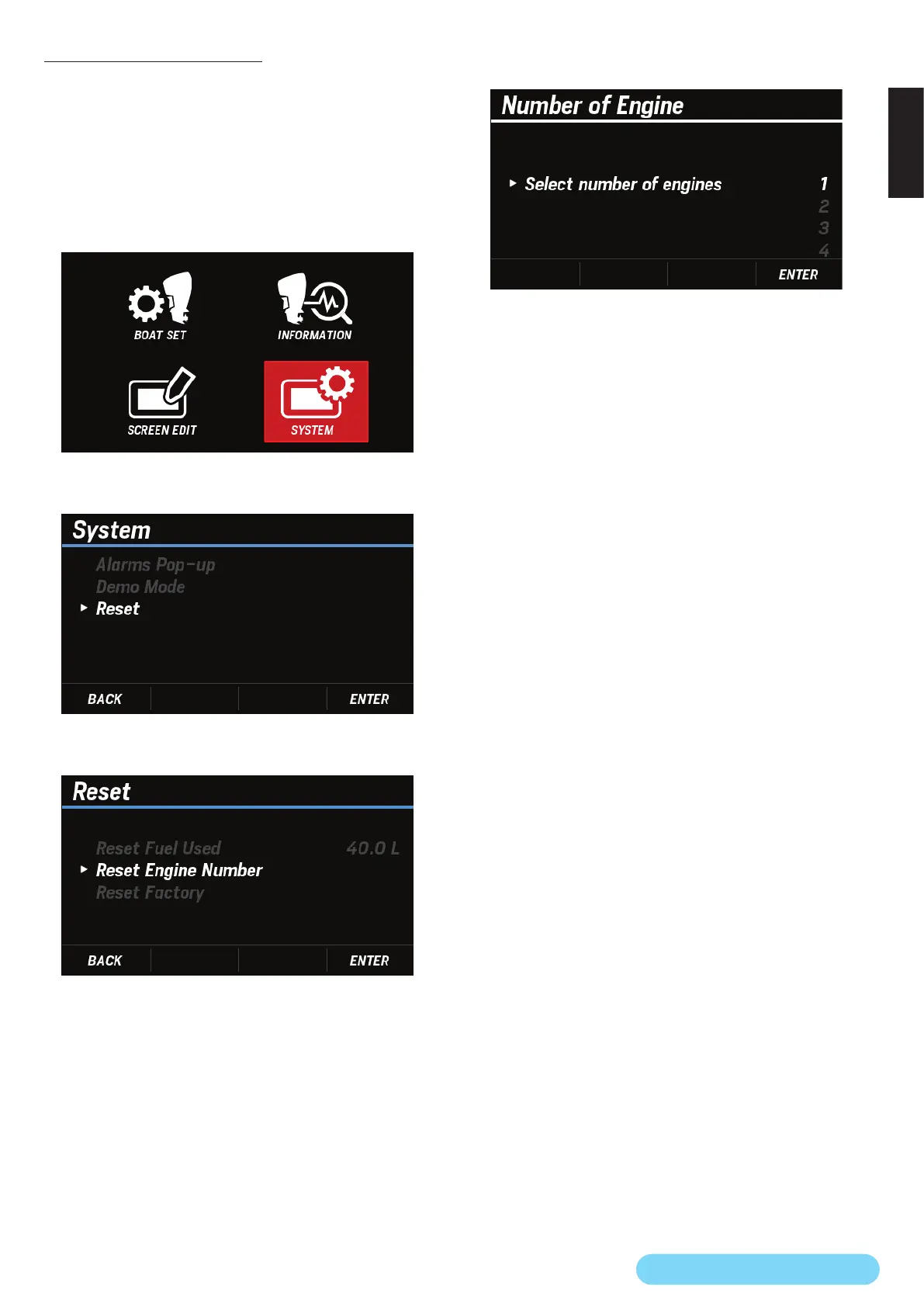
(28) Reset Engine Number
You can reset the number of engines set in “Settings to be
congured when the power is turned on for the rst time”
(P.2).
After nishing the reset, you can set the new number of
engines.
1. Use the [
∧
] or [
∨
] button to select SYSTEM and press the
[ENTER] button.
2. Use the [
∧
] or [
∨
] button to select Reset and press the
[ENTER] button.
3. Use the [
∧
] or [
∨
] button to select Reset Engine Number
and press the [ENTER] button.
4. Use the [
∧
] or [
∨
] button to select YES and press the
[ENTER] button.
• When the reset of the number of engines is completed,
the DONE pop-up window appears.
5. Use the [
∧
] or [
∨
] button to select the new number of
engines you want to set and press the [ENTER] button.



 To Next Page