2
Accessories
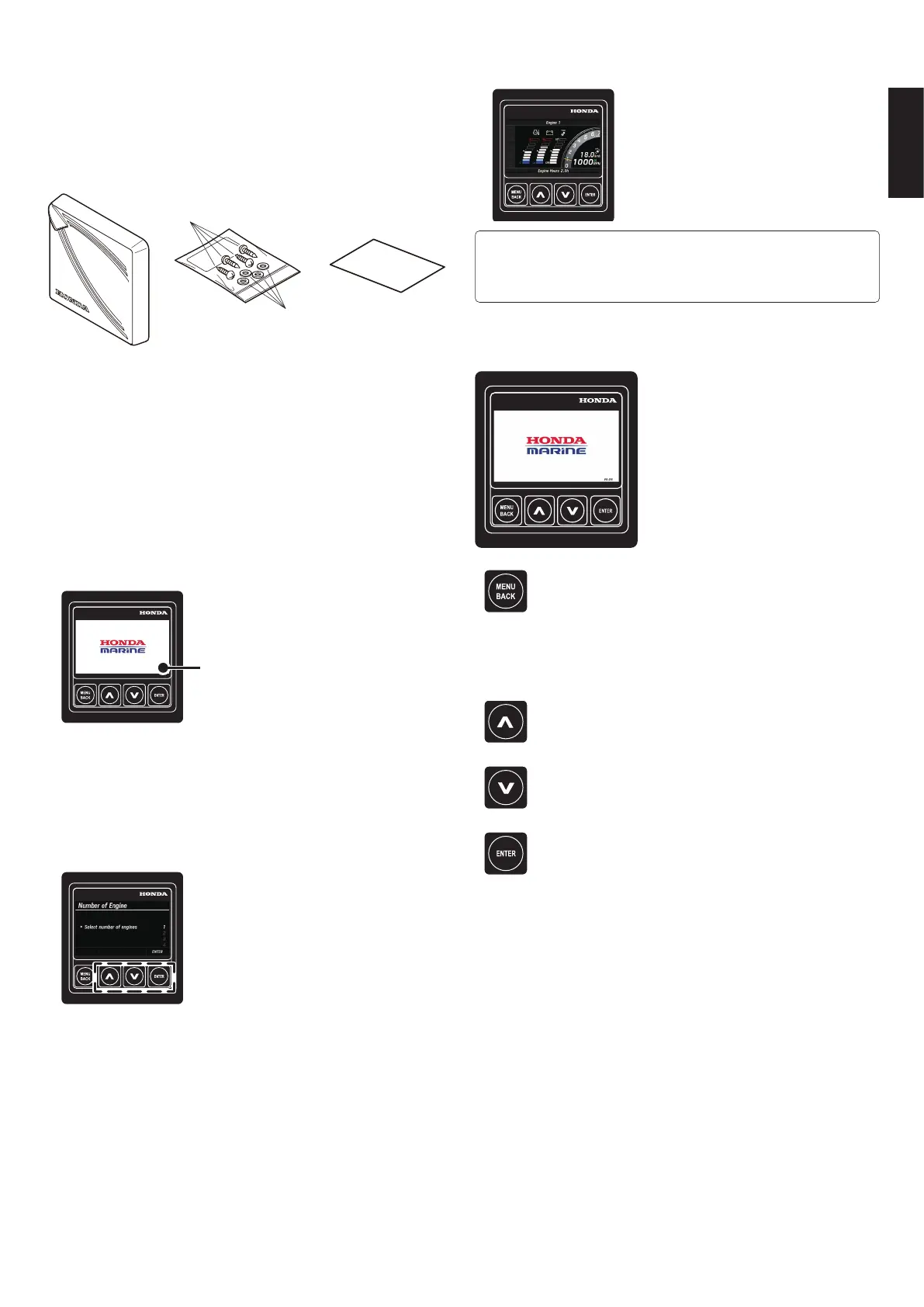
Check the accessories before you start using the product.
(1) Sun cover for display
(2) Screws (4)
(3) Washers (4)
(4) Instruction QR
(1)
(2)
(3) (4)
Settings to be congured when the
power is turned on for the rst time
Specify the number of engines for which information is to be
displayed.
[Number of Engine]
1. When the power is turned on, the HONDA MARINE
logo appears rst, then the Number of Engine screen
automatically appears.
The software version is displayed.
2. Specify the number of engines for which information is to
be displayed.
Use the [
∧
] or [
∨
] button to change the number and press
the [ENTER] button. When multiple outboard motors are
mounted, the screen is capable of displaying information
about up to four engines.
3. After nishing the settings, the display switches to the
engine information screen.
●
For the second or subsequent power-on,
• These settings are unnecessary.
• After the HONDA MARINE logo appears, the display switches to the engine
information screen.
Button Function
[MENU BACK]
• Switch from the engine information screen to the
MENU screen.
• Return to the previous screen.
• Press and hold it on the MENU screen or the setting
screen to switch to the engine information screen.
[
∧
]
• Select menu items and settings.
[
∨
]
• Select menu items and settings.
[ENTER]
• Determine the selected item.



 To Next Page