24
To “Conguring the settings” (P.8)
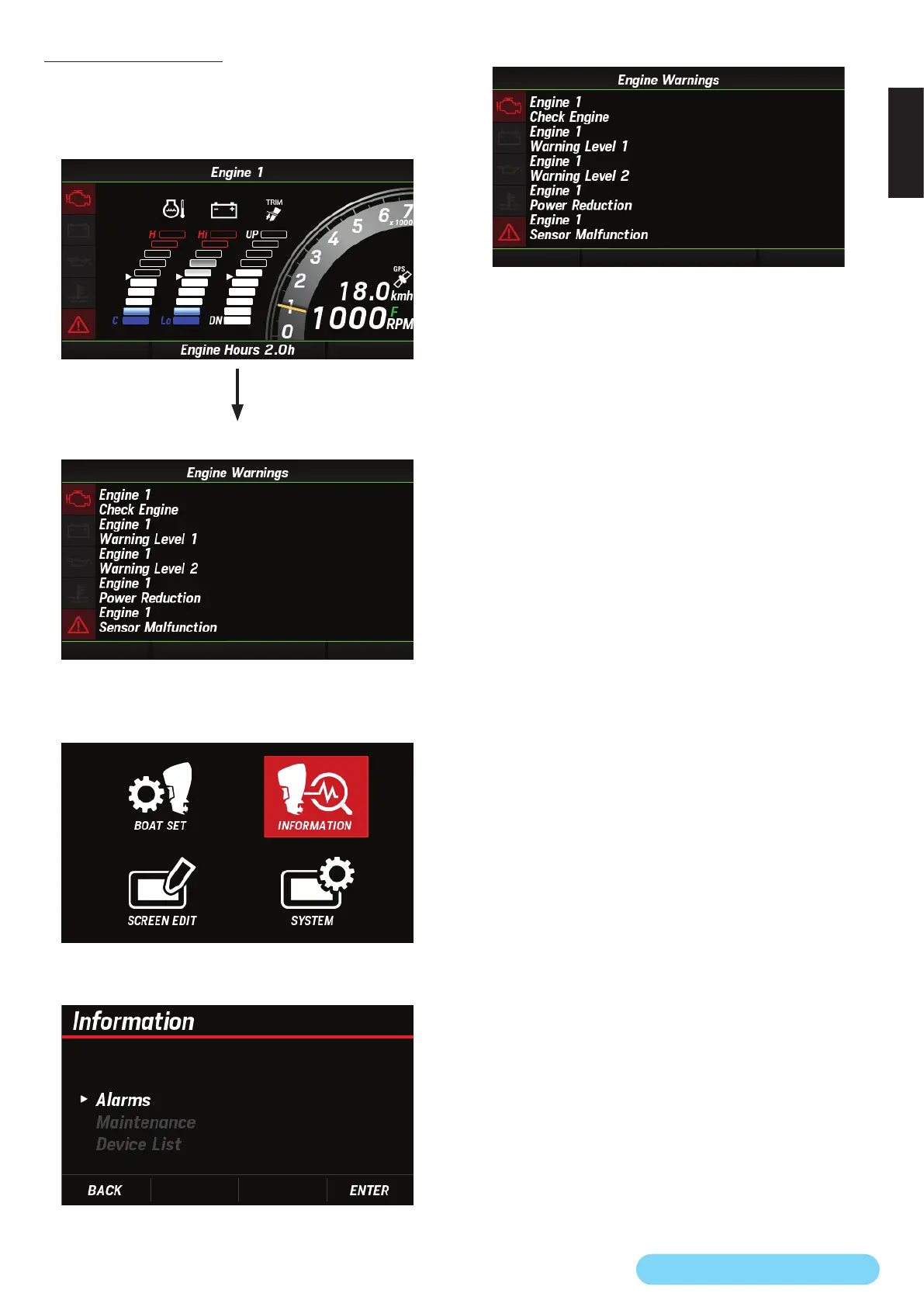
(11) Engine Warnings
You can check the current engine error information. The
information that you can check here is the same as that
displayed when you switch the main screen.
<Main screen>
[
∧
] and [
∨
] buttons
Screen switching
<Engine warning screen>
1. Use the [
∧
] or [
∨
] button to select INFORMATION and
press the [ENTER] button.
2. Use the [
∧
] or [
∨
] button to select Alarms and press the
[ENTER] button.
3. Check the current engine error information.



 To Next Page