36
To “Conguring the settings” (P.8)
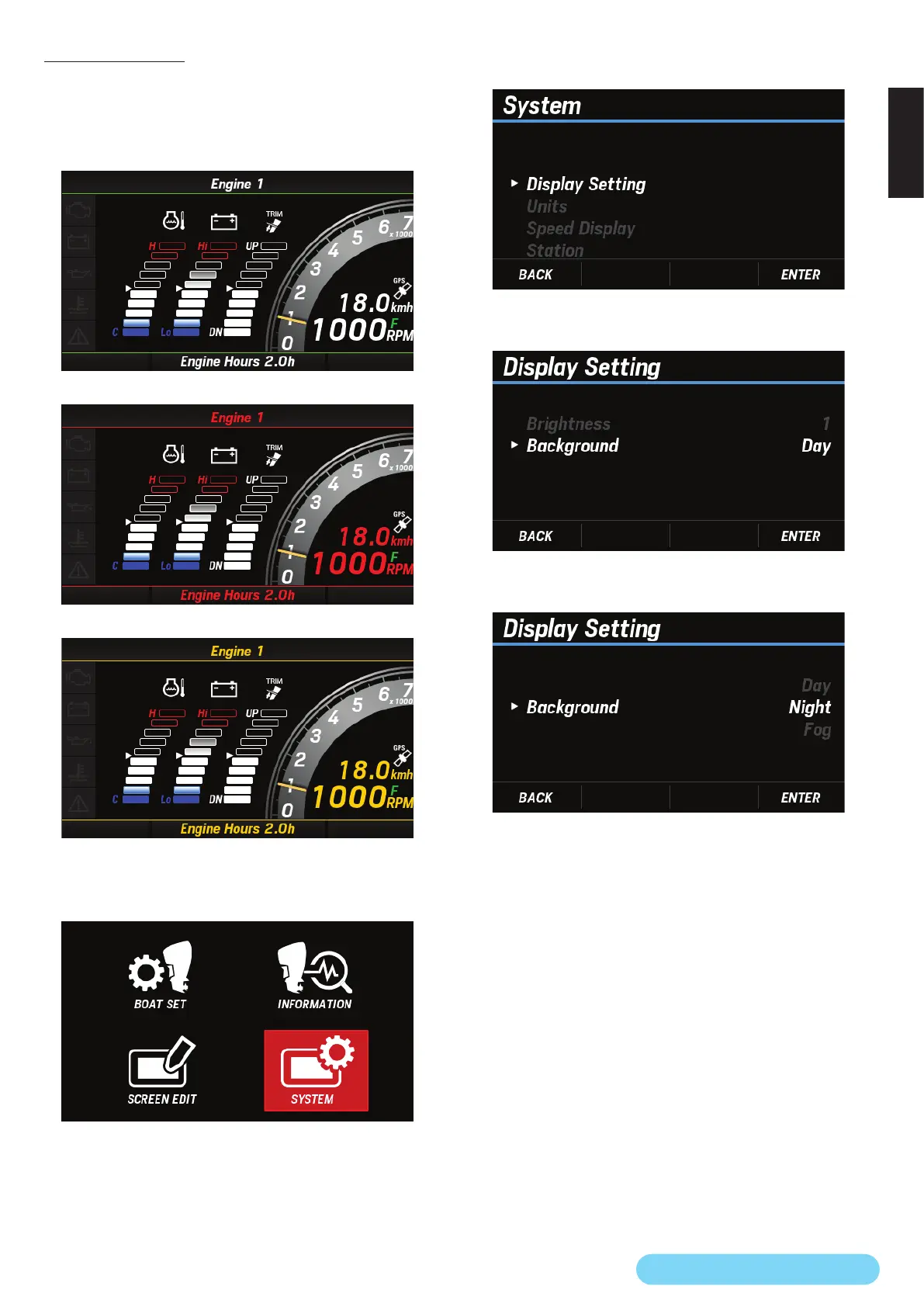
(20) Background
You can select the background color of the engine information
screen from the following three types:
●
Available background colors
<Day>
<Night>
<Fog>
1. Use the [
∧
] or [
∨
] button to select SYSTEM and press the
[ENTER] button.
2. Use the [
∧
] or [
∨
] button to select Display Setting and
press the [ENTER] button.
3. Use the [
∧
] or [
∨
] button to select Background and press
the [ENTER] button.
4. Use the [
∧
] or [
∨
] button to select any background color
and press the [ENTER] button.



 To Next Page