25
To “Conguring the settings” (P.8)
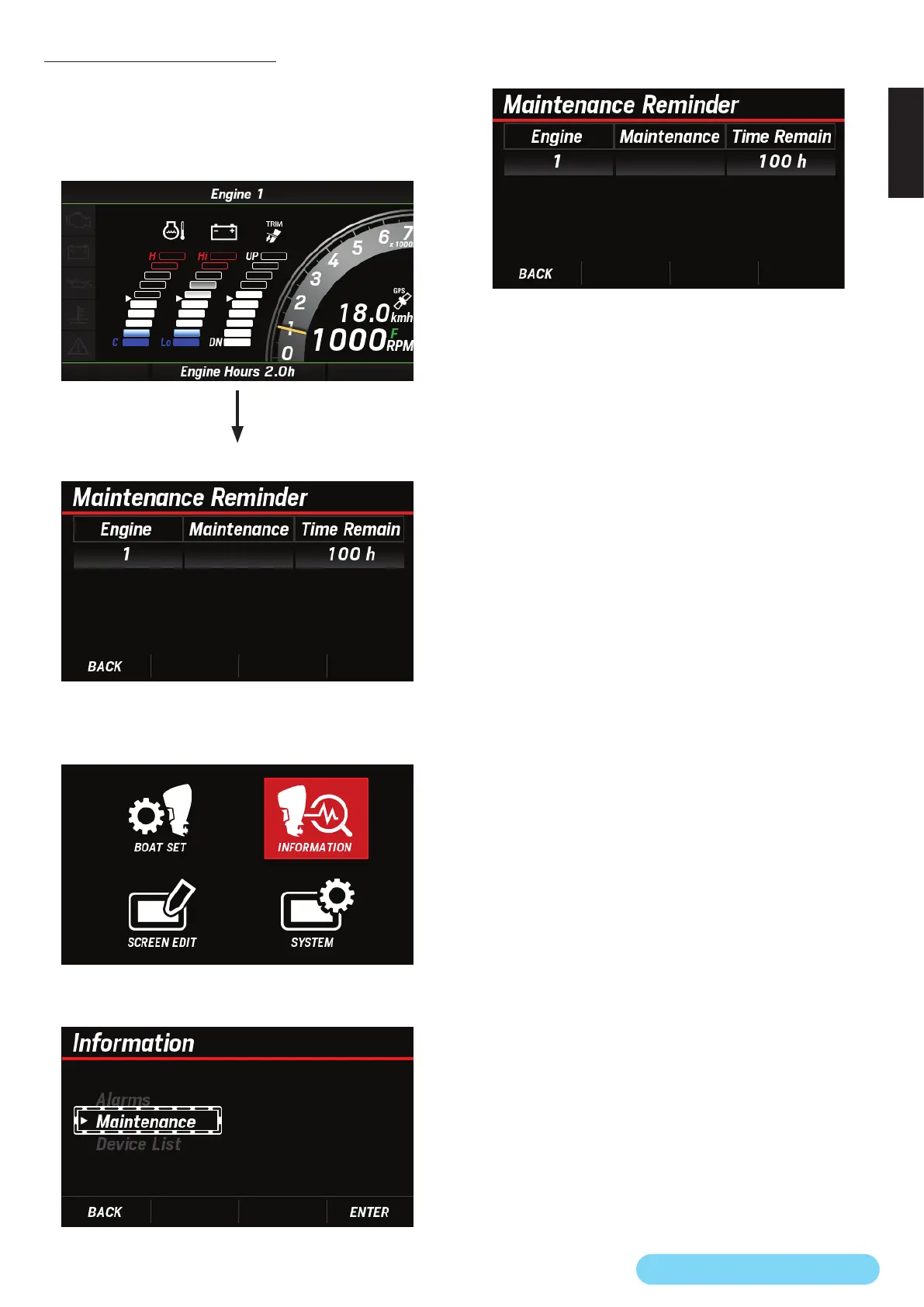
(12) Maintenance Reminder
You can check the remaining time before the next periodic
inspection for the connected outboard motor. The information
that you can check here is the same as that displayed when
you switch the main screen.
<Main screen>
[
∧
] and [
∨
] buttons
Screen switching
<Maintenance check screen>
1. Use the [
∧
] or [
∨
] button to select INFORMATION and
press the [ENTER] button.
2. Use the [
∧
] or [
∨
] button to select Maintenance and press
the [ENTER] button.
3. Check the remaining time before the next periodic
inspection.



 To Next Page