32
To “Conguring the settings” (P.8)
(16) Engine Temp
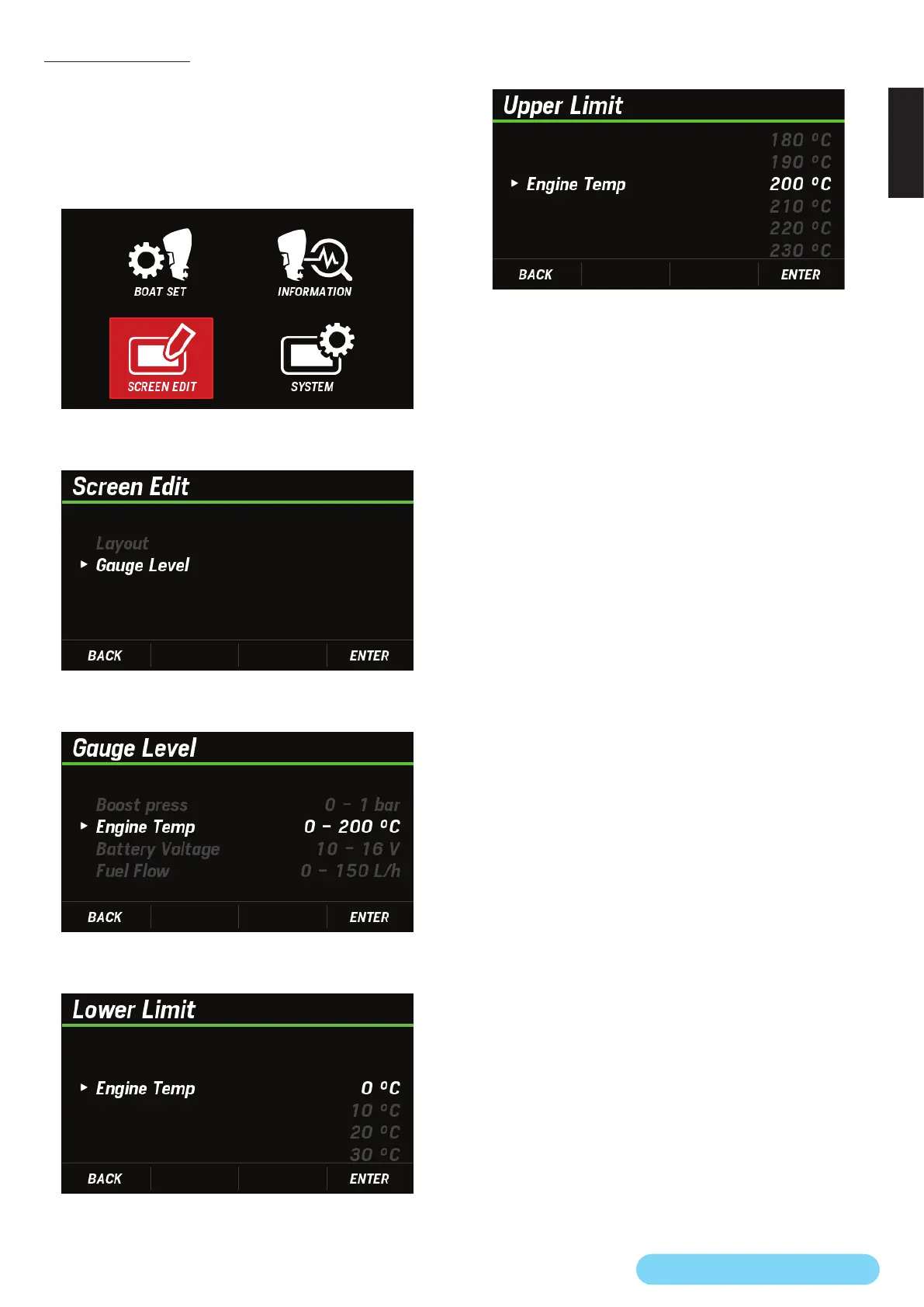
You can change the setting of the engine temperature display
range, which corresponds to the bar display on the main
screen.
1. Use the [
∧
] or [
∨
] button to select SCREEN EDIT and press
the [ENTER] button.
2. Use the [
∧
] or [
∨
] button to select Gauge Level and press
the [ENTER] button.
3. Use the [
∧
] or [
∨
] button to select Engine Temp and press
the [ENTER] button.
4. Use the [
∧
] or [
∨
] button to select the lower limit you want
to set and press the [ENTER] button.
5. Use the [
∧
] or [
∨
] button to select the upper limit you
want to set and press the [ENTER] button.



 To Next Page