35
To “Conguring the settings” (P.8)
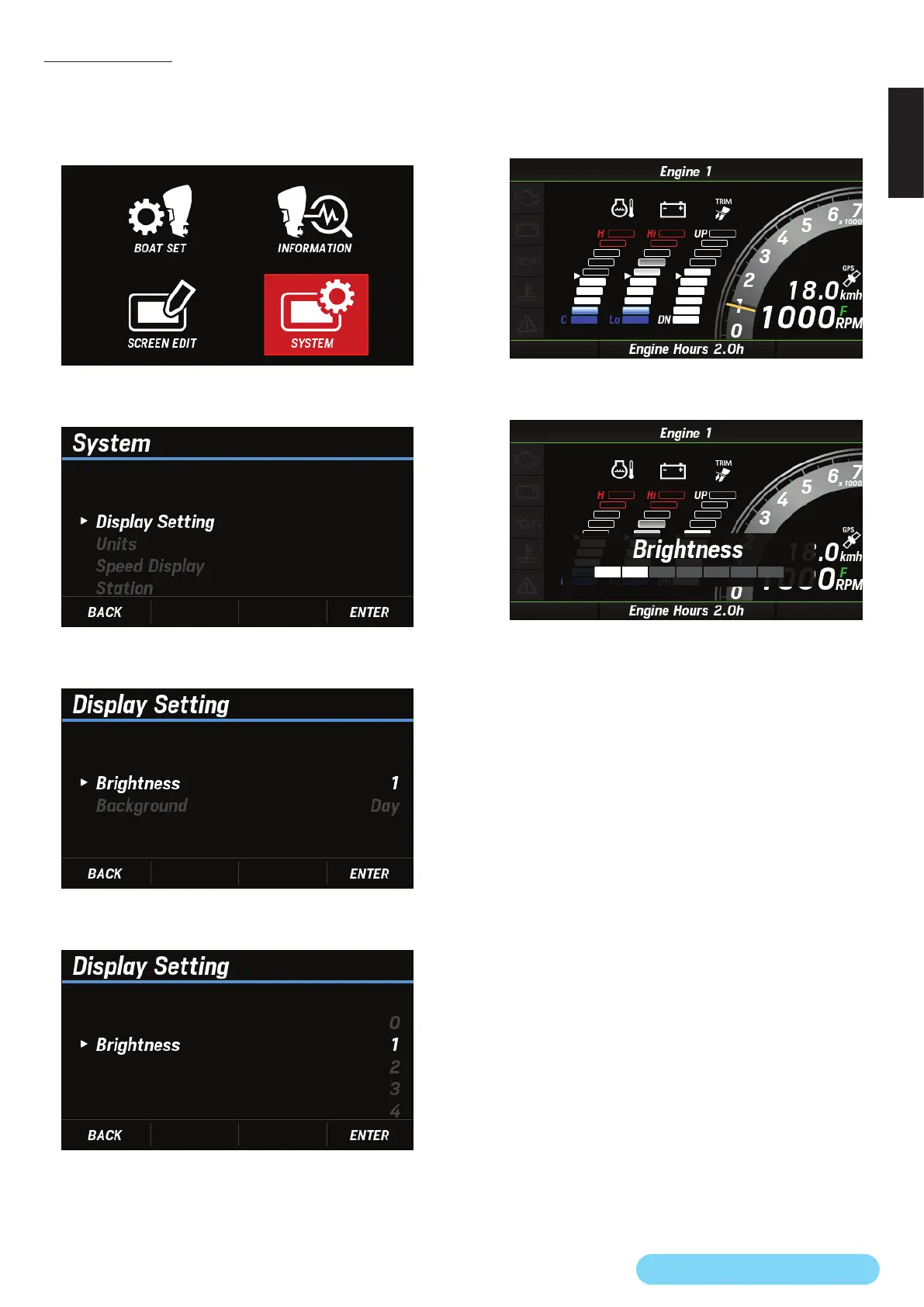
(19) Brightness
You can adjust the screen brightness in eight steps.
1. Use the [
∧
] or [
∨
] button to select SYSTEM and press the
[ENTER] button.
2. Use the [
∧
] or [
∨
] button to select Display Setting and
press the [ENTER] button.
3. Use the [
∧
] or [
∨
] button to select Brightness and press
the [ENTER] button.
4. Use the [
∧
] or [
∨
] button to select any brightness and
press the [ENTER] button.
• Alternatively, you can use the following procedure to adjust
the screen brightness.
1. Press the [
∧
] and [
∨
] buttons simultaneously on the
engine information screen.
2. Use the [
∧
] or [
∨
] button to select any brightness and
press the [ENTER] button.



 To Next Page