uuDisplay AudiouAudio/Information Screen
270
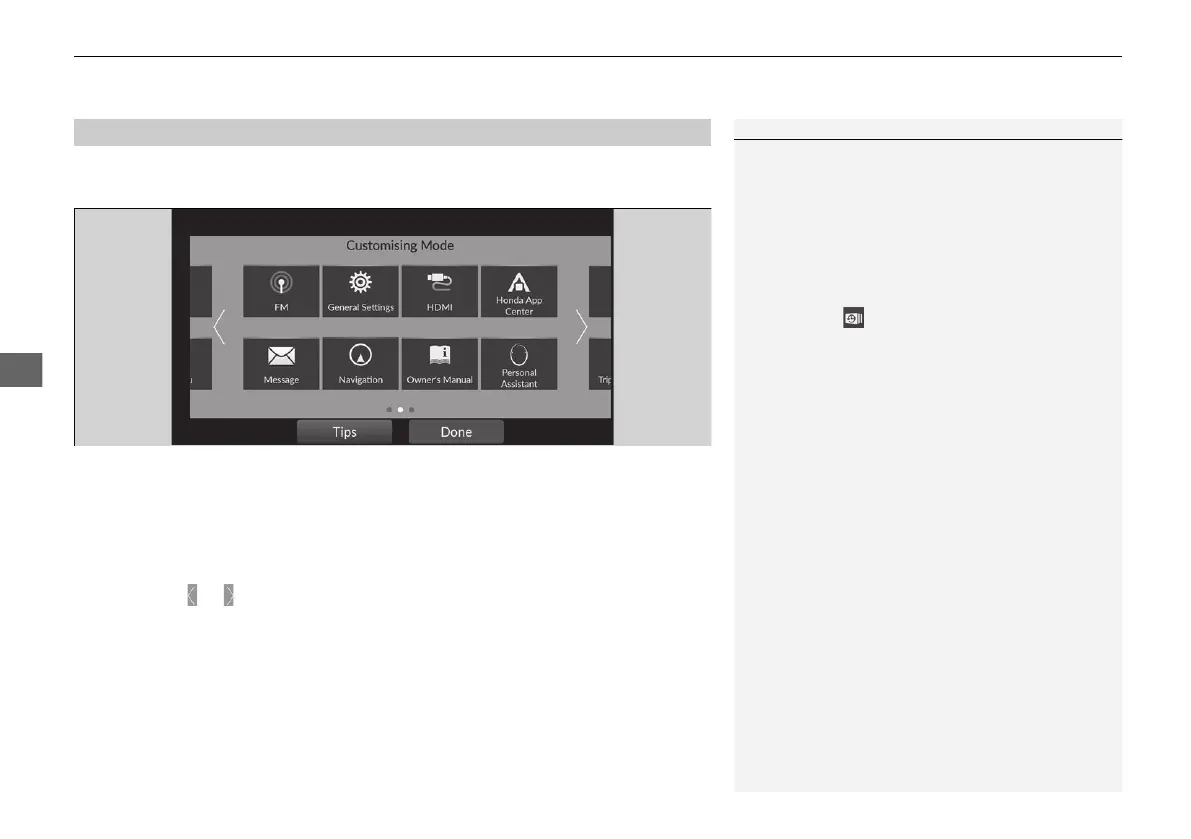
App shortcut icons are displayed on the centre screen and assistant screen. You can
change the icons to be displayed and location of them.
■
To change/move app shortcut icons on the shortcut area
You can change the displayed icons and location of the icons on the shortcut area.
1. Select and hold an icon.
u The screen switches to the customization screen.
2. Drag and drop the icon to where you want it to be.
u Selecting or , swiping the customization screen left or right changes to the
next screen.
3. Select Done.
u It will return to the previous screen.
■
App Shortcut Function
1App Shortcut Function
Select Tips to show tips. To hide them, touch the tips
screen.
If there is a blank area on the shortcut area, you can
add an icon to be displayed. If so, press and hold the
blank area to switch the customization screen.
Pre-installed apps may not start up normally. If this
occurs, select (recent) and swipe the apps which
cannot start up upward to close it, then re-start the
apps.
In case those apps still do not start up normally, you
need to turn the power mode to VEHICLE OFF and set
the power mode to ON again.
2 Displaying the App History P. 269
If you perform Factory Data Reset, it may reset all
the settings to their factory default.
2 Defaulting All the Settings P. 343
In case those apps still do not start up normally even
after Factory Data Reset, contact your dealer.
20 2EX JSS (KE KG)-32TYF6000.book 270 ページ 2020年3月6日 金曜日 午後6時58分













 To Next Page