uuDisplay AudiouCustomized Features
336
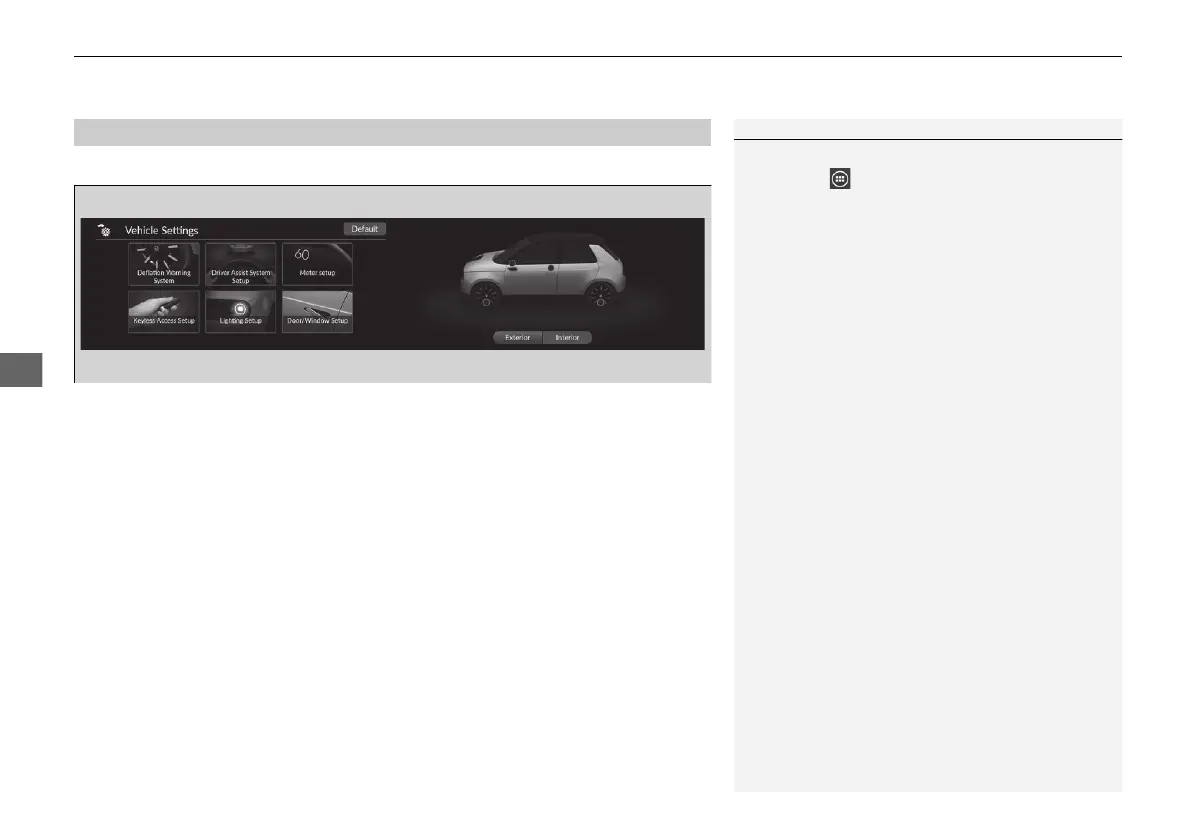
With the power mode in ON, select Vehicle Settings, then select a setting item.
• Deflation Warning System 2 P. 337
• Driver Assist System Setup 2 P. 337
• Meter setup 2 P. 339
• Keyless Access Setup 2 P. 340
• Lighting Setup 2 P. 341
• Door/Window Setup 2 P. 342
• Maintenance Info. 2 P. 342
■
How to Customize the Vehicle Settings
1How to Customize the Vehicle Settings
If Vehicle Settings is not displayed on the shortcut
area, select All Apps. You can change the
displayed icons on the shortcut area.
2 App Shortcut Function P. 270
It is possible to customize the vehicle settings from
the image on the assistant screen.
20 2EX JSS (KE KG)-32TYF6000.book 336 ページ 2020年3月6日 金曜日 午後6時58分













 To Next Page