2MP/4MP Low Light WDR IP Camera User Guide
28
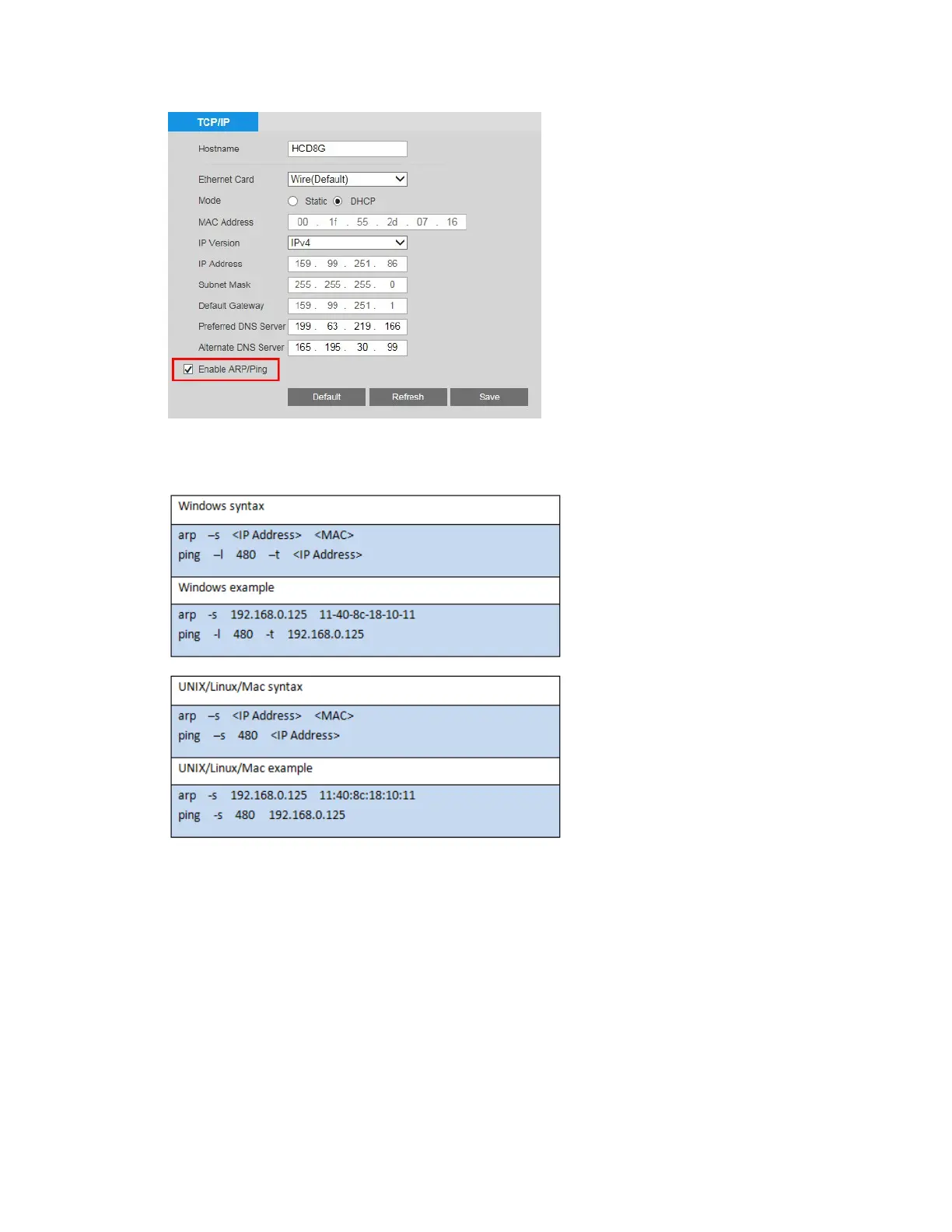
4. Open the Command Prompt window on your PC (in Windows 7, click Start All
Programs
Accessories Command Prompt) and type the appropriate commands
for your operating system:
5. Reboot the camera. If the setup was successful, the Command Prompt window will
display “Reply from" and the IP address (for example, "Reply from 192.168.0.125 …”).
To verify that the IP address works, open your browser and type in the address bar http://
followed by the IP address (for example, http://192.168.0.125), then press Enter.
Configuring Network Connections
You can configure network connections and port settings on the Setup Network Setup
Connection
Connection page.



 To Next Page
 Loading...


