2MP/4MP Low Light WDR IP Camera User Guide
56
8 Configuring Recording Settings
This chapter contains the following sections:
• Configuring Recording Schedules, page 56
• Configuring Storage Settings, page 57
• Configuring Recording Settings, page 59
Configuring Recording Schedules
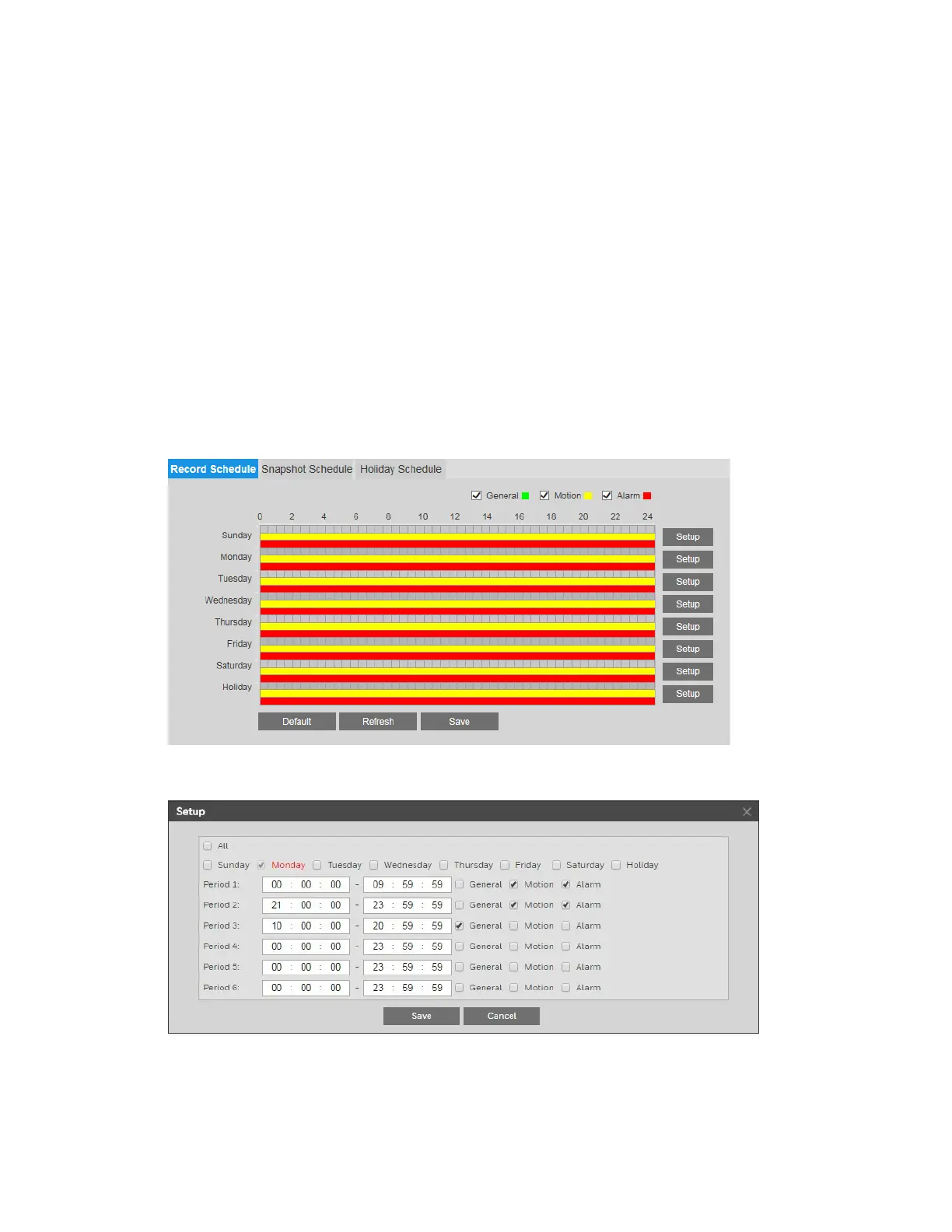
You can set up both regular and holiday schedules for recording video and saving snapshots
on the Setup
Storage Setup Schedule page.
On the Record Schedule tab, click the Setup buttons to configure weekend, weekday, and
holiday settings, for general video recording as well as motion detection and alarm recording.
You can configure up to 6 different recording periods per day. Click Save to apply the settings.
Follow the same procedure to configure the settings on the Snapshot Schedule tab.
On the Holiday Schedule tab, you can designate holidays by clicking dates on the calendar.



 To Next Page
 Loading...


