Web Operation | 43
800-18161V1 - A - 07/2014
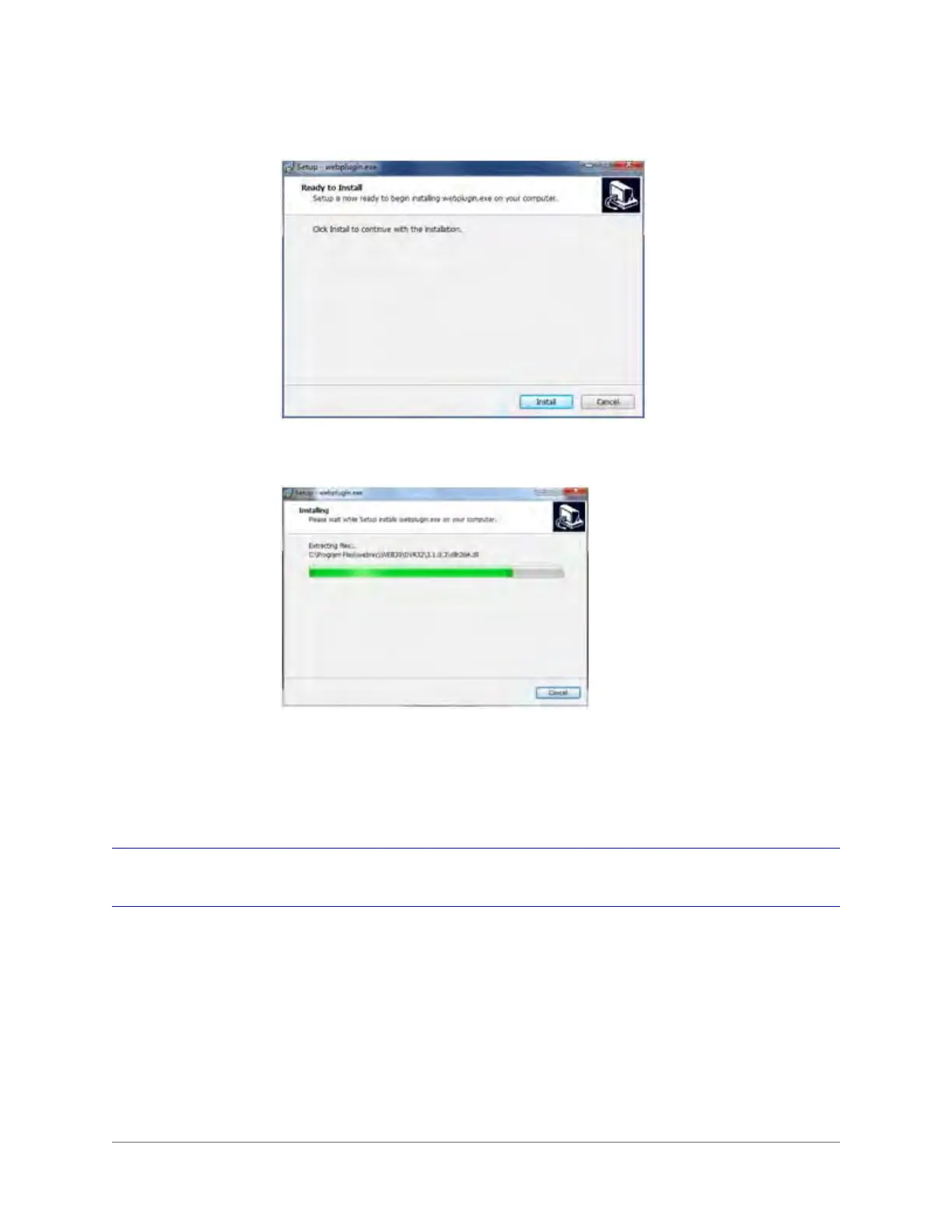
Figure 3-6 Plug-in Installation Window
6. Click Install. A progress window appears.
Figure 3-7 Plug-in Installation Progress Window
When the plug-in installation is complete, the installation page automatically closes. The
web client automatically refreshes, and then you can view video from the camera.
Live Interface
When you log in, the Live interface appears.







 To Next Page