www.honeywell.com/security
62 | Performance Series IP Cameras User Guide
Note When PPPoE is on, please disable UPnP so it does not interfere with PPPoE.
Note You must go to the IP address to check the camera’s current information. You
can access the web client through this address.
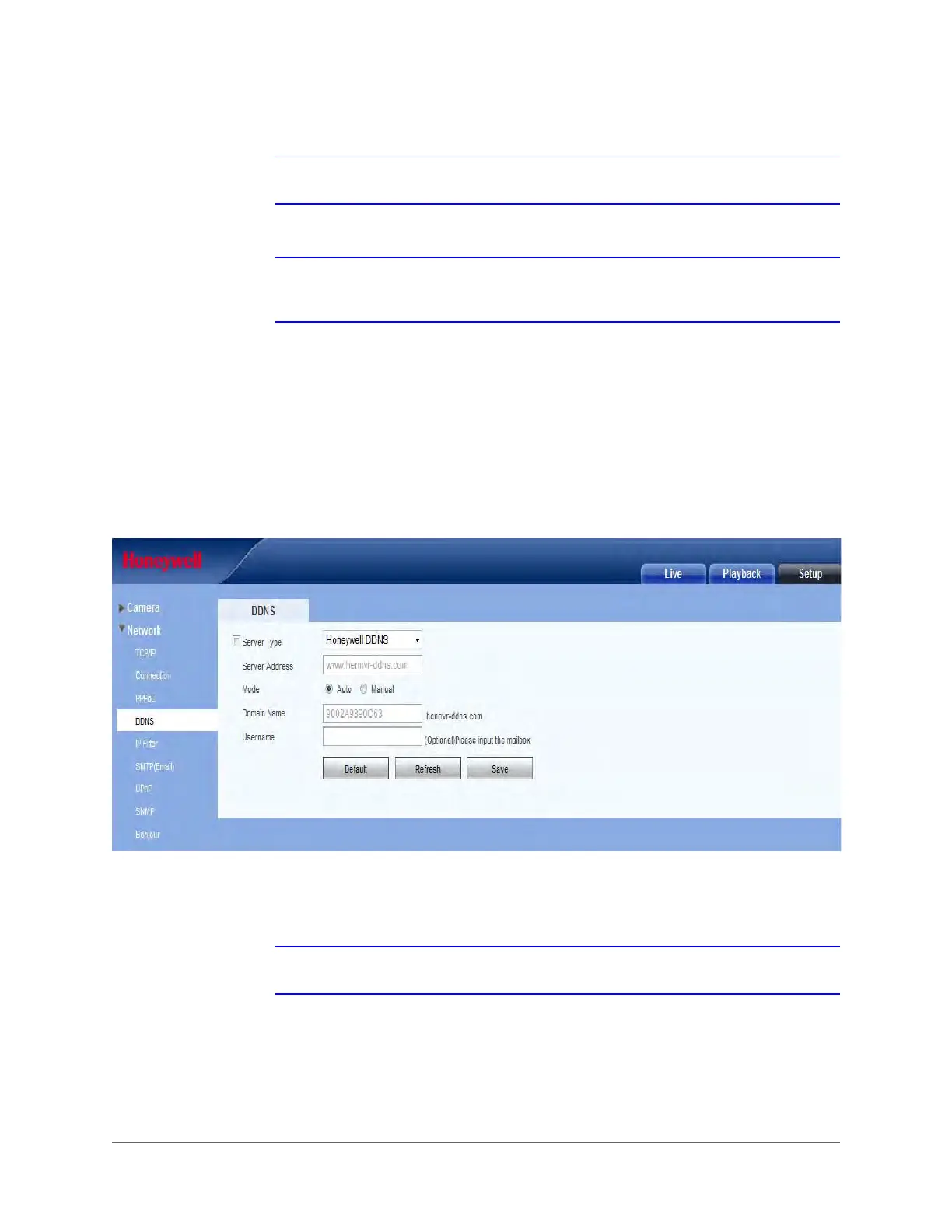
DDNS
Set the DDNS to connect the Honeywell DDNS server so that you can access the system
through the servers.
Manually Configuring the DDNS
Figure 3-23 DDNS Configuration Interface
To set the DDNS, go to the corresponding service website to apply a domain name, and then
access the system through that domain. This works even if your IP address has changed.
Note When your camera is connected to the WLAN, you should disable UPnP.







 To Next Page