MAN0878-09-EN_XLE_XLT_UserManual
A u g u s t 2 3 , 2 0 1 8 P a g e 140 | 158
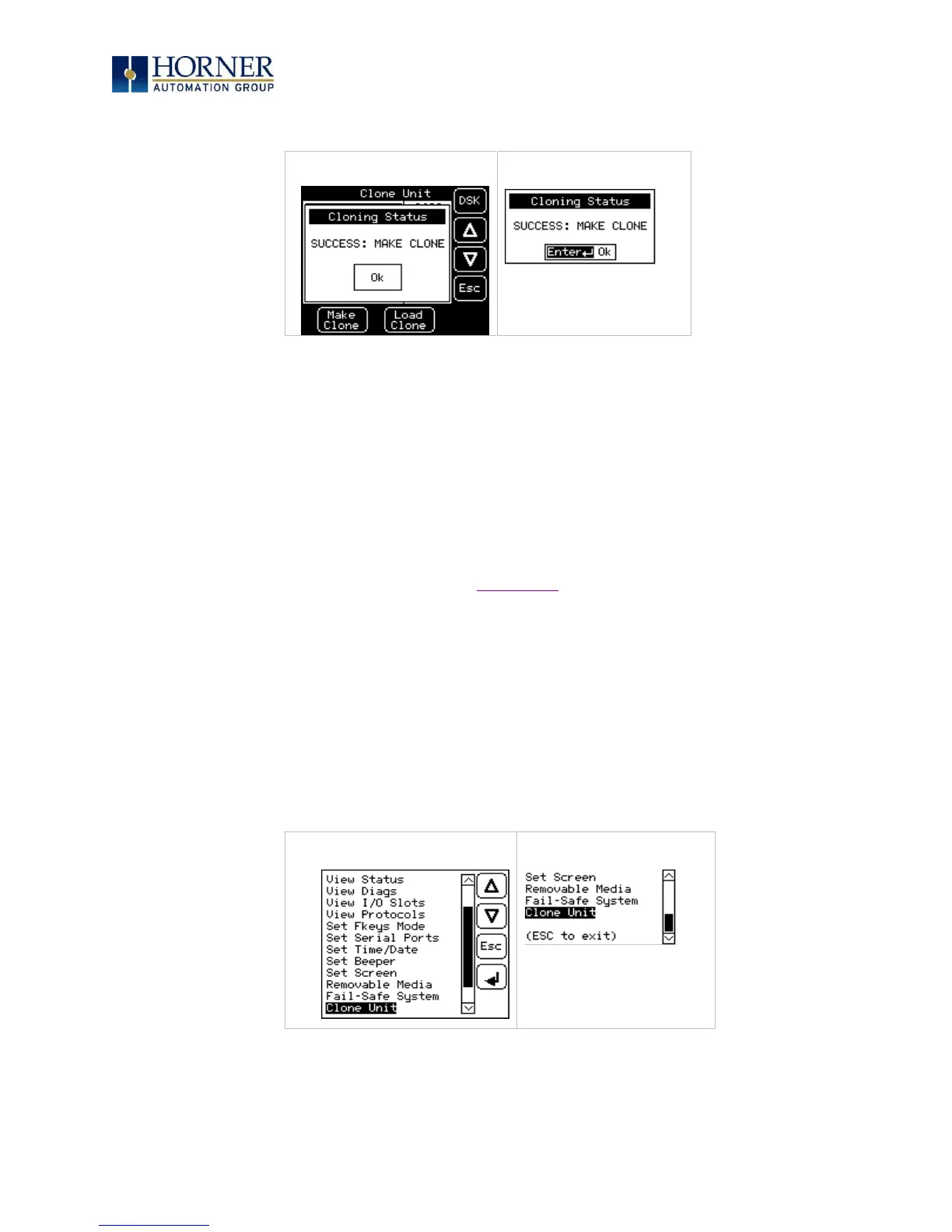
4. Once the cloning is successful, the OCS gives a message as below:
Figure 17.5 – Cloning Status
Make/Create clone can also be triggered by setting %SR164.9 bit to “1” from Ladder program
or graphics. Once the operation is completed, this bit is made zero by the firmware. When Make
clone operation is triggered by this SR bit, it does not ask the user for confirmation to make the
clone. The success / failure of the operation is also not notified on screen to the user.
In case of failure of “Make Clone” operation, %SR164.11 bit is set to “1” by the firmware and
never reset.
NOTE: Backup of registers in flash memory is not performed by the Clone Feature. If user
desires, Backup should be done as explained in Chapter 16 (Fail-Safe System).
17.3 Load Clone
This option loads the application, all unit settings and register values from Removable media to
the Battery backed RAM (Regardless of AutoLoad settings) and then resets the OCS for the
settings to take effect.
User must perform the following to Load the Clone:
1. Select “Clone Unit” from main system menu of OCS as shown below:



 To Next Page