MAN0878-09-EN_XLE_XLT_UserManual
A u g u s t 2 3 , 2 0 1 8 P a g e 28 | 158
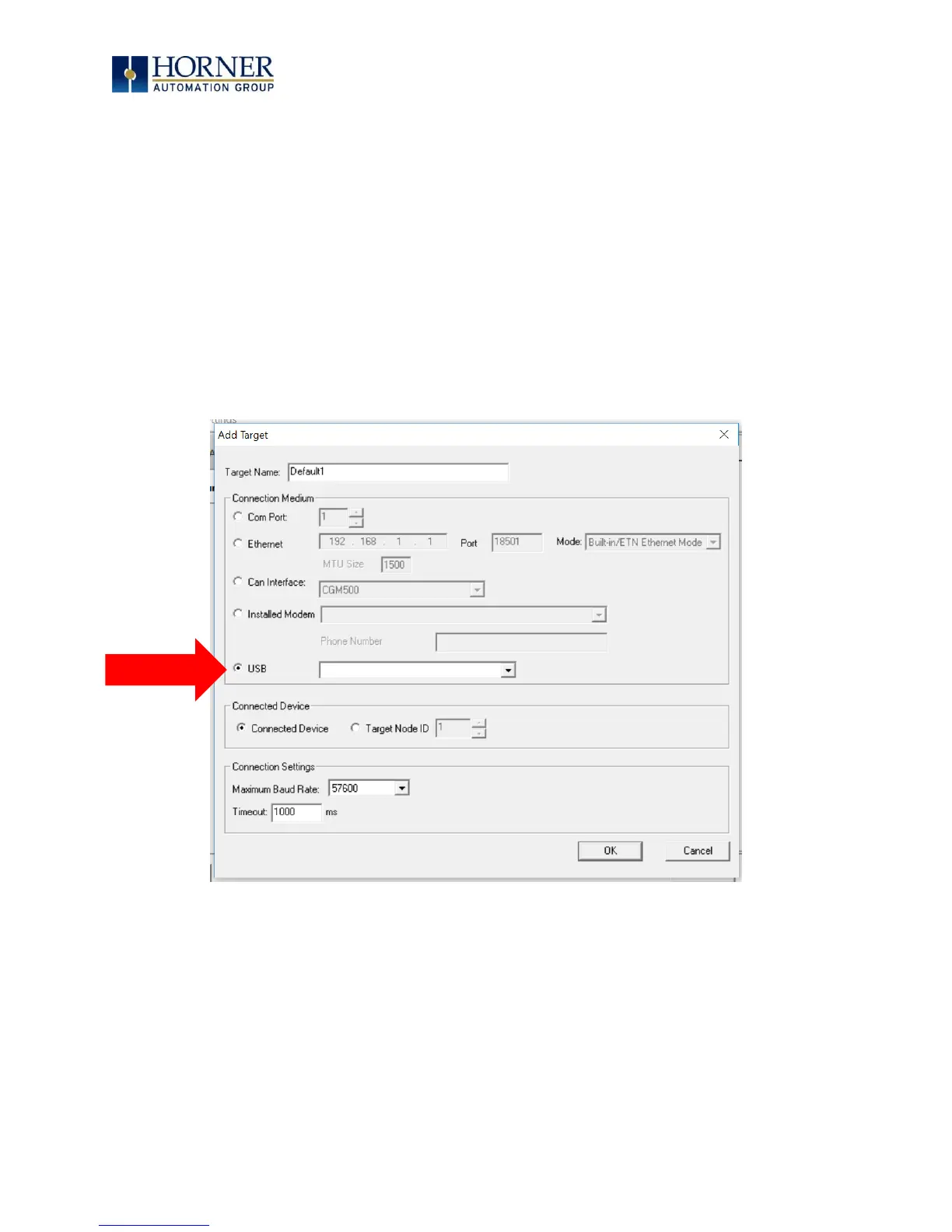
5.8 Configuration via USB
It is possible to load the program and monitor data via the USB 2.0 slave port on XLE/XLT Rev
T and later. To load via USB configure the communications port in Cscape as follows, the unit
must be connected via the USB mini-USB port to the PC or laptop:
Select Tools → Applications Settings → Communications → USB button.
It is possible to download/upload and use the data monitoring functions once connected.
NOTE: It is advisable to use an isolated USB cable between the PC/laptop and the XLE/XLT
when third party devices are connected to the XLE/XLT to avoid damaging ground loops to
the PC/laptop and/or the XLE/XLT.
Figure 5.2 – Configuration via USB



 To Next Page