MAN0878-09-EN_XLE_XLT_UserManual
A u g u s t 2 3 , 2 0 1 8 P a g e 64 | 158
CHAPTER 10: REMOVABLE MEDIA
10.1 Overview
All XLE/XLT models provide a Removable Media slot, labeled Memory Card, which supports
standard microSD Flash memory cards. microSD cards can be used to save and load
applications, to capture graphics screens and to log data for later retrieval.
10.2 microSD Cards
When the microSD card format was introduced in 2004, it was originally called TransFlash.
Cards labeled either microSD or TransFlash, with up to 32GB of flash memory, are compatible
with the XLE/XLT OCS Memory Card slot.
The XLE/XLT Memory slot is equipped with a “push-in, push-out” connector and a microSD card
can be safely inserted into the Memory slot when the XLE/XLT is powered On or Off.
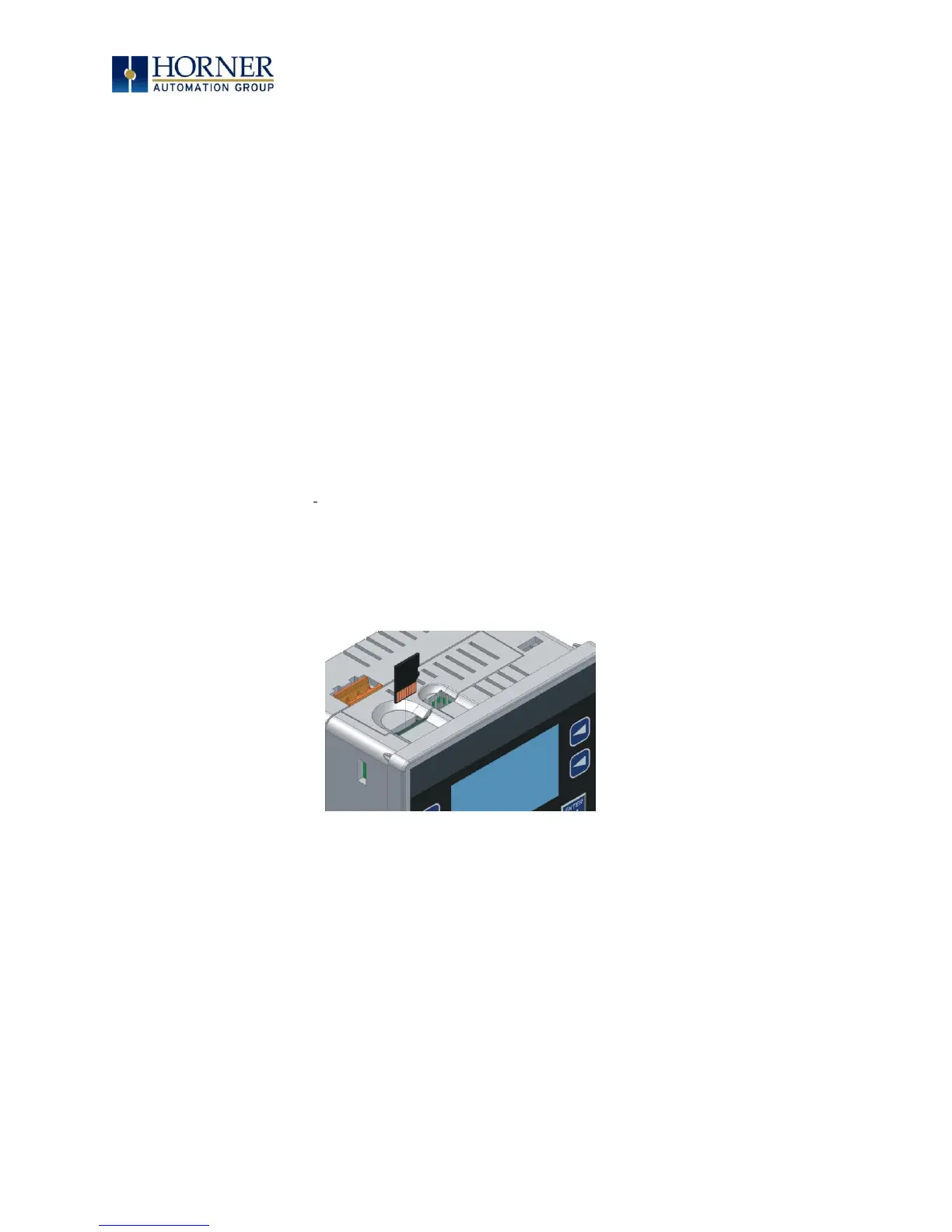
To install a microSD card: Align its 8-pin gold edge connector down, facing the front of the
XLE/XLT unit as shown in Figure 10.1; then carefully push it all the way into the Memory Card
slot. Ensure that it clicks into place.
To remove the microSD card: Push down on the top of the card gently to release the spring.
The card pops up for removal.
Figure 10.1 – Installing Removable Memory Card



 To Next Page