MAN0878-09-EN_XLE_XLT_UserManual
A u g u s t 2 3 , 2 0 1 8 P a g e 42 | 158
8.4 Ethernet Module Configuration
NOTE: The following configuration is required for all applications regardless of the protocols
used. Additional configuration procedures must be performed for each protocol used.
To configure the Ethernet Module, use Cscape Programming Software to perform the following
steps:
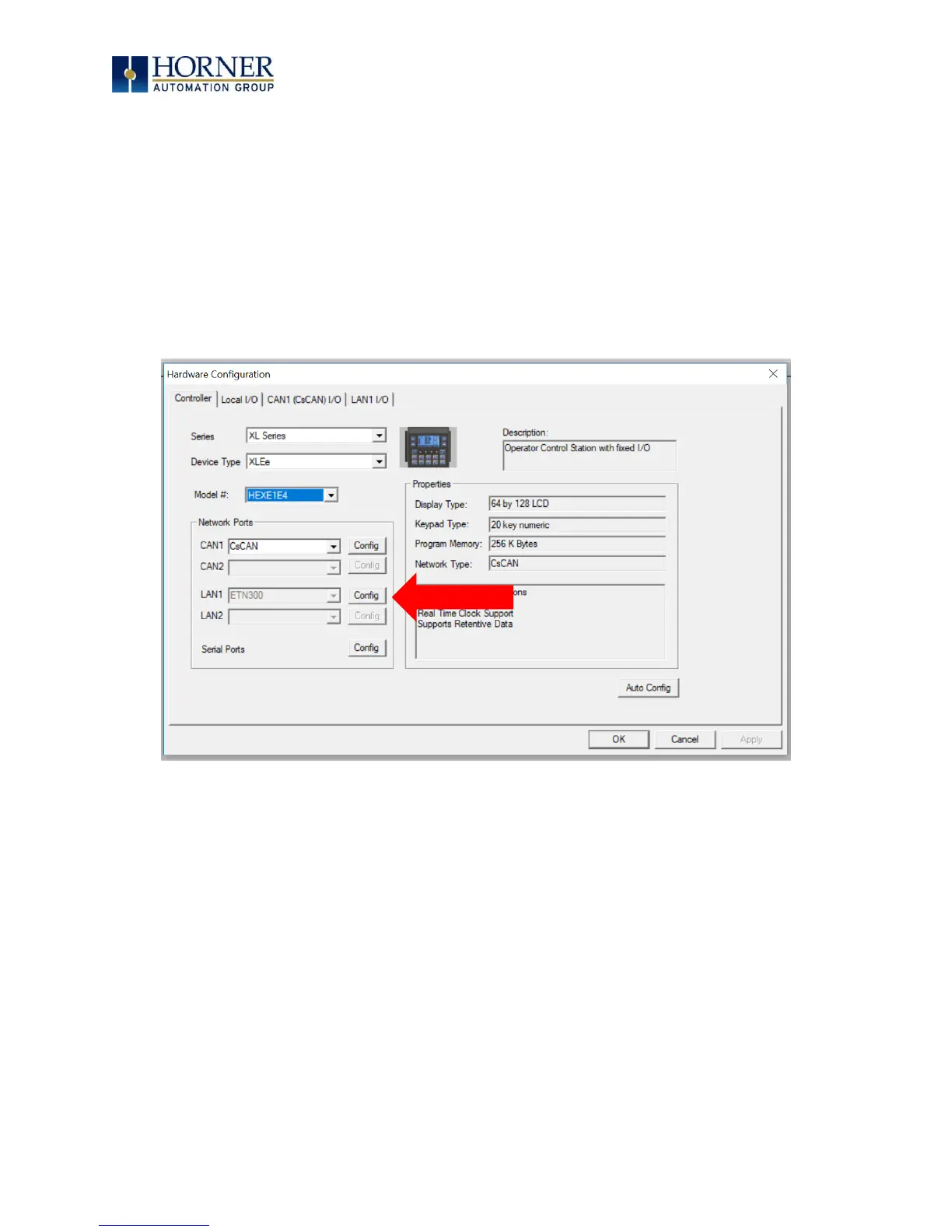
1. On the main Cscape screen, select the Controller menu and its Hardware
Configuration sub-menu to open the Hardware Configuration dialog (Figure 8.1).
2. Click the Config button to the right of LAN1, revealing the Ethernet Module
Configuration dialog as shown in Figure 8.3.
Figure 8.1 – Hardware Configuration Dialog



 To Next Page