37
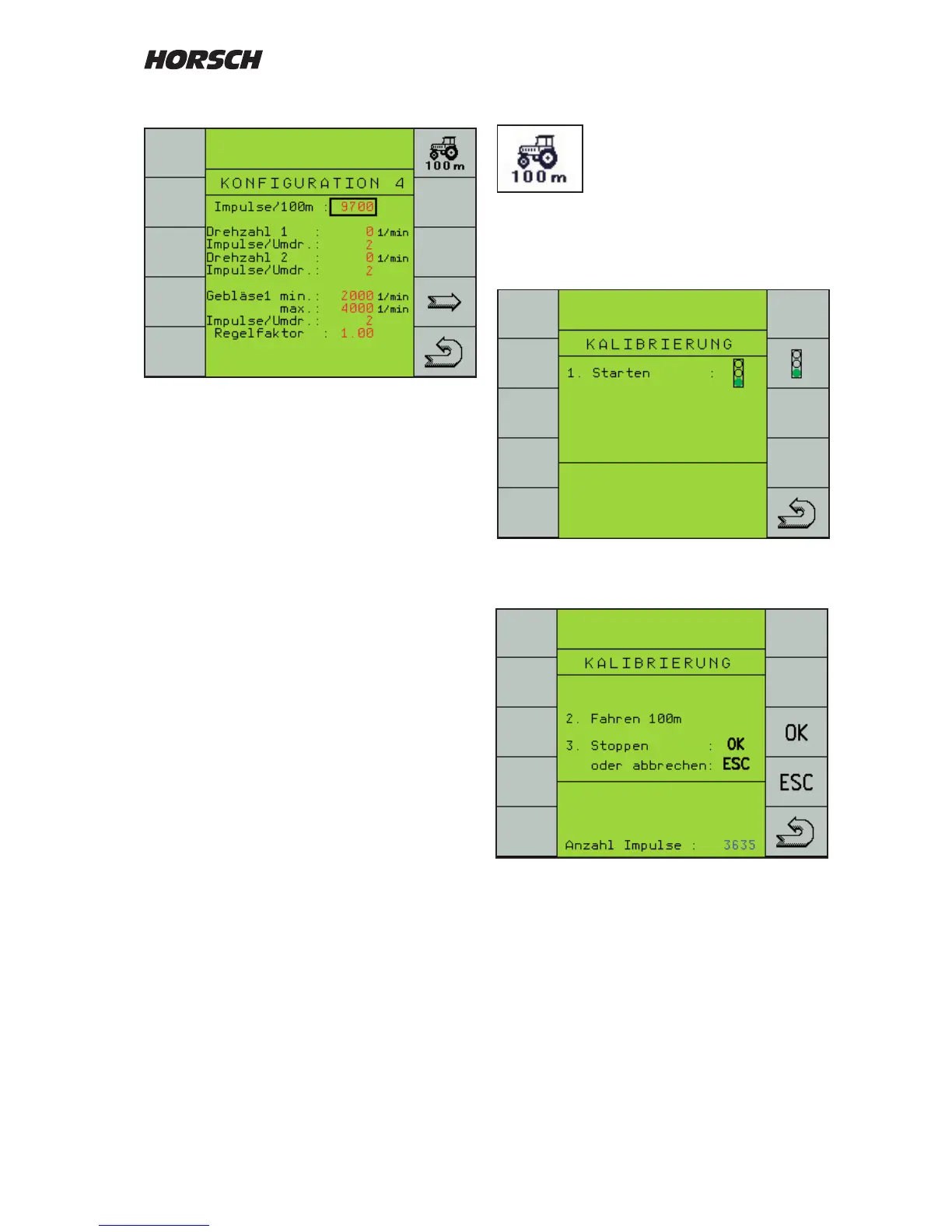
Travelling the 100 m distance
Switch over to the calibration
program.
Press the "trac light button" to start calibration.
Another menu screen will appear.
Start travelling with the tractor.
The pulses will be counted and displayed.
Stop at the 100 m mark.
Confirm the pulses (approx. 9700) with the
"OK"-key. The value will be saved and used for
all calculations.
Conguration 4
This menu page is used to enter the data for
speed, shaft monitoring and fan.
For the speed the pulses for the 100 m distance
must be entered.
The entry serves as a calculation information for
speed display, area calculation and to control
the seed and fertiliser quantity.
The number of pulses can be entered directly
(approx. 9700).
For an exact input a 100 m distance must be
travelled during initial installation and for later
checks.



 To Next Page