Plum A+
®
Infusion Systems
430-95597-001 (Rev. 06/05) 3- 3
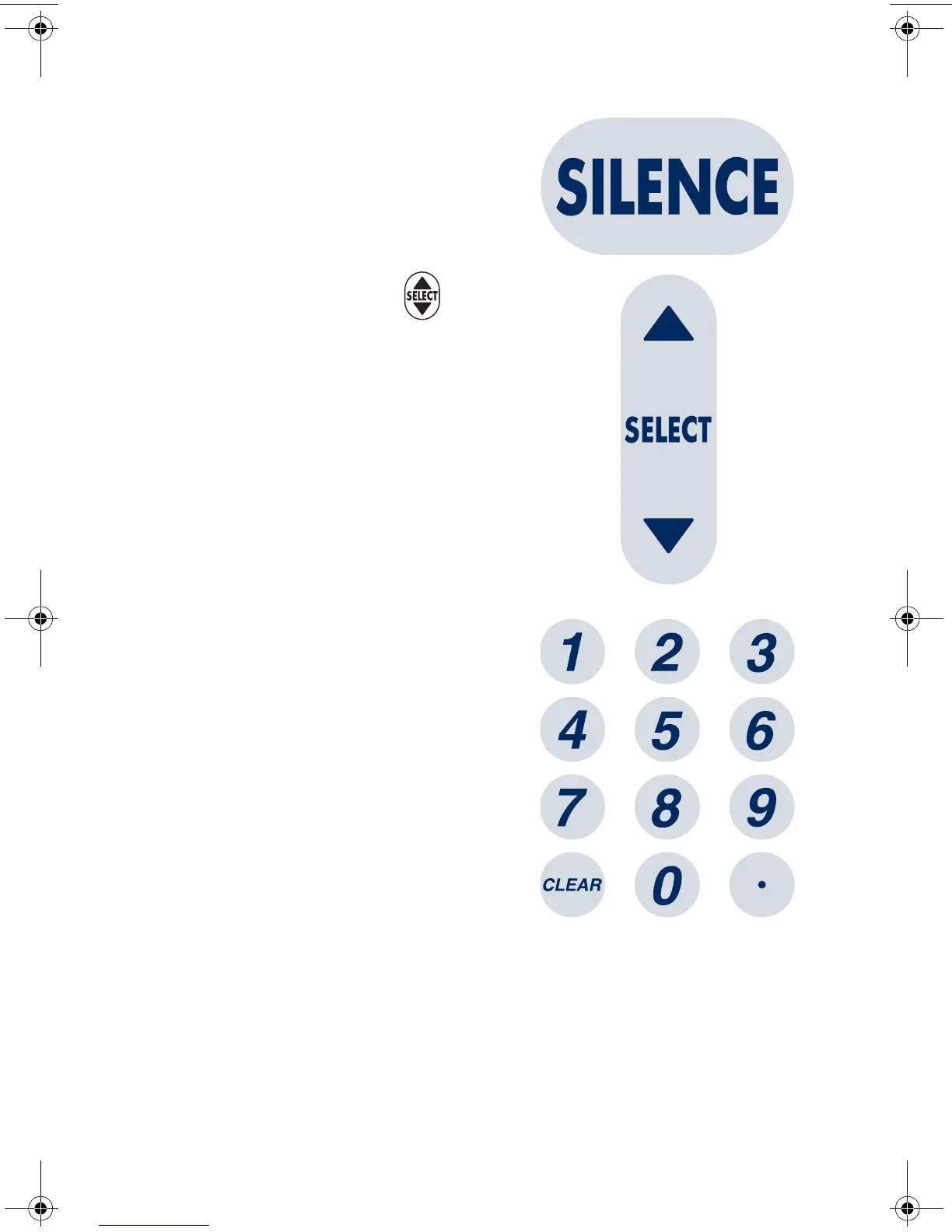
The [SILENCE] key is used to
silence an audible alarm during
actions to correct its cause.
The [SELECT] key (or ) is used
to move the highlighting cursor
between the programming fields.
The numeric keys are used to enter
values for any highlighted field
requiring numeric data.
The [CLEAR] key will cause a
highlighted numeric field to be
cleared in preparation for data
entry. It is also used to clear the
displayed dashes (-- -- --) that
occur when entering values
beyond the pre-programmed hard
limits. It WILL NOT clear the entire
program.
The [DECIMAL POINT] key is used
to manually enter numbers other
than whole numbers (i.e., 1.2 mL).
sec03.fm Page 3 Wednesday, June 8, 2005 8:19 AM


 To Next Page