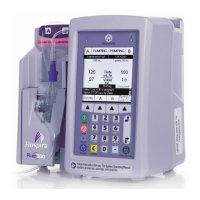
Plum A+
®
Infusion Systems
430-95597-001 (Rev. 06/05) 4- 3
NOTE: If the quality of the earth grounding source is in doubt,
use battery power.
Press the [ON/OFF] key to turn the power on. Check screen
display and listen for a beep to indicate the audio is working.
Wait for the self-tests to complete. If successful, put a fully
primed macro cassette into the cassette door and close the
door. See Loading Cassette in Section 3 for details of correct
procedure.
When the Charging/Line indicator is off and the battery symbol
on the display is flashing, this indicates that the Plum A+ is
operating on low battery power and should be recharged.
CAUTION: W
HEN THE BATTERY IS REMOVED FROM THE PLUM A+,
DO NOT OPERATE ON PATIENTS. USE OF A PROPERLY MAINTAINED
AND
CHARGED BATTERY HELPS CONFIRM PROPER OPERATION.
To confirm battery is fully charged, connect the Plum A+ to AC
(mains) power for a minimum of six hours while in the OFF
mode.
If an alarm occurs during the power on self-test, identify the
alarm message, then take corrective action (see Section 7,
Alarms and Troubleshooting).
Turn infuser OFF, then back ON. If the self-test alarm recurs,
remove the infuser from service and contact the local Hospira
representative.
The infuser performs a suite of System Self-Tests when power
is applied to confirm readiness for use.
Failure during the Self-Tests is reported as a Malfunction
Condition.
DATA RETENTION
Delivery program settings and programming option selections
are retained in non-volatile memory. If the Plum A+ has been
turned off for longer than four hours, all delivery settings are
cleared and programming option selections are restored to their
default selections for next use.
sec04.fm Page 3 Wednesday, June 8, 2005 8:22 AM


 To Next Page