For Systems With Hospira MedNet
TM
Software
4- 18 430-95597-001 (Rev. 06/05)
Stop and Start with only 1 Line
Pumping
1 Press at the Main
Delivery Screen.
NOTE: If
[A] (or
[B]) is selected
prior to pressing [STOP], the display
will return to the programming
screen. Select
[Cancel/Back] to return to the Main
Delivery screen.
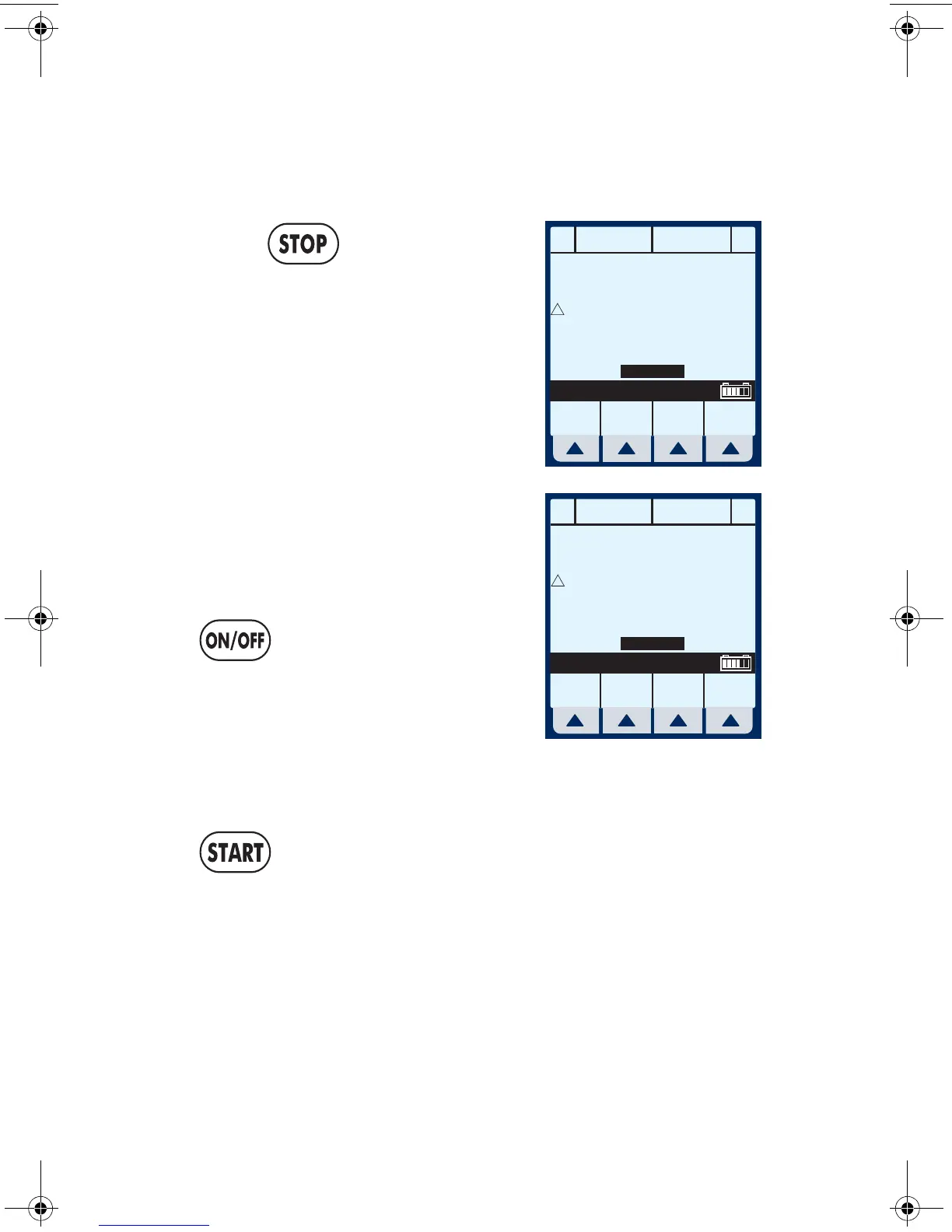
Example of STOPPED
delivery.
2 To discontinue infusion, press
.
3 Clamp secondary tubing if
connected.
4 Open door, remove set and close door. Or, press
to resume infusion.
A
A
B
B
PUMPING STOPPED
Rate
mL/hr
Vol Inf
mL
Options/
Vol Inf
Back
Prime
100
8.
5
0
0
!
MedSurg
A
A
B
B
STOPPED STOPPED
Rate
mL/hr
Vol Inf
mL
Options/
Vol Inf
Back
Prime
100
8.
5
0
0
!
MedSurg
sec04.fm Page 18 Wednesday, June 8, 2005 8:22 AM


 To Next Page