For Systems With Hospira MedNet
TM
Software
3- 12 430-95597-001 (Rev. 06/05)
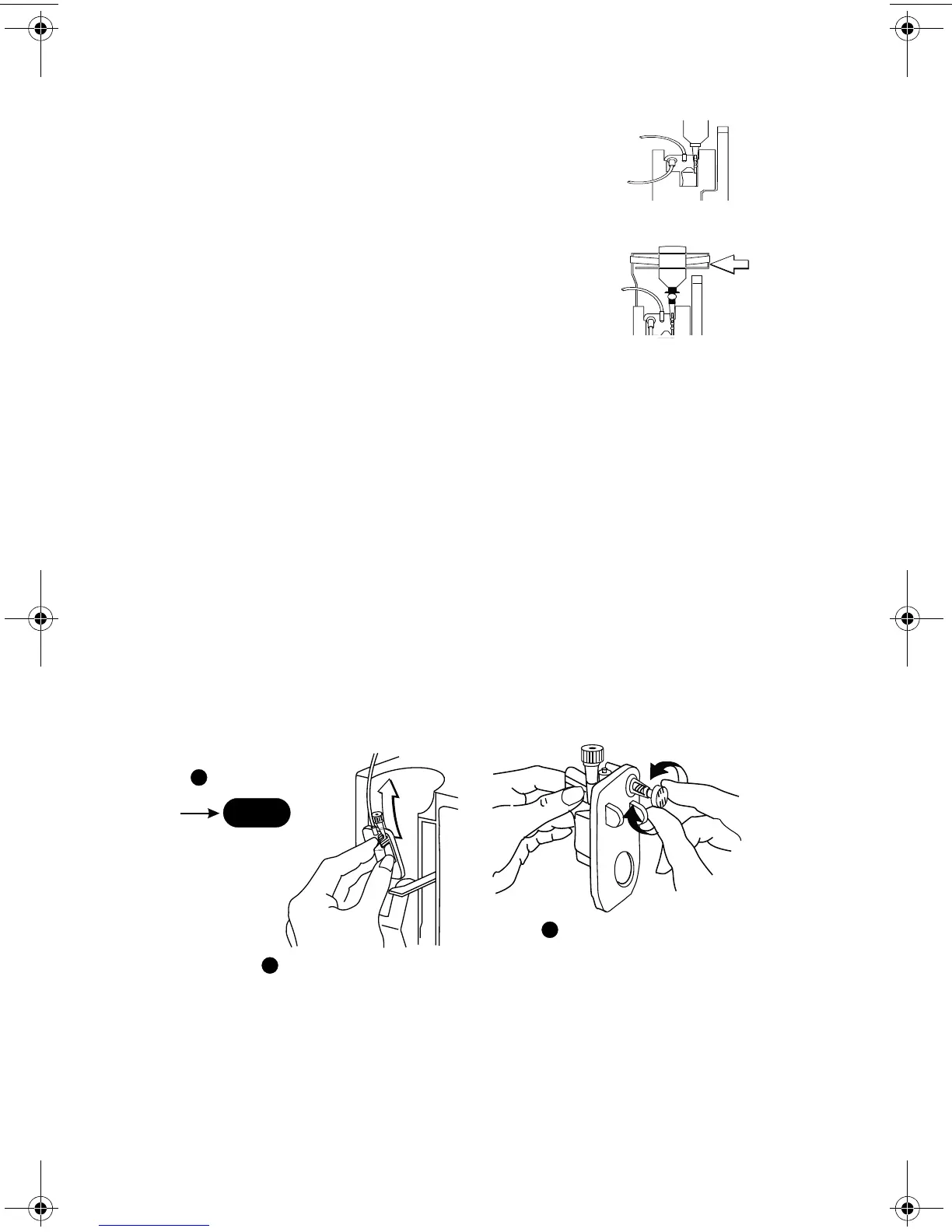
3 Set up per operating instructions.
(See Sections 4 - 6 of this manual.)
4 Syringe: Secure the container to the
cassette door using the optional container
support arm (List 12095-03).
Discontinuing Electronic Flow
Control & Setting Gravity Flow
CAUTION: BEFORE OPENING DOOR, CLOSE CLAMP ON PRIMARY
OR
SECONDARY SET OR REMOVE SECONDARY CONTAINER FROM
SECONDARY
PORT TO PREVENT MIXING OF PRIMARY AND SECONDARY
FLUIDS
.
If electronic flow needs to be stopped, the precision flow
regulator on the cassette can be used to manually set and
maintain fluid flow in a gravity mode (see the following
graphics).
PRESS STOP
OPEN DOOR & REMOVE CASSETTE
SET GRAVITY RATE BY
TURNING FLOW REGULATOR
COUNTER-CLOCKWISE
NOTE: FLOW REGULATOR CLOSES
AUTOMATICALLY WHEN DOOR IS OPENED
TO PREVENT ACCIDENTAL FREE FLOW
NOTE: CASSETTE SHOULD BE
IN UPRIGHT POSITION
NOTE: IF DOOR OPEN ALARM OCCURS, TURN PUMP OFF
STOP
1
2
3
sec03.fm Page 12 Wednesday, June 8, 2005 8:19 AM


 To Next Page