For Systems With Hospira MedNet
TM
Software
4- 6 430-95597-001 (Rev. 06/05)
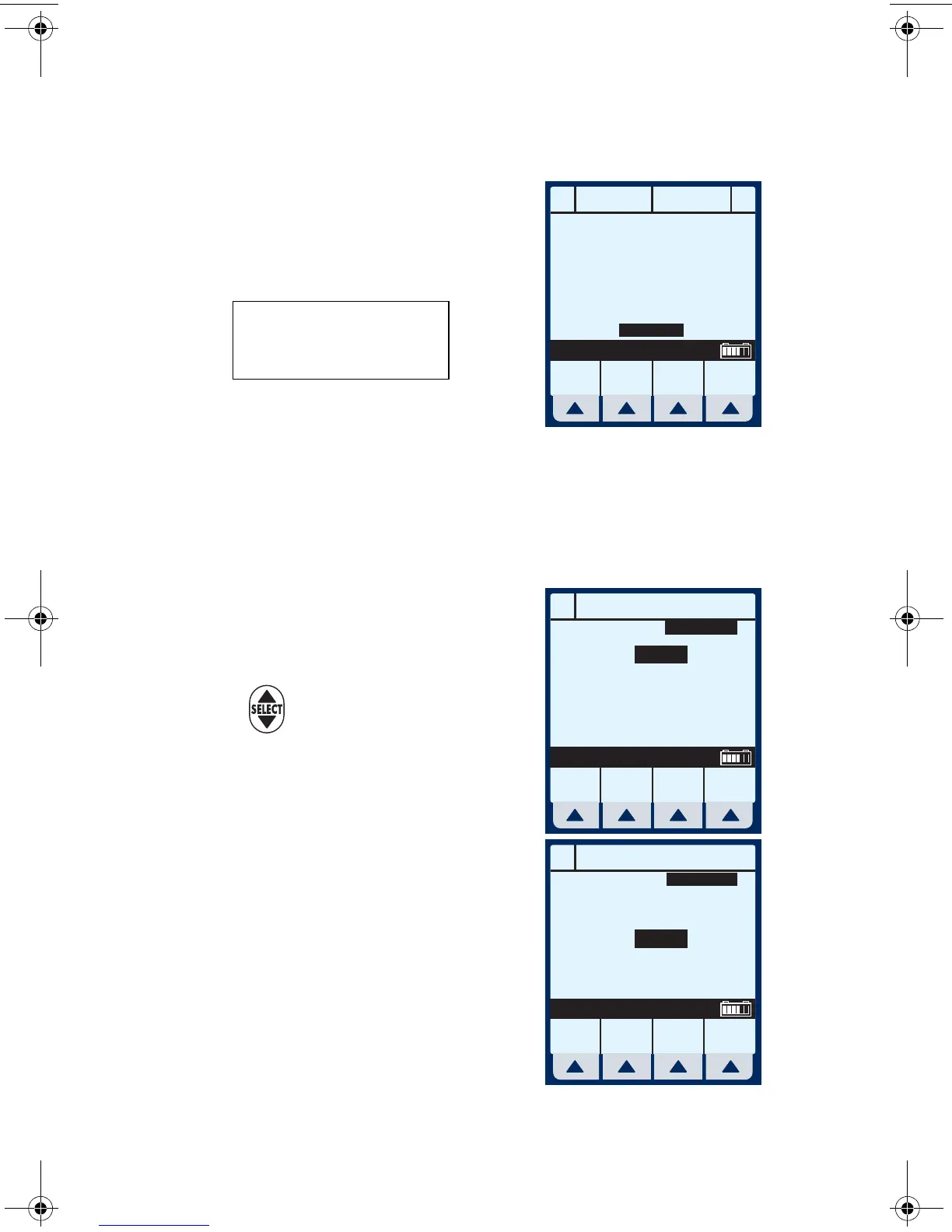
Simple Delivery
Example of MedNet Main
Delivery Screen (with cleared
settings). The selected area is
displayed at the bottom.
NOTE: For clarity, whole number font
sizes will appear larger than fractional
number font sizes (numbers on the right-side of the decimal).
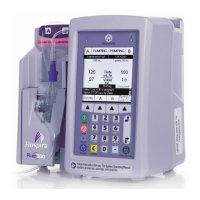
1 To Program a delivery rate, select
[A].
2 To enter delivery rate, use
numeric keypad.
3 Use to move down to the
VTBI field.
4 To enter VTBI amount, use
keypad.
NOTE: While the VTBI is being
entered, the duration is automatically
computed. If the computed value is
greater than 99:59, dashes (- -)
appear in place of hours.
A
A
B
B
STOPPED STOPPED
Rate
mL/hr
Vol Inf
mL
Options/
Vol Inf
Back
Prime
0
00
0
MedSurg
**SCREENS SHOWN IN THIS MANUAL
ARE EXAMPLES ONLY AND DON’T
NECESSARILY REFLECT CURRENT
ACTUAL PRACTICE**
A
PROGRAM
Rate
VTBI
Duration
mL/hr
mL
hr : min
Program
Options
Cancel/
Back
Drug
List
Enter Value using keypad
0
0
00:00
MedSurg
A
PROGRAM
Rate
VTBI
Duration
mL/hr
mL
hr : min
Program
Options
Cancel/
Back
Drug
List
Enter value using keypad
5.5
0
00:00
MedSurg
sec04.fm Page 6 Wednesday, June 8, 2005 8:22 AM


 To Next Page