Plum A+
®
Infusion Systems
430-95597-001 (Rev. 06/05) 4- 5
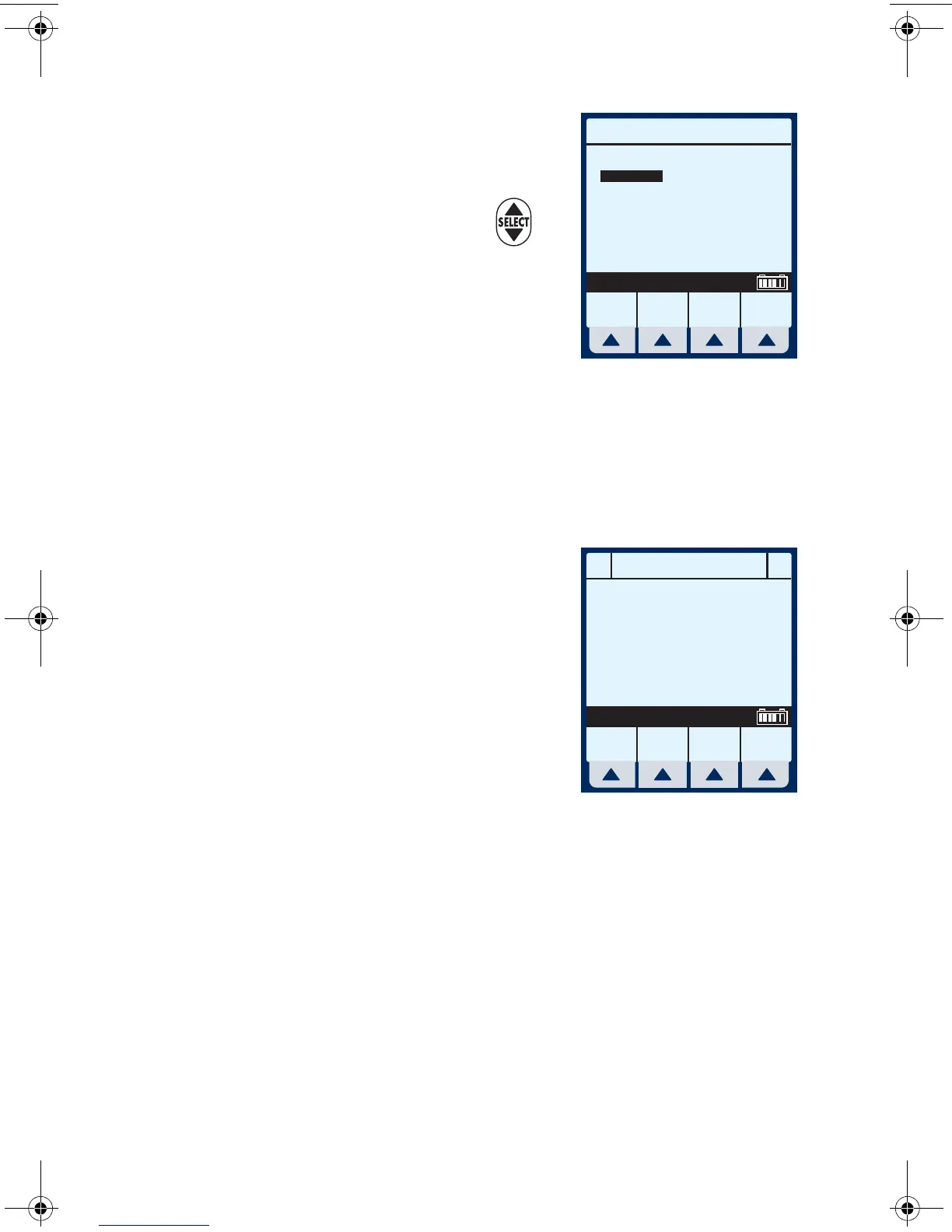
The Area Selection screen will
appear if your system has been
programmed with the Hospira
MedNet accessory. Use to
choose. If only one CCA has
been entered, it becomes the
default and this screen is
skipped.
NOTE: To change the CCA while infusing, see page 6-12,
Changing CCA While Infusing.
If not using MedNet, the display will go straight to the
“Clear Settings?” option.
Example of Clear Settings
Screen
3 The on-screen message “Clear
Settings?” may appear. Select
[Yes] to clear all settings.
Clear ALL settings when
changing patients or multiple
programming parameters.
NOTE: This clears all delivery parameters, such as Rate and
VTBI on both lines, as well as setting items, such as the KVO
and Nurse Callback options, to their default values.
NOTE: If no settings currently exist or all settings are zero, this
screen will be bypassed.
Area Selection
Enter
Select, then Enter
Any Hospital, USA
MM/DD/YY XXYYZZ- 123456
ICU
MedSurg
OR
Cardio
Urology
Psych
Recov
L&D
5 West
Renal
Neo ICU
OB/GYN
Oncol
Ad ICU
ER
7 South
3 North
4 North
SETUPA
B
Clear Settings?
Yes clears ALL settings
Yes No
sec04.fm Page 5 Wednesday, June 8, 2005 8:22 AM


 To Next Page