For Systems With Hospira MedNet
TM
Software
4- 22 430-95597-001 (Rev. 06/05)
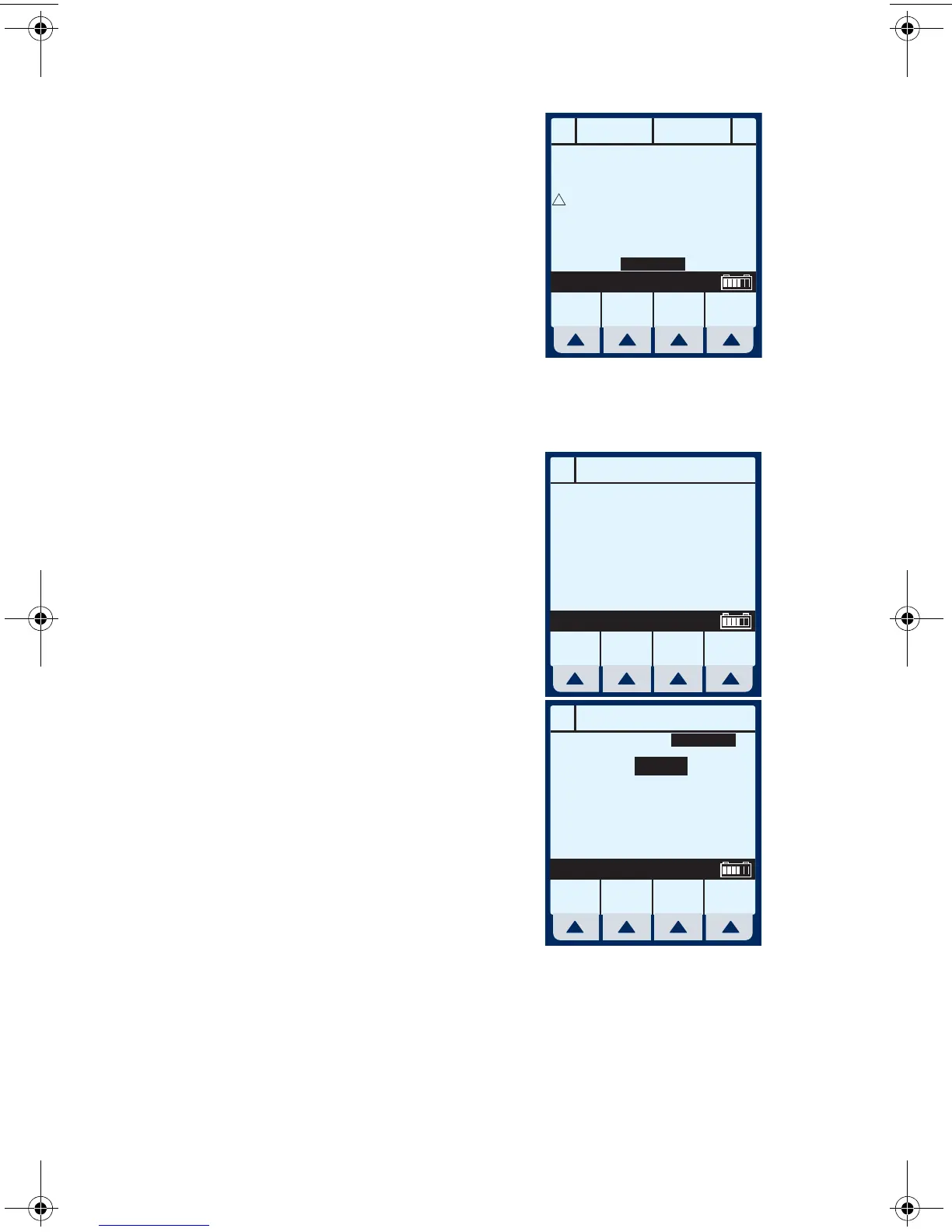
2 Select Line
[A] (or B if active)
from the stopped Main Delivery
Screen.
NOTE: If Line A or B is programmed
with a Therapy (i.e., Dose
Calculation), Rate, VTBI and
Duration will not display values. The
values to be cleared may be viewed
in applicable programming screen
under
[Drug List].
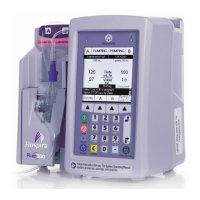
3 Select
[Yes].
Clear ALL settings when
changing patients or multiple
programming parameters.
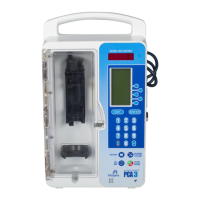
Example screen of “Cleared
Settings”.
4 Select
[Cancel/Back] to
return to the Main Delivery
screen or program new
settings.
A
A
B
B
STOPPED STOPPED
Rate
mL/hr
Vol Inf
mL
Options/
Vol Inf
5.5
8.
9
0
0
Back
Prime
!
MedSurg
PROGRAMA
Clear Line A Settings?
Yes No
A
PROGRAM
Rate
VTBI
Duration
mL/hr
mL
hr : min
Program
Options
Cancel/
Back
Enter Value using keypad
0
0
00:00
MedSurg
Drug
List
sec04.fm Page 22 Wednesday, June 8, 2005 8:22 AM


 To Next Page