SETTINGS MENU
10 SERVICE MANUAL
SETTINGS MENU
Before you can start the maintenance process or change settings, you have to open the
Settings Menu.
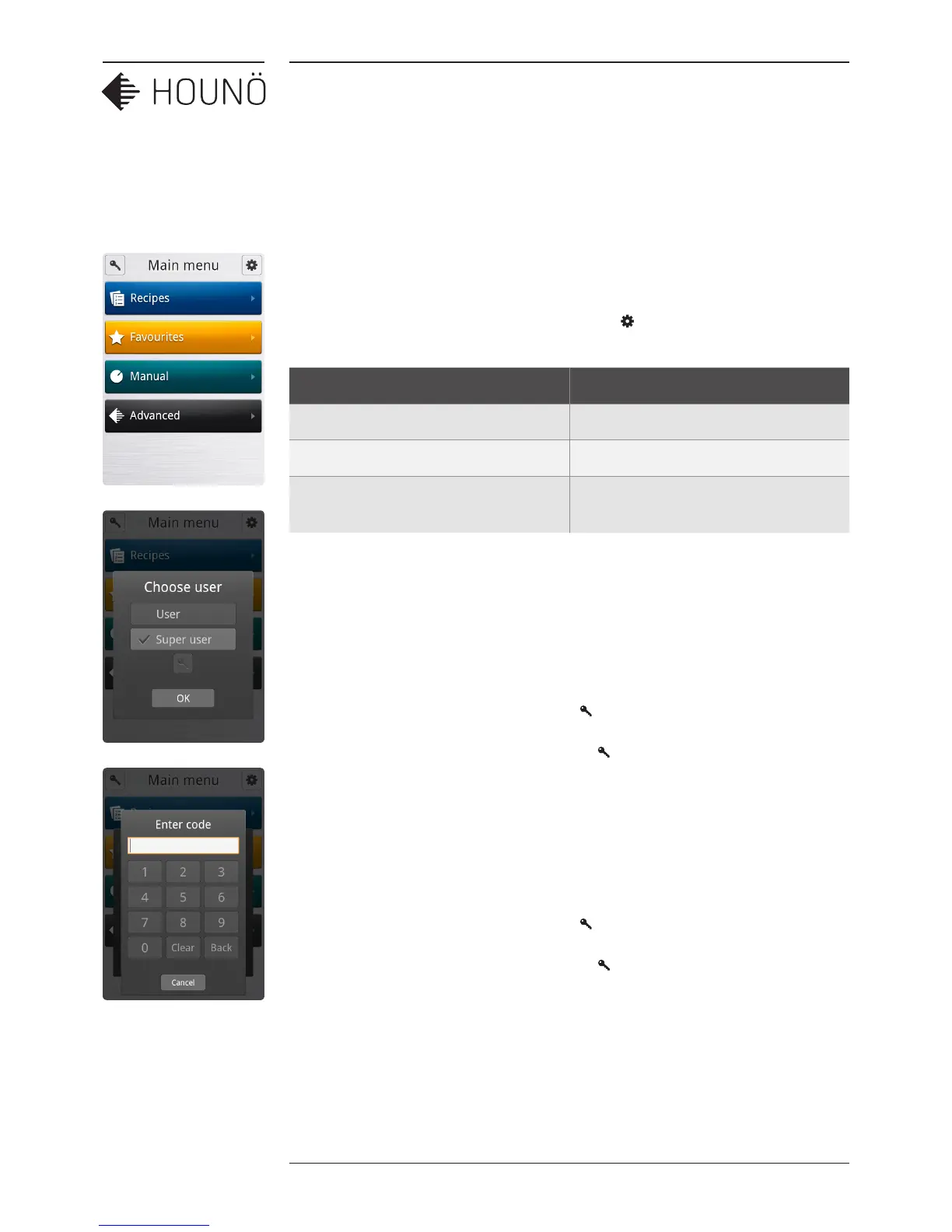
• On the Main Menu, touch the gear wheel icon to enter the Settings Menu.
Role Access rights
User Access to the User menu
SuperUser Access to the User and SuperUser menus
Technician Access to User, SuperUser, and
Technician menus
The settings you have access to depend on the role you have been assigned.
SuperUser Code
If start-up permission is set to User, you have to enter the SuperUser code to gain access
to the SuperUser menu.
1. On the Main Menu, touch the key icon .
2. On the Choose menu, touch the key icon , and then enter the code. The code is
876412.
Technician Code
If start-up permission is set to User or SuperUser, you have to enter the Technician code to
gain access to the Technician menu.
1. On the Main Menu, touch the key icon .
2. On the Choose menu, touch the key icon , and then enter the code. The code is
576021.
Note The computer has been thoroughly tested by the manufacturer prior to delivery,
and the settings have been carefully reviewed. You should therefore only allow qualified
personnel to make changes to the settings. Contact your supplier for more information.



 To Next Page