CHANGING SETTINGS ON THE SUPERUSER MENU
SERVICE MANUAL 29
Step Time Temp. (Celsius) Oven Exhaust
1 Cal. Approx. 15 min. 70 Dry Open
2 Cal. Approx. 2 min. 70 Dry Open
3 Cal. Approx. 2 min. 70 Dry Closed
4 Cal. Approx. 8 min. 250 Dry Open
5 Cal. Approx. 3 min. 250 Dry Closed
6 Cal. Approx. 5 min. 190 Wet Closed
7 Cooling Approx. 30 sec. 105 Open
8 Cal. Approx. 5 min. 130 Wet Closed
9 Cooling Approx. 8 min. 45 Open
10 Cal. Approx. 4 min. 70 Wet Closed
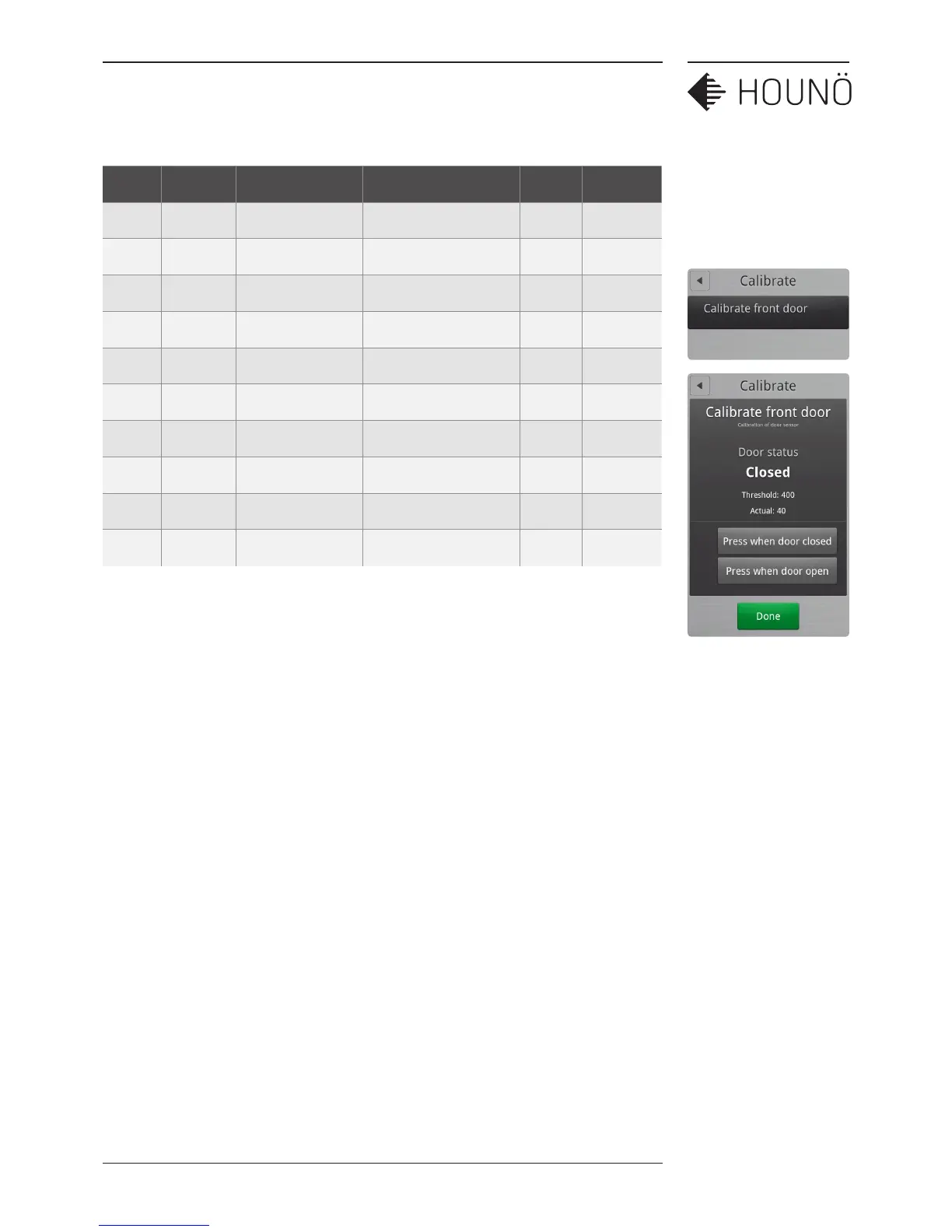
Calibrating the Oven Door Sensor
You use the Calibrate setting to calibrate the oven door sensor. The oven door sensor has
been calibrated prior to delivery, but we recommend that you calibrate the oven after the
oven has been installed in its proper location and when the CPU has been replaced.
If you have a Pass-Through oven with both a front and a back door, you have to calibrate
both sensors.
The measurement is an internal value that expresses the distance between the magnet and
the sensor.
Starting the Oven Door Calibration Process
1. On the SuperUser display, touch Calibrate front door.
2. On the Calibrate front door display, you can see the status of the door.
3. Close the door so that the door status is Closed, and then touch Press when door
closed.



 To Next Page