2 External component identification
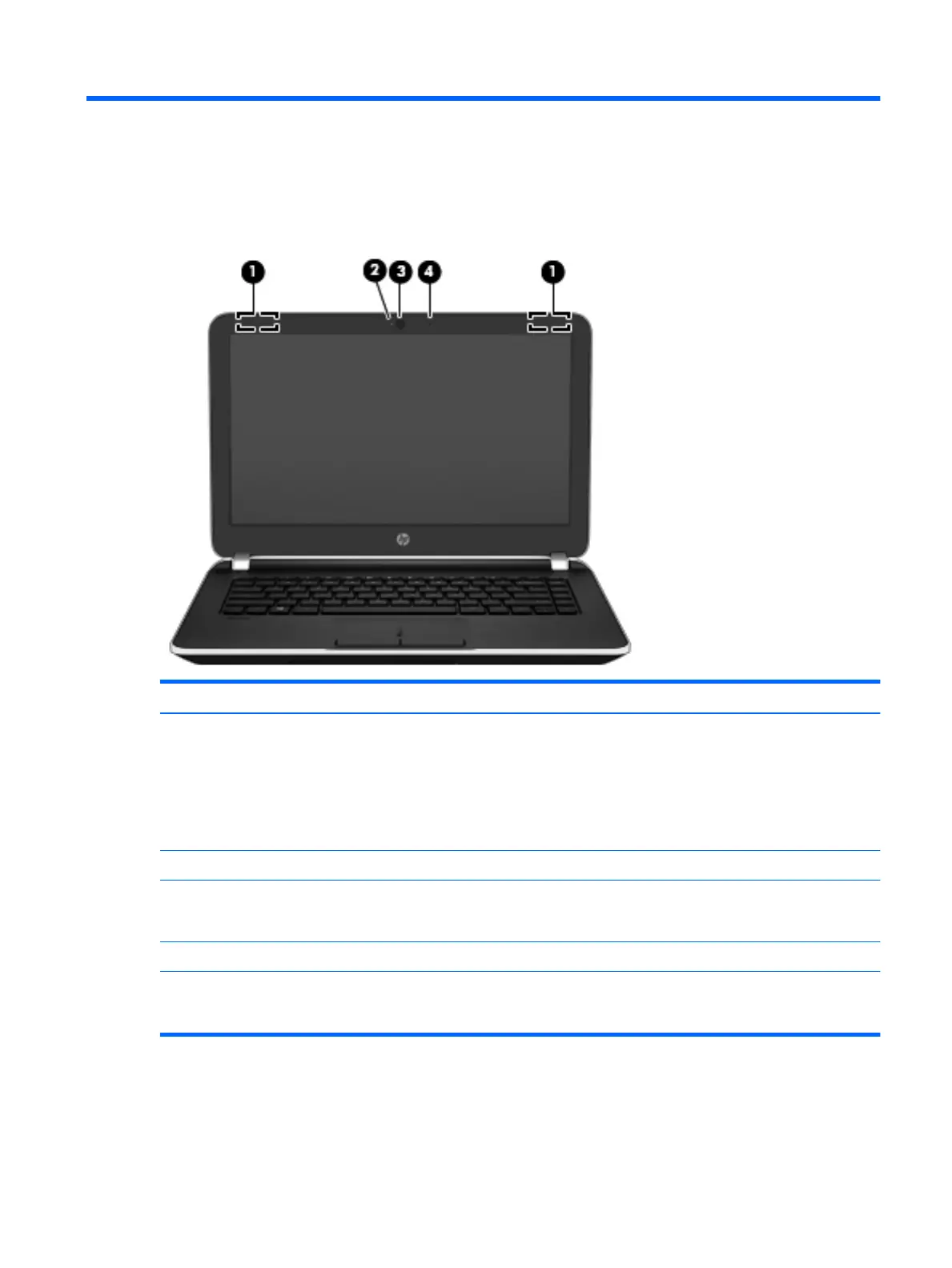
Display
Item Component Description
(1) WLAN antennas (2)* Send and receive wireless signals to communicate with
WLANs.
NOTE: To set up a WLAN and connect to the Internet,
you need a broadband modem (either DSL or cable)
(purchased separately), high-speed internet service
purchased from an Internet service provider, and a
wireless router (purchased separately).
(2) Webcam light On: The webcam is in use.
(3) Webcam Records video and captures photographs. Some models
may allow you to video conference and chat online using
streaming video.
(4) Internal microphone Records sound.
*The antennas are not visible from the outside of the computer. For optimal transmission, keep the areas immediately around the
antennas free from obstructions. For wireless regulatory notices, see the section of the Regulatory, Safety, and Environmental Notices
that applies to your country or region.
Display 3











 To Next Page