Battery
Description Spare part number
4-cell, 41-WHr, 2.8-AHr, Li-ion battery 752237-001
3-cell, 31-WHr, 2.8-AHr, Li-ion battery 776906-001
Before disassembling the computer, follow these steps:
1. Turn off the computer. If you are unsure whether the computer is off or in Hibernation, turn
the computer on, and then shut it down through the operating system.
2. Disconnect the power from the computer by unplugging the power cord from the computer.
3. Disconnect all external devices from the computer.
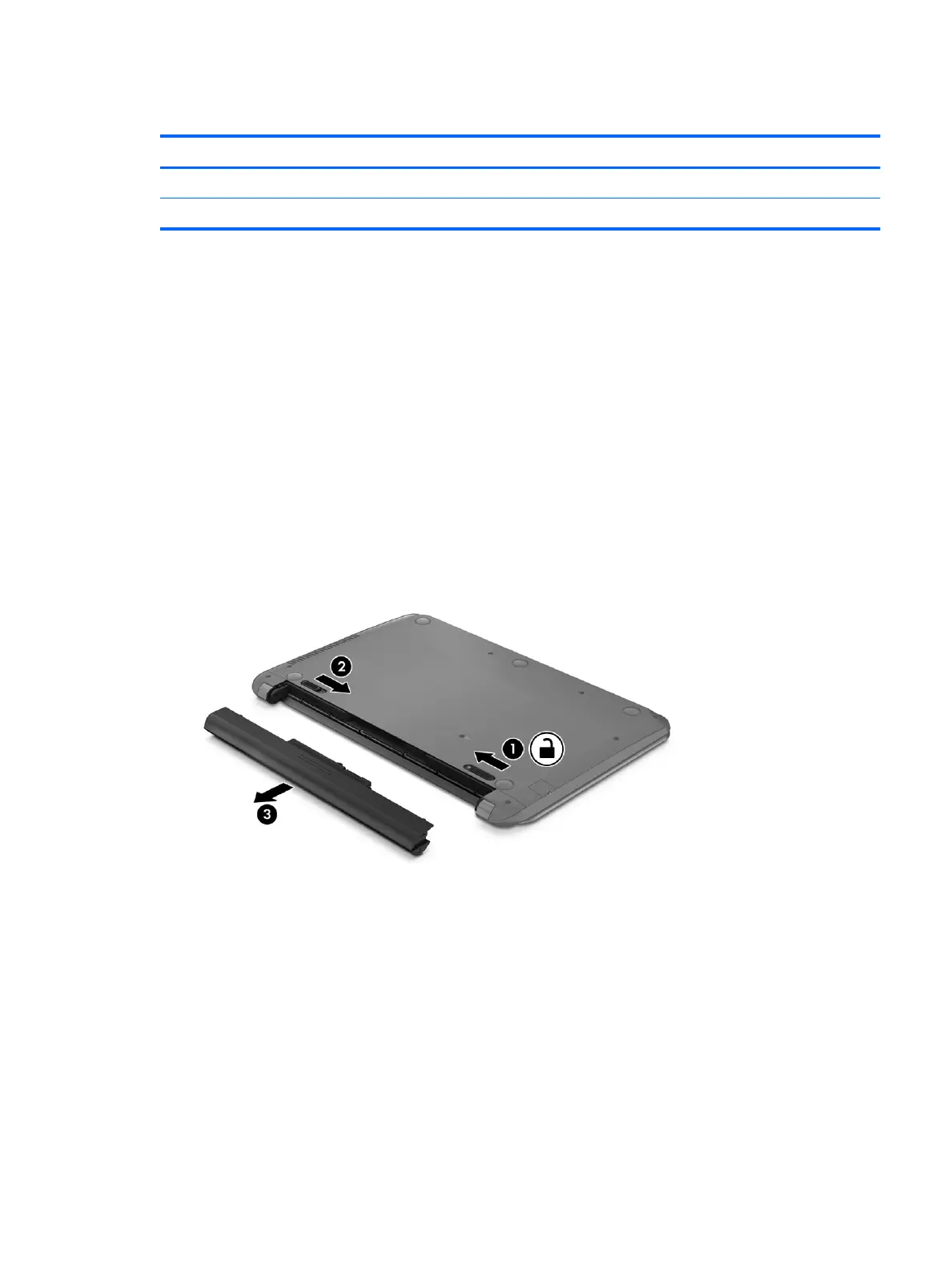
Remove the battery:
1. Position the computer upside down on a flat surface with the rear toward you.
2. Slide the battery lock latch (1) to unlock the battery.
3. Slide the battery release latch (2) to release the battery
4. Slide the battery (3) from the middle to remove it from the computer.
Reverse this procedure to install the battery.
Component replacement procedures 25











 To Next Page