Memory module
Description Spare part number
4-GB memory module (PC3, 12800, 1600-MHz) 691740-001
2-GB memory module (PC3, 12800, 1600-MHz) 691739-001
NOTE: Before adding a memory module, make sure the computer has the most recent BIOS version, and
update the BIOS if needed.
Before removing a memory module, follow these steps:
1. Turn off the computer. If you are unsure whether the computer is off or in Hibernation, turn
the computer on, and then shut it down through the operating system.
2. Disconnect the power from the computer by unplugging the power cord from the computer.
3. Disconnect all external devices from the computer.
4. Remove the battery (see Battery on page 25).
5. Remove the service cover (see Service cover on page 26).
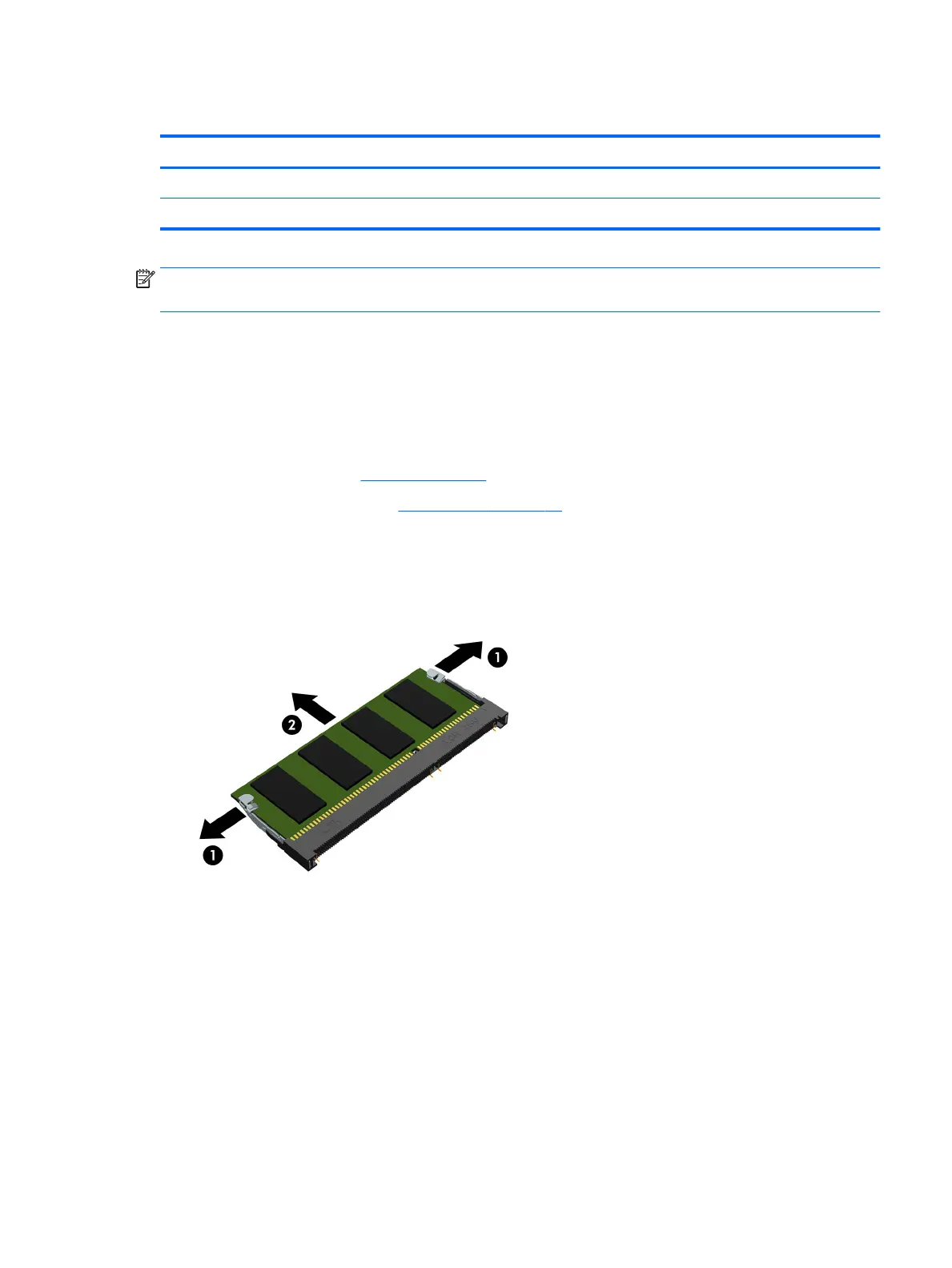
Remove the memory module:
1. Spread the two retaining tabs (1) on each side of the memory module slot to release
the memory module. (The memory module tilts up.)
2. Remove the memory module (2) by pulling it away from the slot at an angle.
Reverse this procedure to install the memory module.
Component replacement procedures 27











 To Next Page