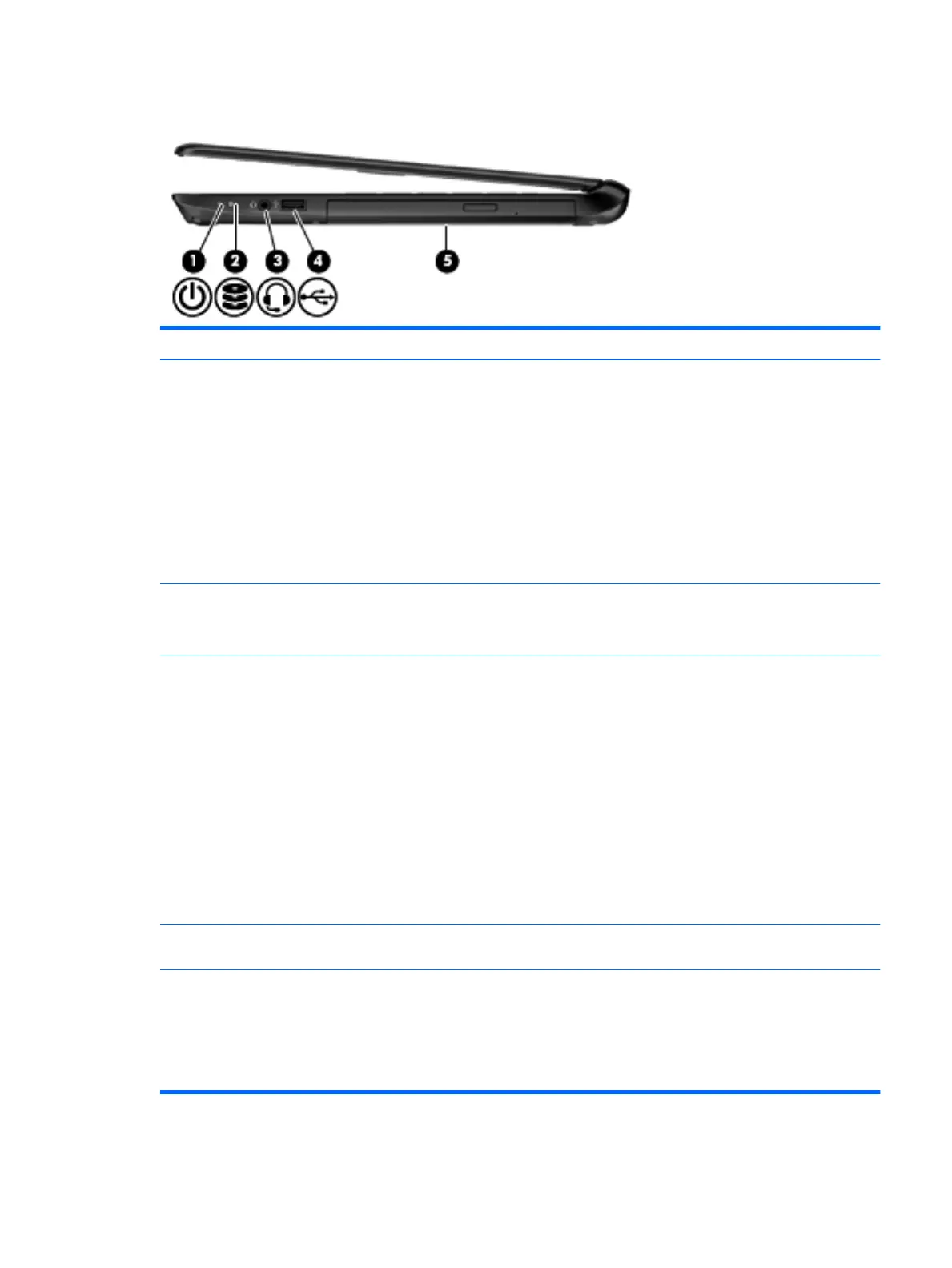
Right side
Item Component Description
(1) Power light
●
On: The computer is on.
●
Blinking: The computer is in the Sleep state, a
power-saving state. The computer shuts off power
to the display and other unneeded components.
●
Off: The computer is off or in Hibernation.
Hibernation is a power-saving state that uses the
least amount of power.
NOTE: For select models, the Intel Rapid Start
Technology feature is enabled at the factory. Rapid
Start Technology allows your computer to resume
quickly from inactivity.
(2) Hard drive light
●
Blinking white: The hard drive is being accessed.
●
Amber: HP 3D DriveGuard has temporarily parked
the hard drive.
(3) Audio-out (headphone) / Audio-in (microphone) jack Connects optional powered stereo speakers,
headphones, earbuds, a headset, or a television audio
cable. Also connects an optional headset microphone.
This jack does not support optional microphone-only
devices.
WARNING! To reduce the risk of personal injury, adjust
the volume before using the headphones, earbuds, or a
headset. For additional safety information, refer to the
Regulatory, Safety and Environmental Notices.
NOTE: When a device is connected to the jack, the
computer speakers are disabled.
NOTE: Be sure that the device cable has a 4-conductor
connector that supports both audio-out (headphone) and
audio-in (microphone).
(4) USB 2.0 port Connects an optional USB device, such as a keyboard,
mouse, external drive, printer, scanner, or USB hub.
(5) Optical drive Reads and/or writes, depending on your computer model,
to an optical disc.
NOTE: For disc compatibility information, navigate to
the Help and Support webpage. Follow the web page
instructions to select your computer model. Select
Support & Drivers, and then select Product Information.
Right side 9











 To Next Page