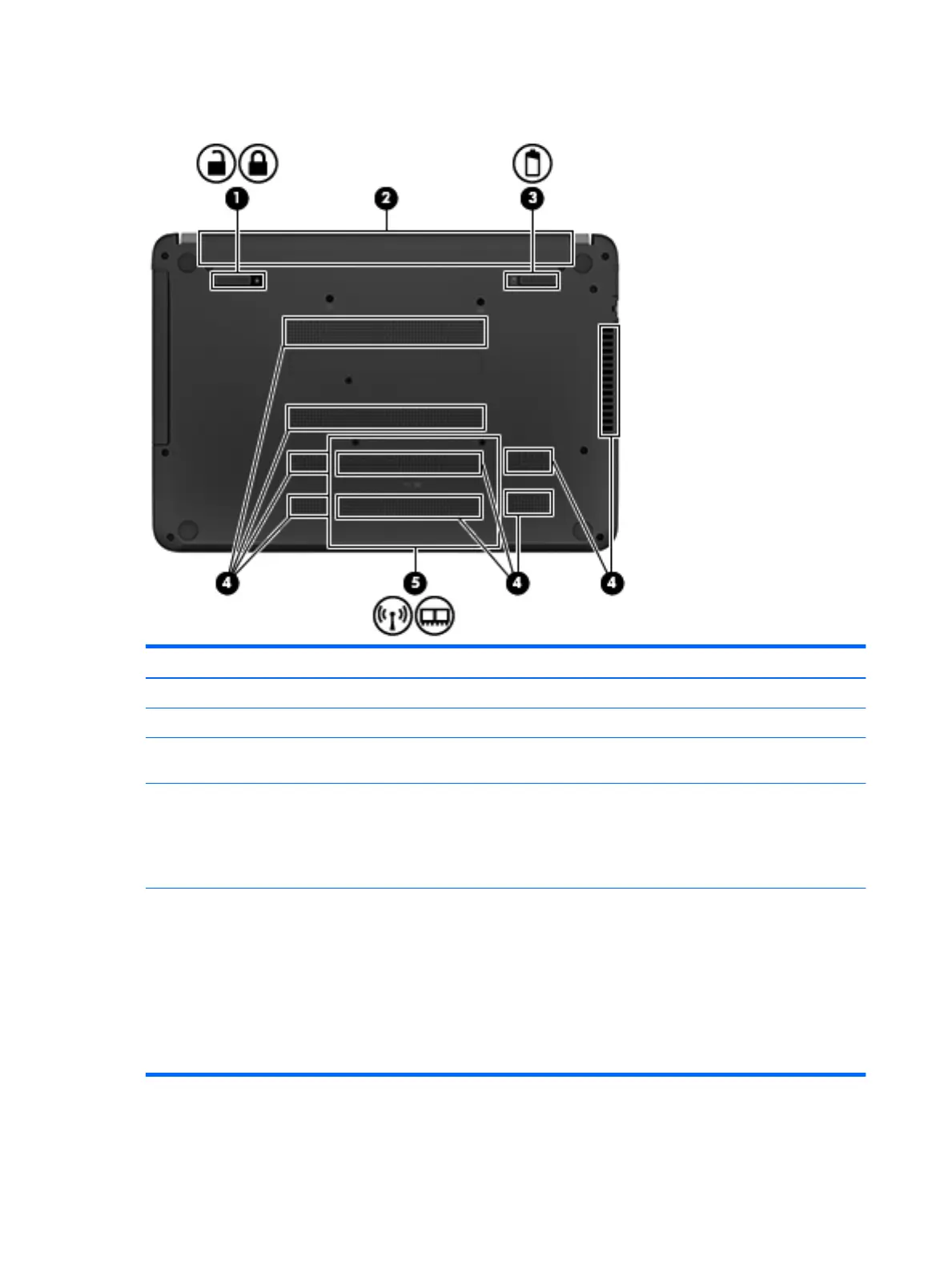
Bottom
Item Component Description
(1) Battery lock latch Unlocks the battery.
(2) Battery bay Holds the battery.
(3) Battery release latch Release the battery from the battery bay, after the
battery lock latch has been released.
(4) Vents (8) Enable airflow to cool internal components.
NOTE: The computer fan starts up automatically to cool
internal components and prevent overheating. It is
normal for the internal fan to cycle on and off during
routine operation.
(5) Service cover Provides access to the WLAN module slot and the
memory module slots.
CAUTION: To prevent an unresponsive system, replace
the wireless module only with a wireless module
authorized for use in the computer by the governmental
agency that regulates wireless devices in your country or
region. If you replace the module and then receive a
warning message, remove the module to restore
computer functionality, and then contact support
through Help and Support.
10 Chapter 2 External component identification











 To Next Page