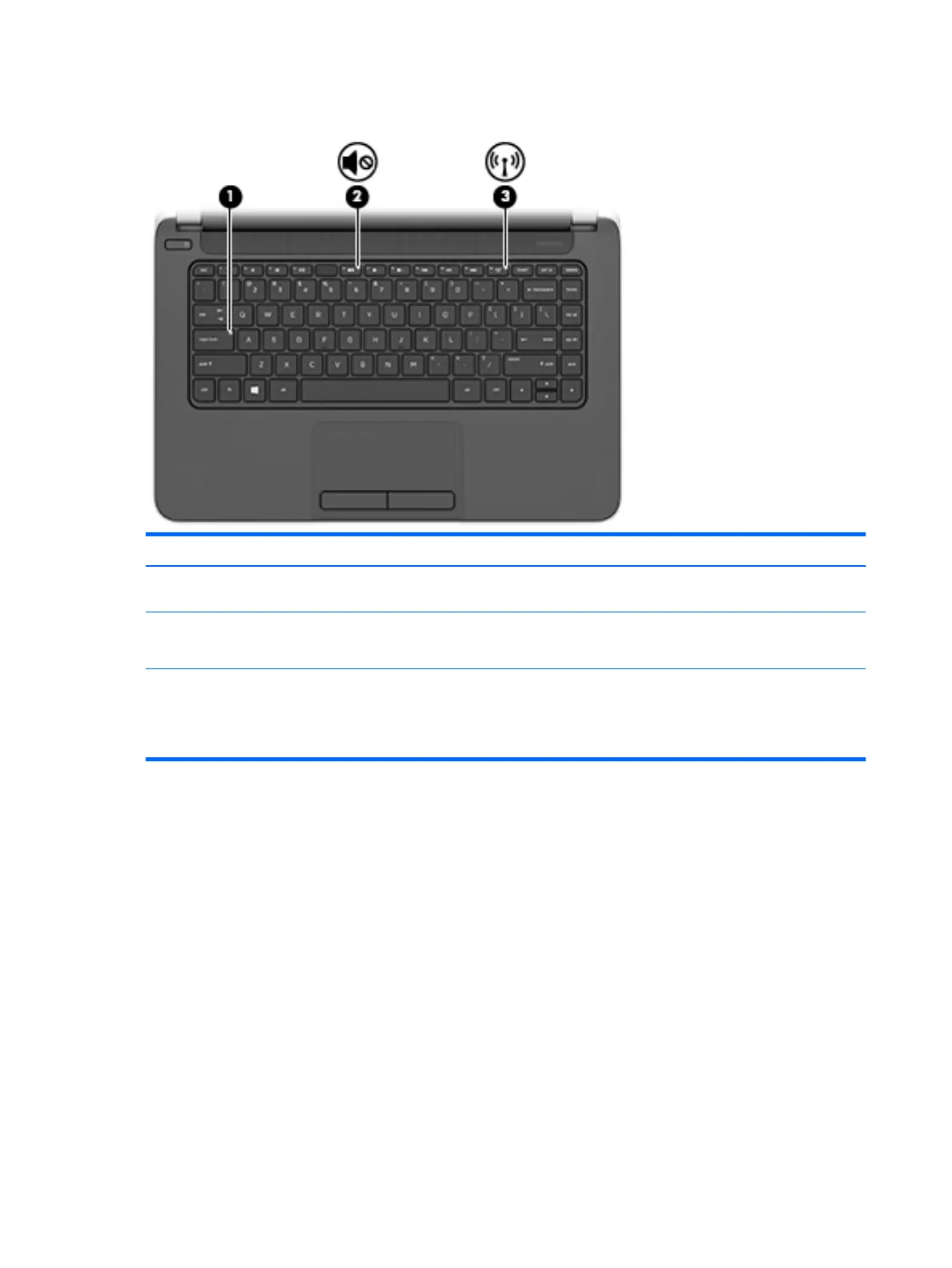
Lights
Item Component Description
(1) Caps lock light On: Caps lock is on, which switches the keys to all capital
letters.
(2) Mute light
●
Amber: Computer sound is off.
●
Off: Computer sound is on.
(3) Wireless light On: An integrated wireless device, such as a WLAN device
and/or a Bluetooth device, is on.
NOTE: On some models, the wireless light is amber
when all wireless devices are off.
6 Chapter 2 External component identification











 To Next Page