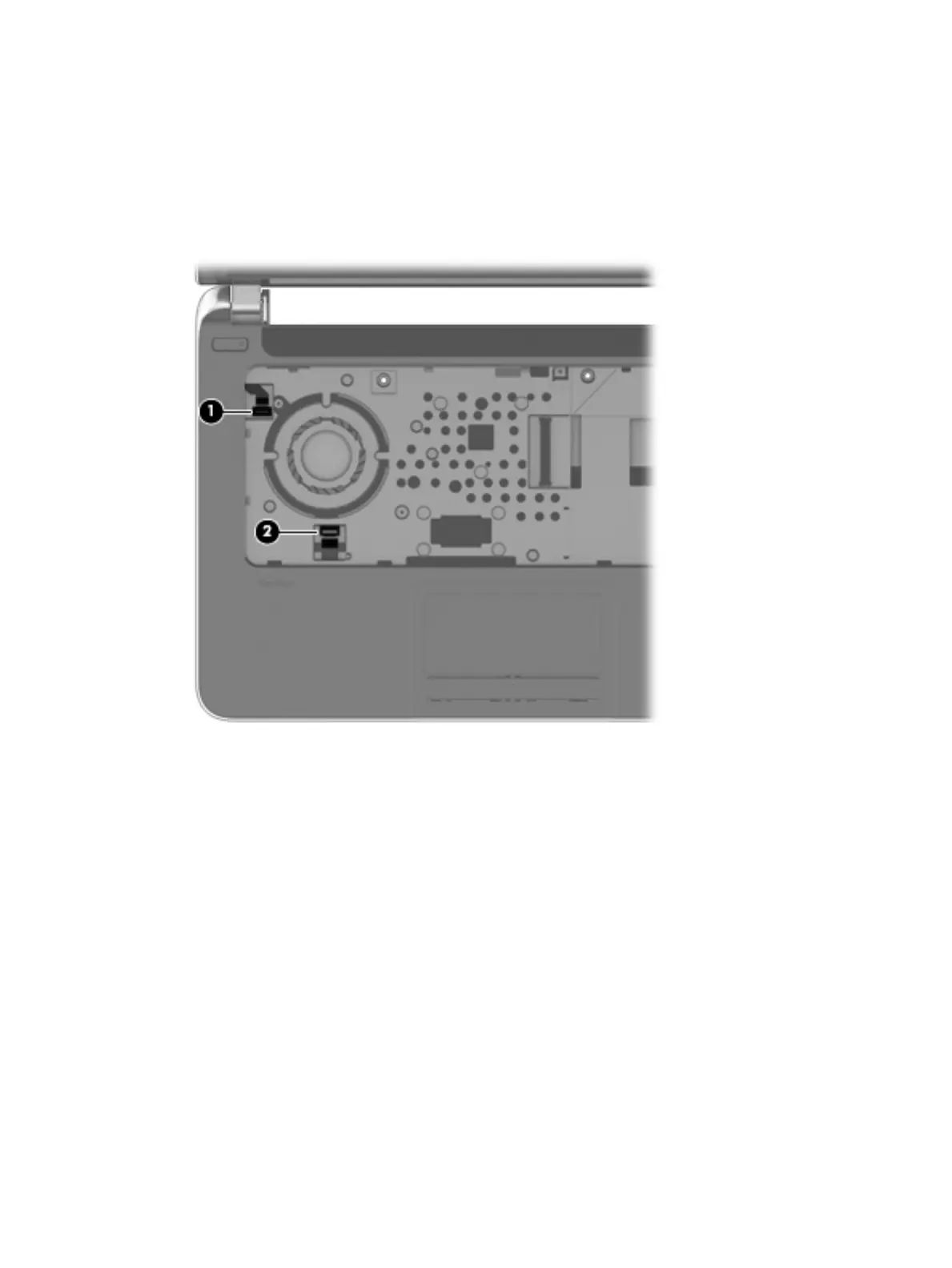
4. Turn the computer right side up with the front toward you.
5. Open the computer.
6. Release the ZIF connector (1) to which the power button board cable is attached, and then disconnect
the power button board cable from the system board.
7. Release the ZIF connector (2) to which the TouchPad cable is attached, and then disconnect the
TouchPad cable from the system board.
40 Chapter 6 Removal and replacement procedures for Authorized Service Provider parts











 To Next Page