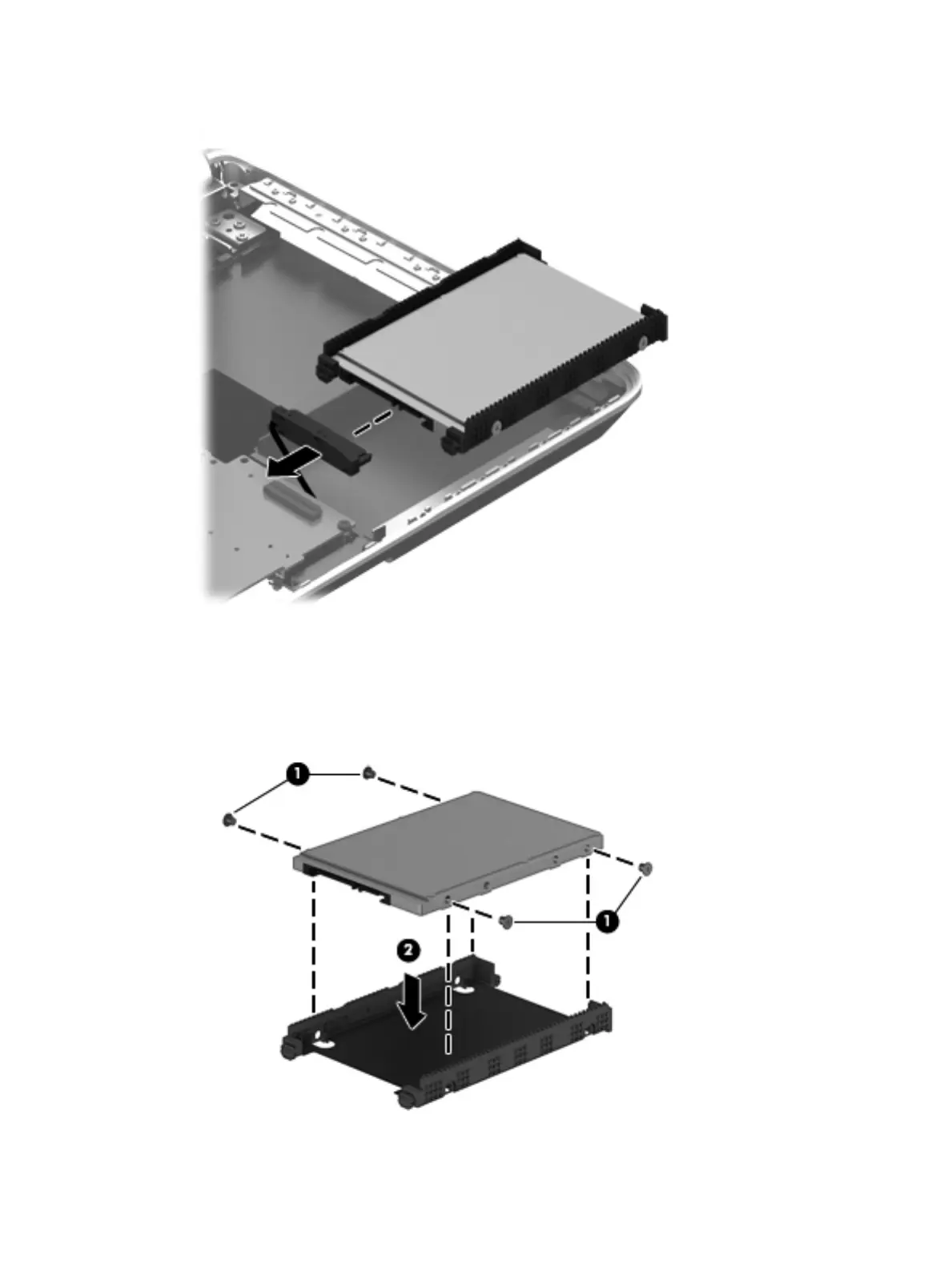
3. Disconnect the hard drive connector cable from the hard drive.
4. Remove the hard drive.
If it is necessary to disassemble the hard drive:
1. Remove the four Phillips M3.0×3.5 screws (1) that secure the hard drive bracket to the hard drive.
2. Remove the hard drive bracket (2) from the hard drive.
Component replacement procedures 49











 To Next Page