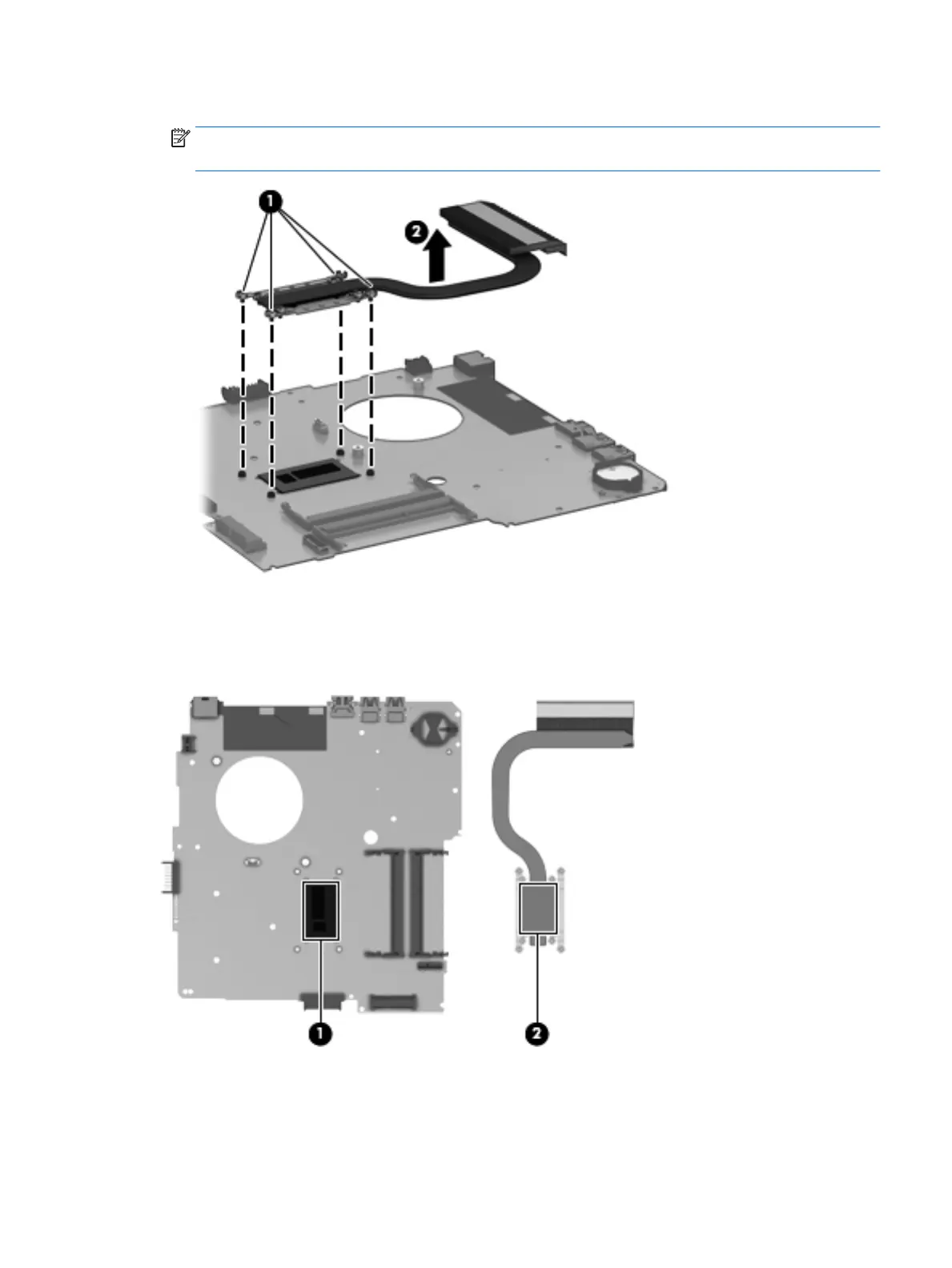
3. Remove the heat sink (2).
NOTE: Due to the adhesive quality of the thermal material located between the heat sink
and system board components, it may be necessary to move the heat sink from side to side to detach it.
4. The thermal material must be thoroughly cleaned from the surfaces of the heat sink
and the system board each time the heat sink is removed. Replacement thermal material is included
with the heat sink and system board spare part kits. Thermal paste is used on the processor (1)
and the heat sink section (2) that services it.
Reverse this procedure to install the heat sink.
Component replacement procedures 59











 To Next Page