EasyManua.ls Logo

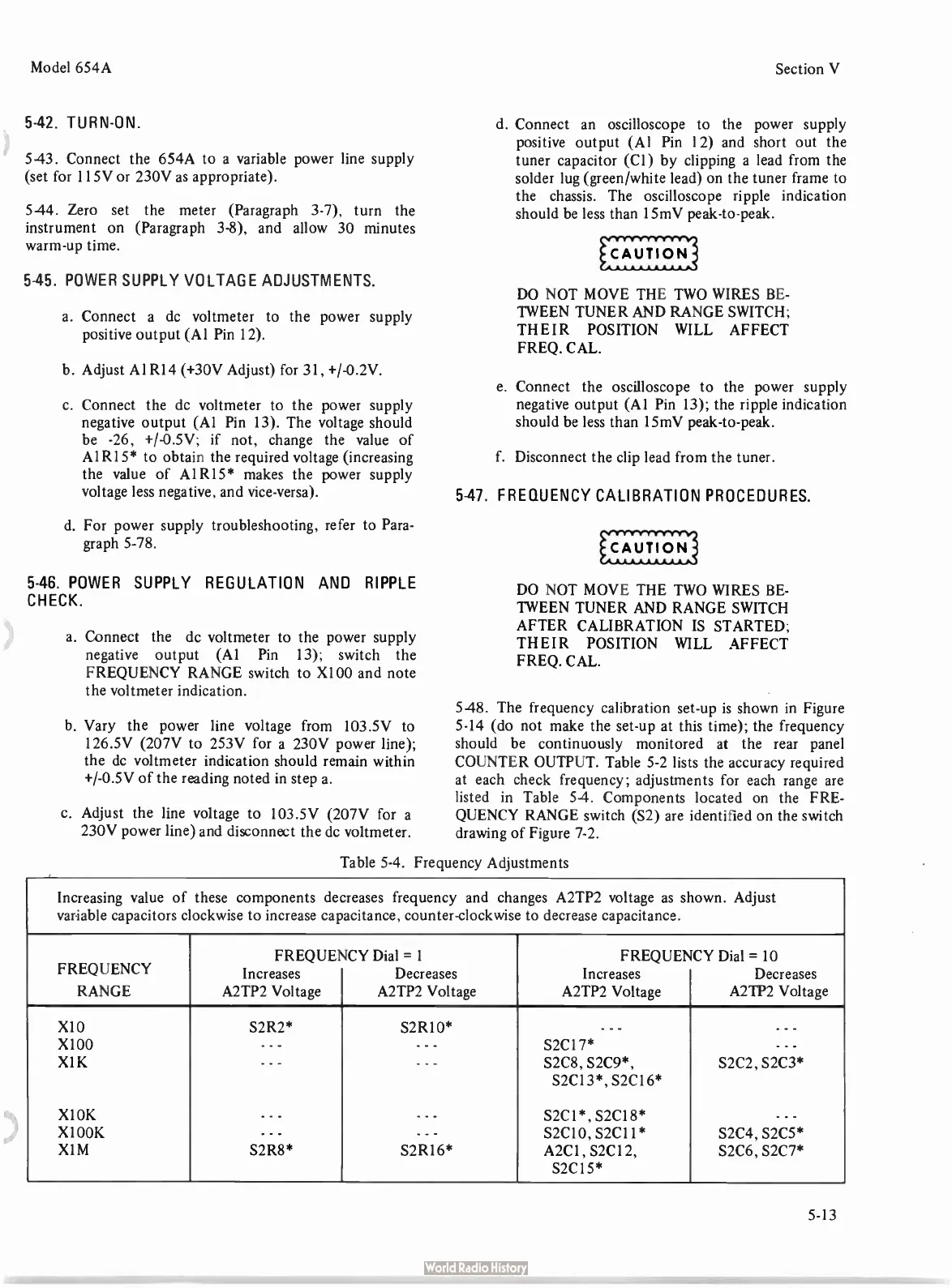
HP 654A - Frequency Adjustments

HP 654A
82 pages
Print Icon
To Next Page IconTo Next Page
To Previous Page IconTo Previous Page
Loading...
Model
654A
Section
V
5-42.
TURN-
ON.
543.
Connect
the
654A
to
a
variable
power
line
supply
(set
for
115V
or
230V
as
appropriate).
5-44.
Zero
set
the
meter (
Paragraph
3-7),
turn
the
instrument
on (
Paragraph
3-8),
and
allow
30
minutes
warm-up
time.
5-45.
POWER
SUPPLY
VOLTAGE
ADJUSTMENTS.
a.
Connect
a
dc
voltmeter
to
the
power
supply
positive
output (
Al
Pin
12).
b.
Adjust
Al
R14 (+
30V
Adjust)
for
31, +/-
0.2V.
c.
Connect
the
dc
voltmeter
to
the
power
supply
negative
output (
Al
Pin
13).
The
voltage
should
be -
26, +/-
0.5V;
if
not,
change
the
value
of
Al
R15*
to
obtain
the
required
voltage (
increasing
the
value
of
A1R15*
makes
the
power
supply
voltage
less
negative,
and
vice-versa).
d.
For
power
supply
troubleshooting,
refer
to
Para-
graph
5-78.
5-46.
POWER
SUPPLY
REGULATION
AND
RIPPLE
CHECK.
a.
Connect
the
dc
voltmeter
to
the
power
supply
negative
output (
Al
Pin
13);
switch
the
FREQUENCY
RANGE
switch
to
X100
and
note
the
voltmeter
indication.
b.
Vary
the
power
line
voltage
from
103.5V
to
126.5V (
207V
to
253V
for
a
230V
power
line);
the
de
voltmeter
indication
should
remain
within
+/-0.5V
of
the
reading
noted
in
step
a.
c.
Adjust
the
line
voltage
to
103.5V (
207V
for
a
230V
power
line)
and
disconnect
the
dc
voltmeter.
d.
Connect
an
oscilloscope
to
the
power
supply
positive
output (
Al
Pin 12)
and
short
out
the
tuner
capacitor
(
Cl)
by
clipping
a
lead
from
the
solder
lug (
green/white
lead)
on
the
tuner
frame
to
the
chassis.
The
oscilloscope
ripple
indication
should
be
less
than
15mV
peak-
to-
peak.
DO
NOT
MOVE
THE
TWO
WIRES
BE-
TWEEN
TUNER
AND
RANGE
SWITCH;
THEIR
POSITION
WILL
AFFECT
FREQ.
CAL.
e.
Connect
the
oscilloscope
to
the
power
supply
negative
output (
Al
Pin
13);
the
ripple
indication
should
be
less
than
15mV
peak-
to-
peak.
f.
Disconnect
the
clip
lead
from
the
tuner.
5-47.
FREQUENCY
CALIBRATION
PROCEDURES.
DO
NOT
MOVE
THE
TWO
WIRES
BE-
TWEEN
TUNER
AND
RANGE
SWITCH
AFTER
CALIBRATION
IS
STARTED;
THEIR
POSITION
WILL
AFFECT
FREQ.
CAL.
5-48.
The
frequency
calibration
set-up
is
shown
in
Figure
5-14 (
do
not
make
the
set-up
at this
time);
the
frequency
should
be
continuously
monitored
at
the
rear
panel
COUNTER
OUTPUT.
Table
5-2
lists
the
accuracy
required
at
each
check
frequency;
adjustments
for
each
range
are
listed
in
Table
54.
Components
located
on
the
FRE-
QUENCY
RANGE
switch (
S2)
are
identified
on
the
switch
drawing
of
Figure
7-2.
Table
5-4.
Frequency
Adjustments
Increasing
value
of
these
components
decreases
frequency
and
changes
A2TP2
voltage
as
shown.
Adjust
variable
capacitors
clockwise
to
increase
capacitance,
counter-
clockwise
to
decrease
capacitance.
FREQUENCY
RANGE
FREQUENCY
Increases
A2TP2
Voltage
Dial =
1
Decreases
A2TP2
Voltage
FREQUENCY
Increases
A2TP2
Voltage
Dial =
10
Decreases
A2TP2
Voltage
X10
X100
X1K
X1OK
X100K
X1M
S2R2*
- - -
- - -
.
- - -
S2R8*
S2R10*
- - -
- - -
---
---
S2R16*
- - -
S2C17*
S2C8,
S2C9*,
S2C13*,
S2C16*
S2C1*,
S2C18*
S2C10,
S2C11*
A2C1 ,
S2C12,
S2C15*
- - -
- - -
S2C2,
S2C3*
- - -
S2C4,
S2C5*
S2C6,
S2C7*
5-13

Related product manuals