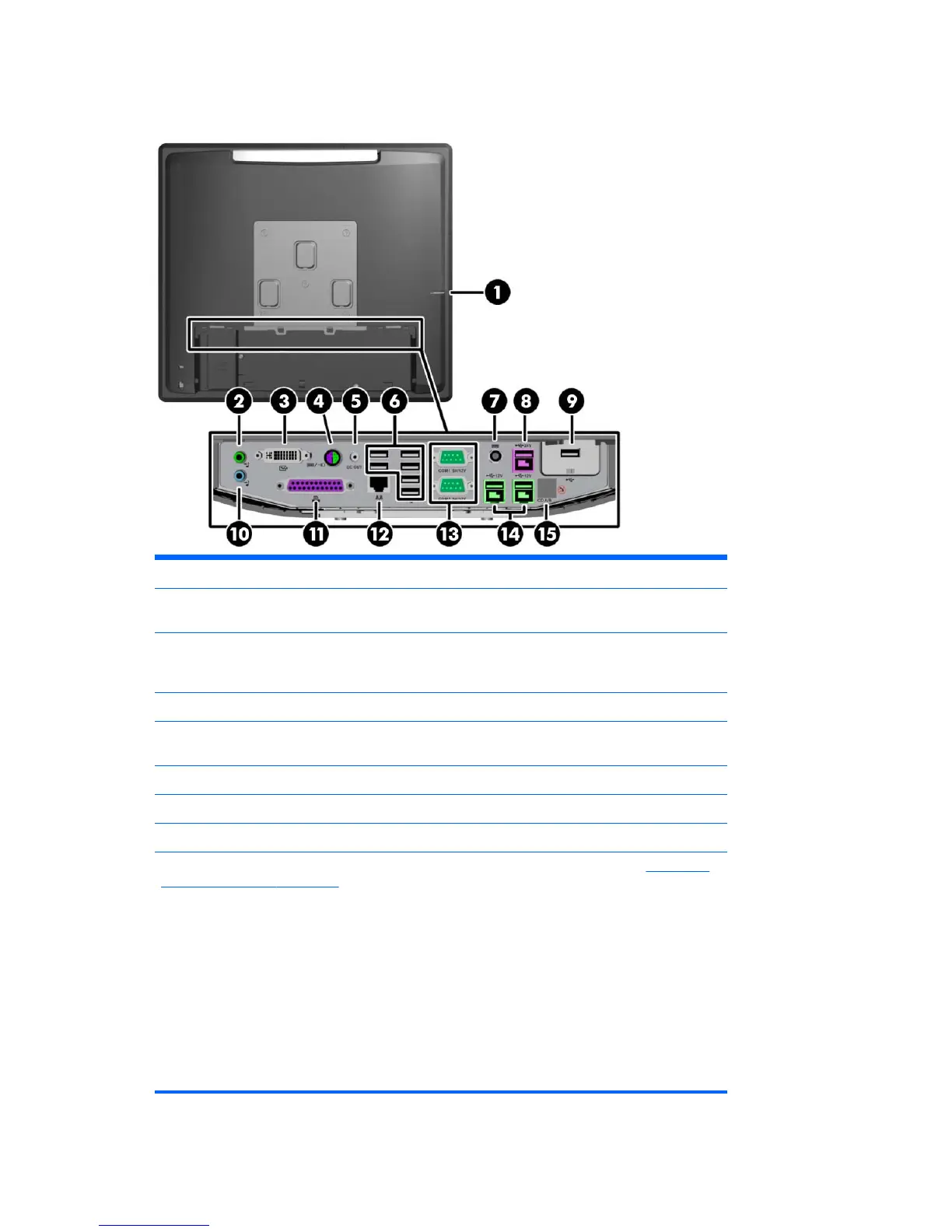
Rear I/O Panel Components
1 Hard Drive Activity Light 9 Secured USB Port
2 Line-Out Connector for powered audio
devices (green)
10 Line-In Audio Connector (blue)
3 DVI-I Connector (for a secondary display or
the optional HP Retail RP7 10.4” Customer
Display)
11 Parallel Port
4 PS/2 Mouse/Keyboard Connector 12 RJ-45 Network Connector
5 DC Out Power Connector (for the optional HP
Retail RP7 10.4” Customer Display only)
13 Serial Ports 5V/12V
6 USB Ports (6) 14 Powered USB 12V
7 DC In Power Connector 15 Cash Drawer Connector
8 Powered USB 24V
NOTE: The serial ports can be configured as 5V or 12V powered serial ports. Refer to
Configuring
powered serial ports on page 89 for more information.
NOTE: The 24-volt Powered USB connector and the 12-volt Powered USB connector are keyed
differently as a precaution to prevent connection errors.
NOTE: Protective plastic caps to cover the rear I/O ports are included with the system.
NOTE: Peel off the metallic tape over the cash drawer connector to connect a cash drawer.
CAUTION: The cash drawer connector is similar in size and shape to a modem jack. To avoid
damage to the computer, DO NOT plug a network cable into the cash drawer connector.
CAUTION: Do not connect any device other than the HP Retail RP7 10.4” Customer Display to the
DC Out Power Connector.
6 Chapter 1 Product Features













 To Next Page