Using the USB security cover
Description Spare part number
USB security cover 702779-001
1. Prepare the computer for disassembly (Preparation for disassembly on page 19).
2. Remove the rear I/O panel (
Rear I/O panel on page 22).
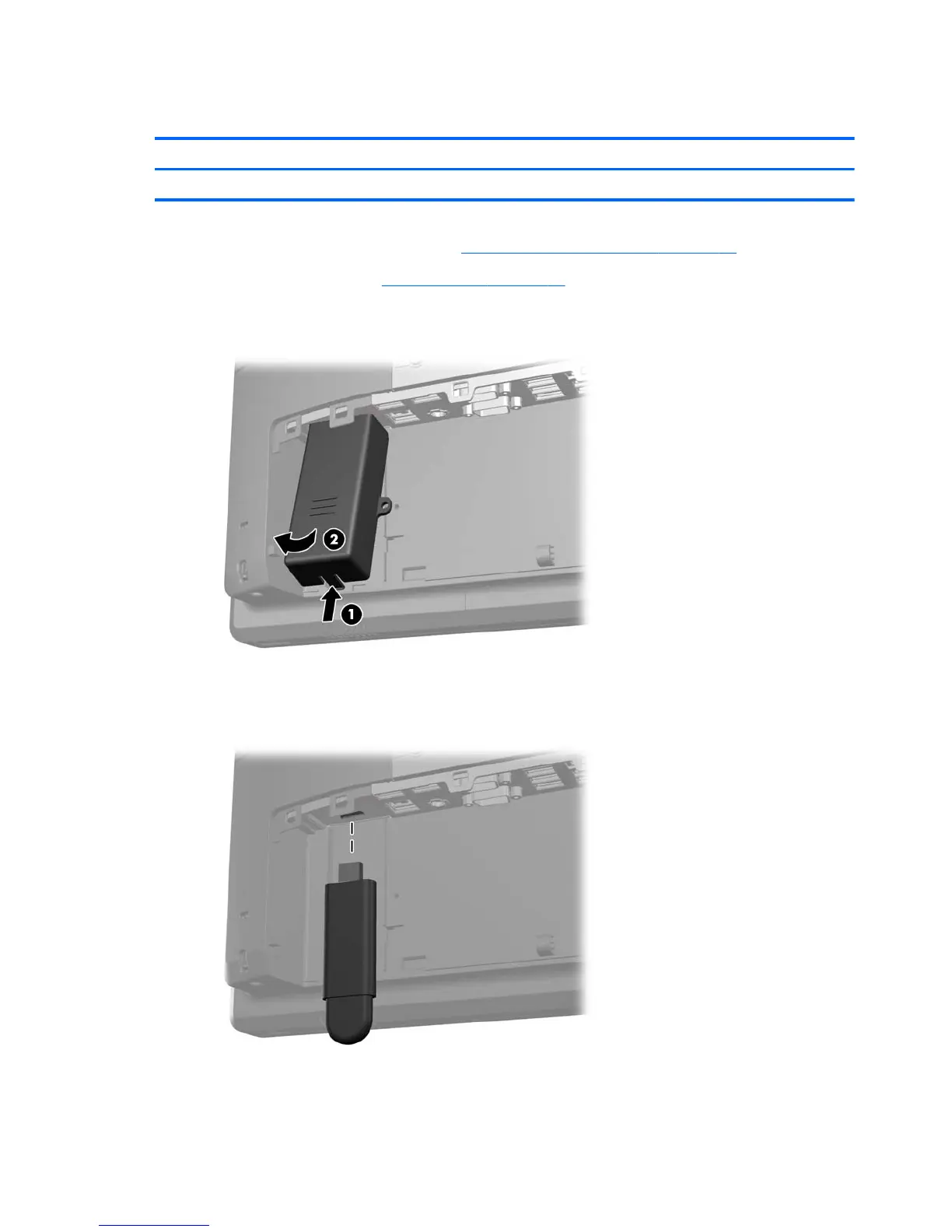
3. Push inward on the tab at the bottom of the USB security cover (1) and rotate the bottom of the
cover up (2) to remove it.
4. Insert the USB device into the USB port.
26 Chapter 4 Removal and replacement procedures













 To Next Page