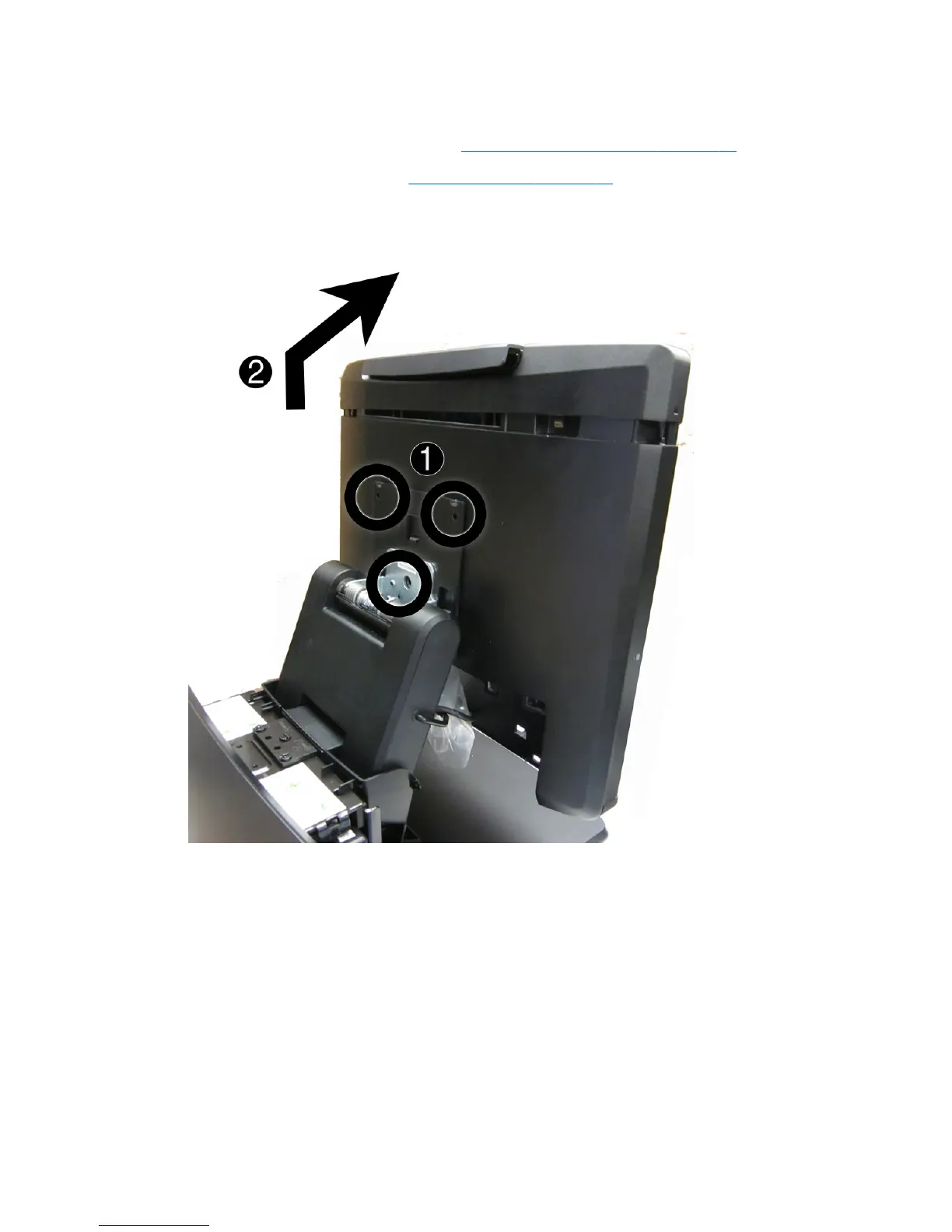
Removing the display head from the stand
1. Prepare the computer for disassembly (Preparation for disassembly on page 19).
2. Remove the VESA plate cover (
VESA plate cover on page 23).
3. Remove the RP7 display head from the stand by removing the three screws that attach the
stand's mounting bracket to the display head (1) then slide the display up and off the mounting
bracket (2).
To remove the display head back panel, reverse the installation procedures.
52 Chapter 4 Removal and replacement procedures













 To Next Page