Hard drive
Description Spare part number
256 GB Solid State Drive (SSD) 661842-001
128 GB Solid State Drive (SSD) 665961-001
32 GB MLC Flash, 2.5-in 686616-001
Grommet, hard drive 594220-001
CAUTION: If you are replacing a hard drive, be sure to back up the data from the old drive so that
you can transfer the data to the new drive.
1. Prepare the computer for disassembly (Preparation for disassembly on page 19).
2. Remove the rear I/O panel (
Rear I/O panel on page 22).
3. Open the top access door (
Opening the top access door on page 24).
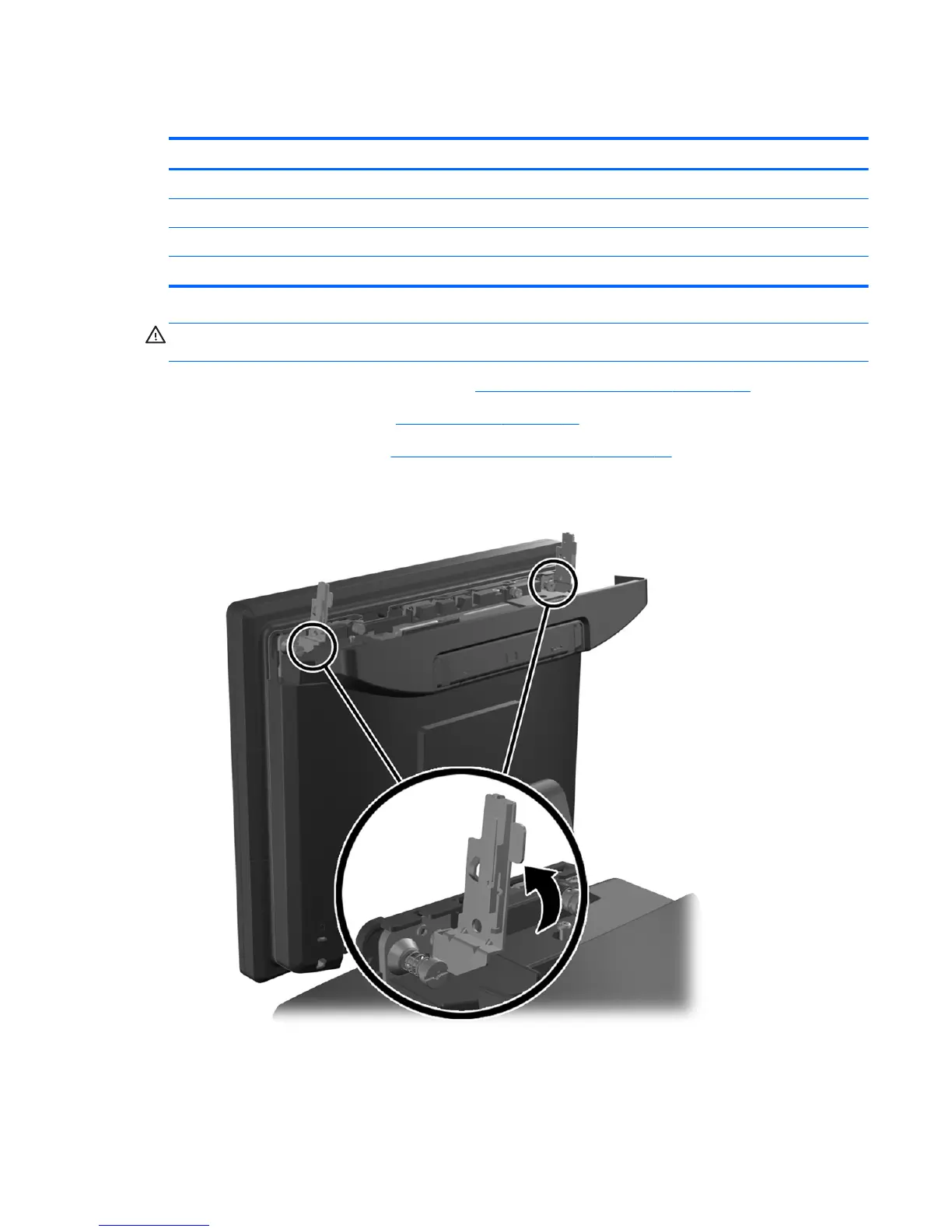
4. Rotate the two antenna brackets away from the unit.
Hard drive 49













 To Next Page