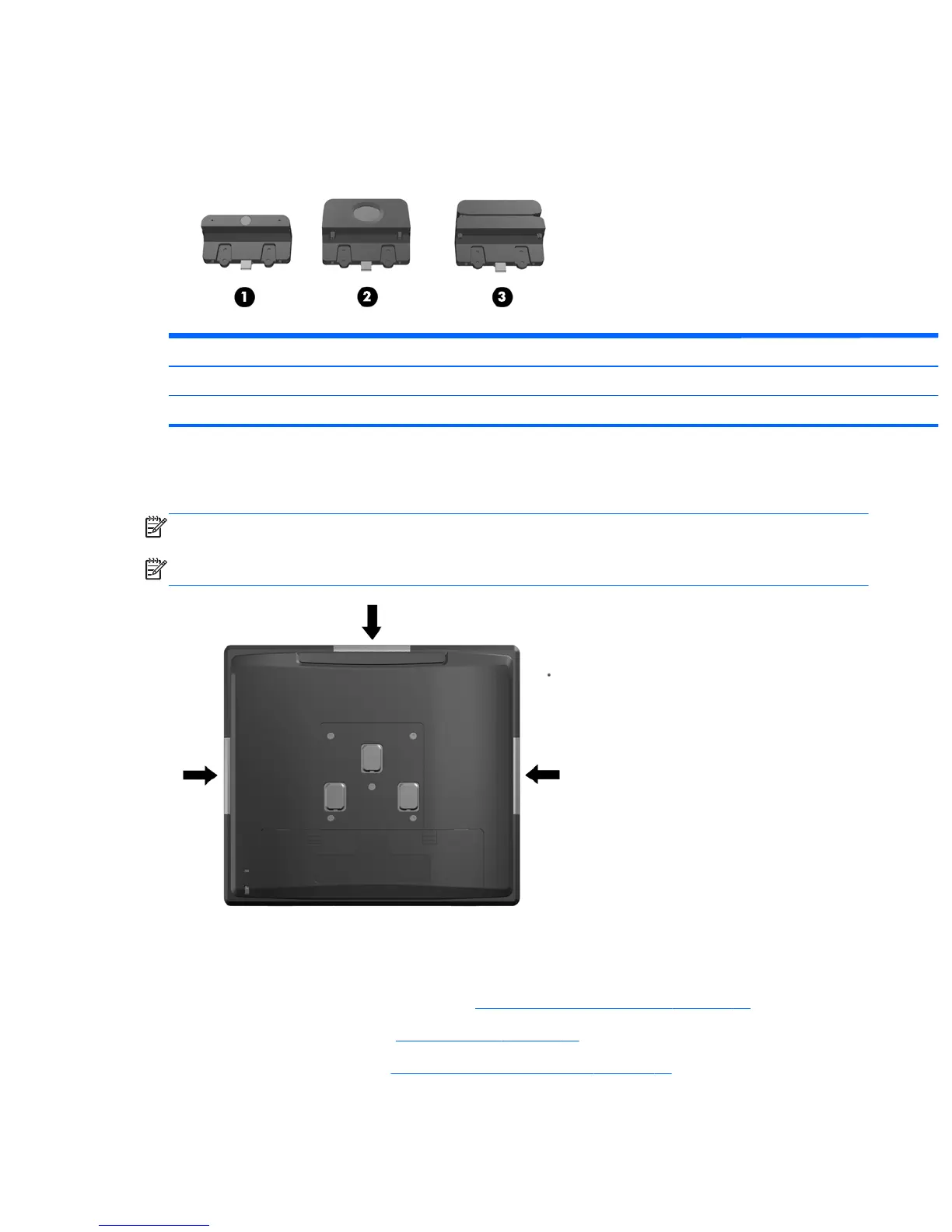
Optional integrated USB modules
There are three optional integrated USB modules available from HP (sold separately).
1 retail integrated webcam for live video functions 695661-001
2 retail integrated fingerprint reader to add security identification functions 690684-001
3 retail integrated dual-head magnetic stripe reader for card data read 690685-001
The integrated USB modules can be installed on the top or bottom of the display head or on either
side of the display head.
NOTE: The webcam must be installed on top of the display head for proper video orientation.
NOTE: These USB ports do not support optical drives or hard drives.
The procedure for installing an integrated USB module is the same for all modules. To install a USB
module:
1. Prepare the computer for disassembly (
Preparation for disassembly on page 19).
2. Remove the rear I/O panel (
Rear I/O panel on page 22).
3. Open the top access door (
Opening the top access door on page 24).
Optional integrated USB modules 45













 To Next Page