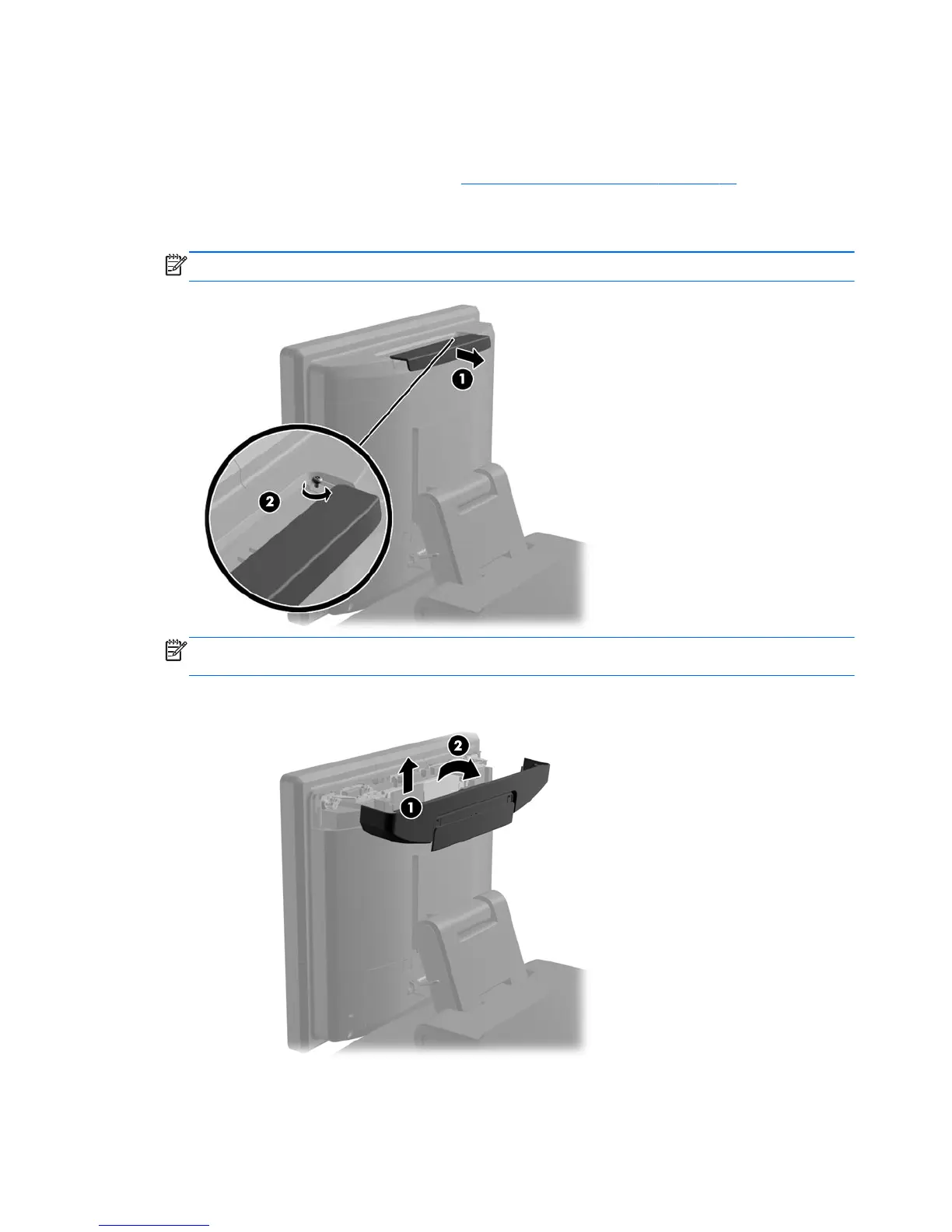
Opening the top access door
Open the top access door to access internal components.
1. Prepare the computer for disassembly (
Preparation for disassembly on page 19).
2. Slide back the decorative panel on top of the access door (1) and loosen the captive security
screw (2).
NOTE: This step is not necessary if the security screws were not previously tightened down.
NOTE: You must use a T-10 tamper-resistant Torx screwdriver available from HP to loosen the
security screws.
3. Lift up the access door on top of the rear panel (1) and rotate it open (2).
To close the top access door, reverse the installation procedures.
24 Chapter 4 Removal and replacement procedures













 To Next Page