Heat sink
Description Spare part number
Heat sink 712404-001
All heat sink spare part kits contain replacement thermal material.
1. Prepare the computer for disassembly (
Preparation for disassembly on page 19).
2. Remove the VESA plate cover (
VESA plate cover on page 23).
3. Remove the display head from the stand (
Removing the display head from the stand
on page 52).
4. Remove the display head back panel (
Display head back panel on page 53).
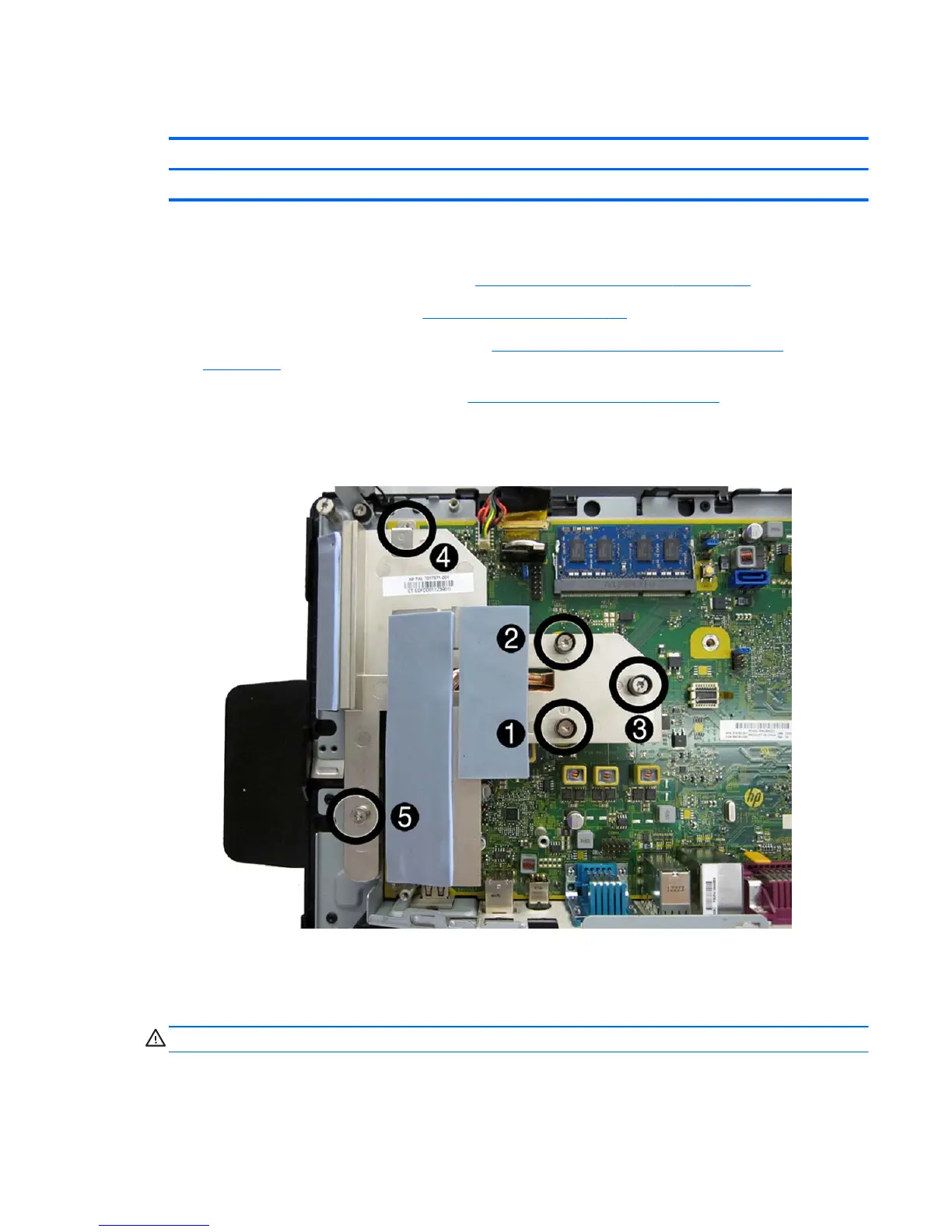
5. In the order indicated, loosen the five captive screws that secure the heat sink to the system
board.
6. Lift the heat sink from the computer.
To replace the heat sink, reverse the removal procedures.
CAUTION: Tighten heat sink retaining screws in the order stamped on the heat sink.
Note the thermal pad locations for the heat sink in the following image. Make sure all thermal pads
are intact and correctly installed.
Heat sink 63













 To Next Page