Installing an optional HP Retail RP7 VFD customer
display
The integrated VFD customer display can be installed with no poles attached, or with one or two
poles attached, depending on the desired height of the VFD.
1. Prepare the computer for disassembly (
Preparation for disassembly on page 19).
2. Remove the rear I/O panel (
Rear I/O panel on page 22).
3. Remove the power supply cover (
Power supply cover on page 20).
4. Remove the decorative panel (
Decorative panel (IMD) on page 21).
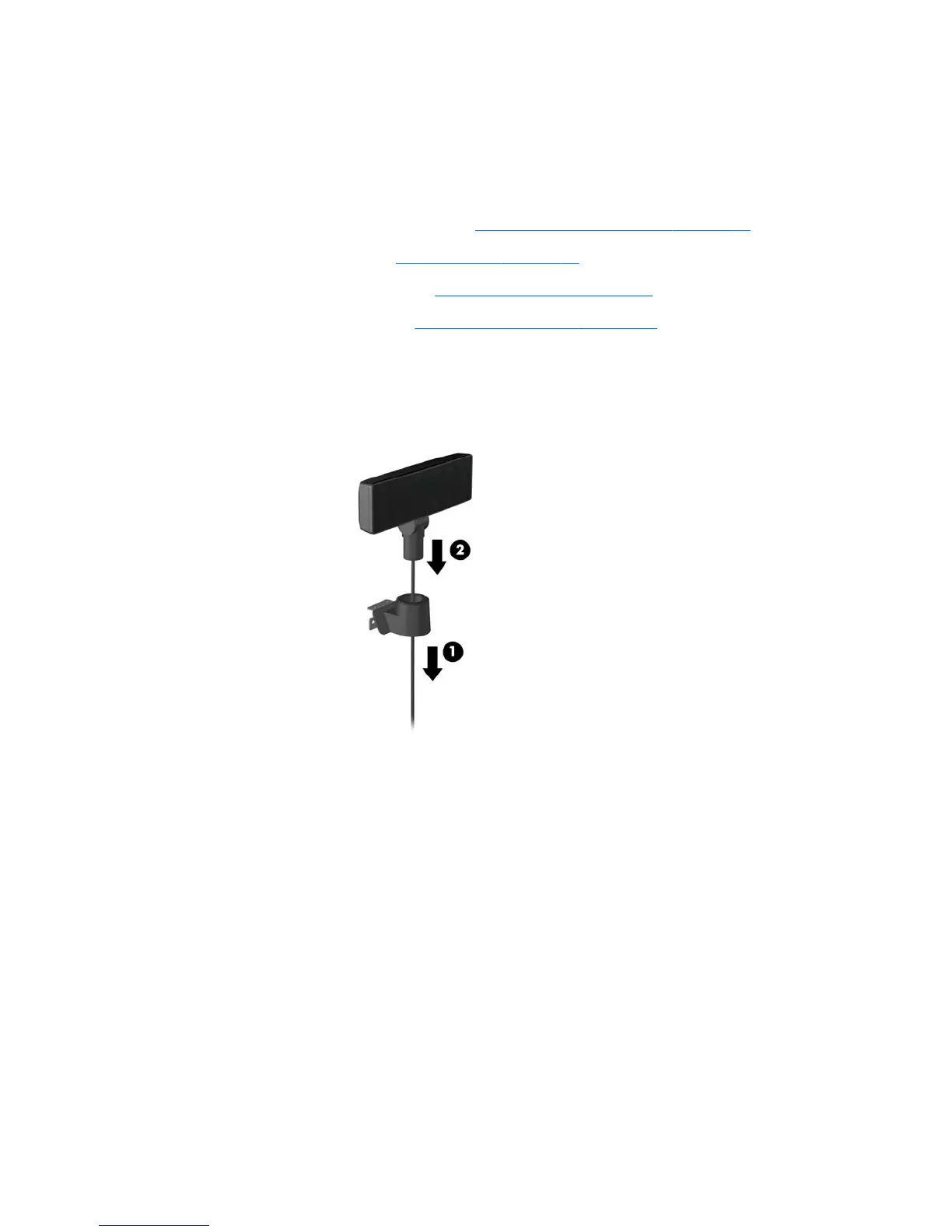
5. If you are installing the VFD with no poles attached, insert the VFD cable through the center of
the mounting bracket (1) and slide the VFD onto the mounting bracket (2).
Installing an optional HP Retail RP7 VFD customer display 35













 To Next Page