USB+PWR 24V and Cash drawer port daughter card
Description Spare part number
USB+PWR 24V and Cash Drawer port daughter card 702775-001
1. Prepare the computer for disassembly (Preparation for disassembly on page 19).
2. Remove the VESA plate cover (
VESA plate cover on page 23).
3. Remove the display head from the stand (
Removing the display head from the stand
on page 52).
4. Remove the display head back panel (
Display head back panel on page 53).
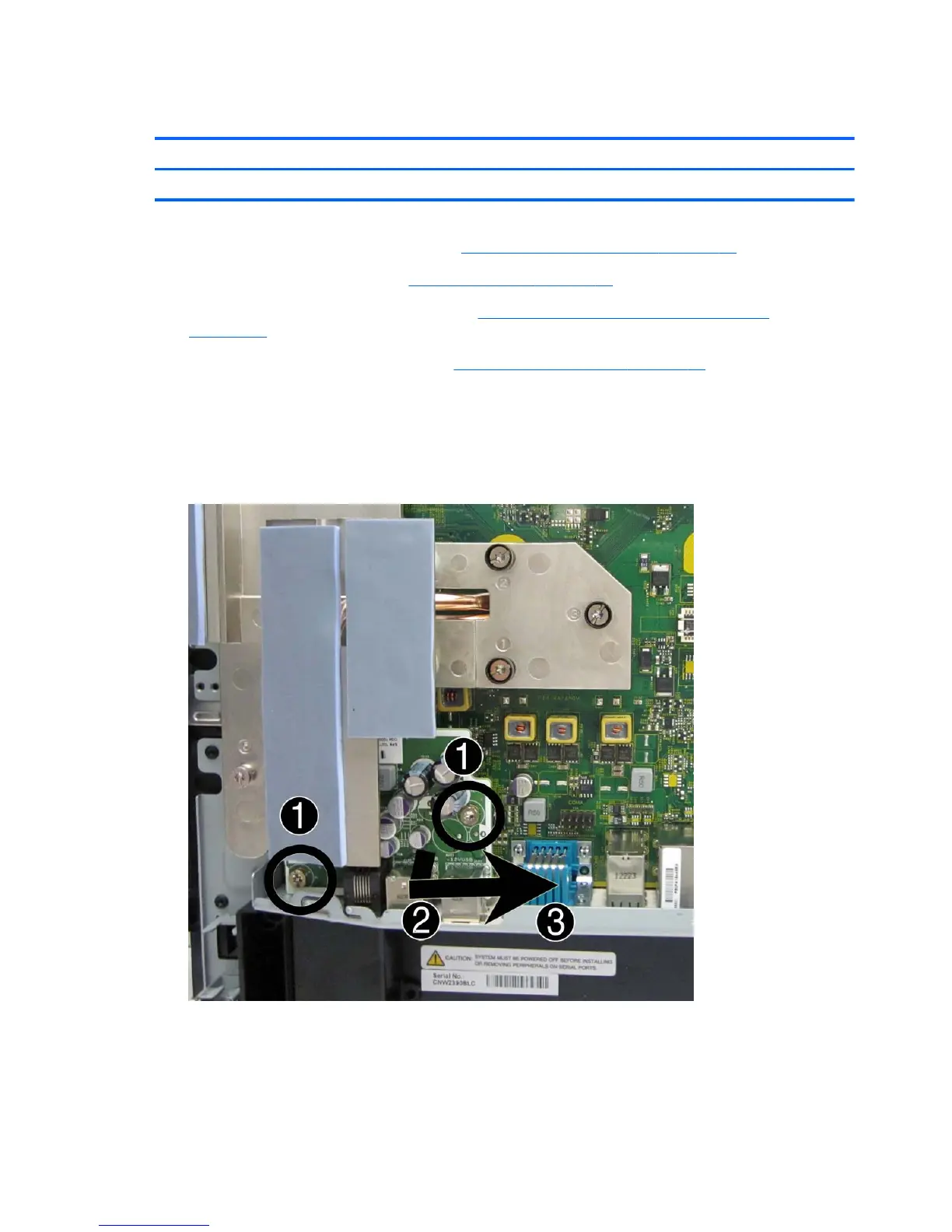
5. With the heat sink installed, remove the two Torx screws (1) that secure the board to the
computer.
6. Lift the card up to disconnect it from the system board connector (2).
7. Slide the card out from under the heat sink and remove the card from the computer (3).
To install the USB+PWR 24V and Cash Drawer port daughter card, reverse the removal procedure.
60 Chapter 4 Removal and replacement procedures













 To Next Page