Installing an optional HP Retail RP7 10.4” customer
display
Description Spare part number
VFD Kit 695662-001
Stand-alone VFD Kit 695665-001
Bracket for HP Retail RP7 10.4” Customer Display 703269-001
Cable kit for HP Retail RP7 10.4” Customer Display 702782-001
1. Prepare the computer for disassembly (Preparation for disassembly on page 19).
2. Remove the rear I/O panel (
Rear I/O panel on page 22).
3. Remove the power supply cover (
Power supply cover on page 20).
4. Remove the decorative panel (
Decorative panel (IMD) on page 21).
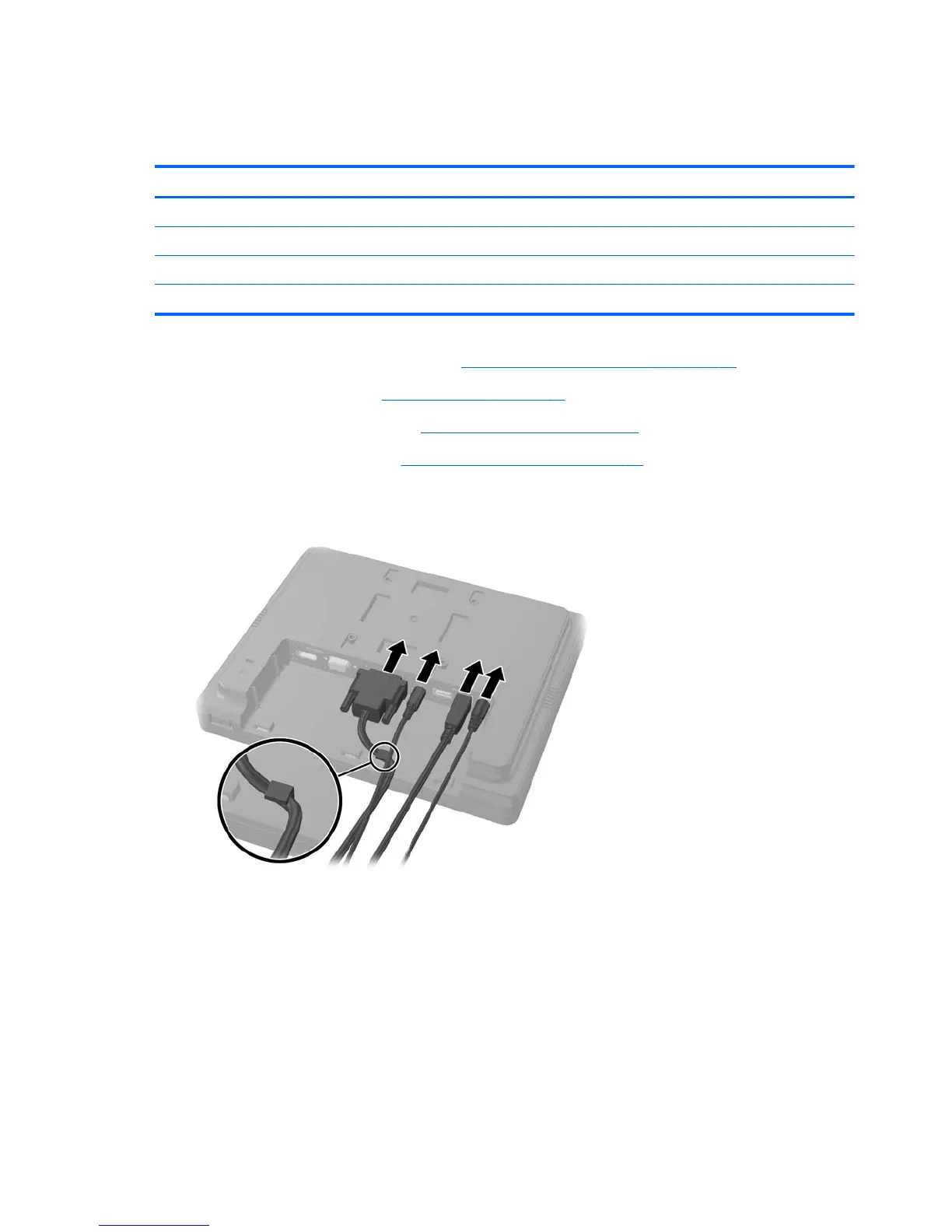
5. Connect the audio, DVI, USB, and power cables to the customer display. Insert the DVI cable
into the retainer clip at the base of the display head.
30 Chapter 4 Removal and replacement procedures













 To Next Page