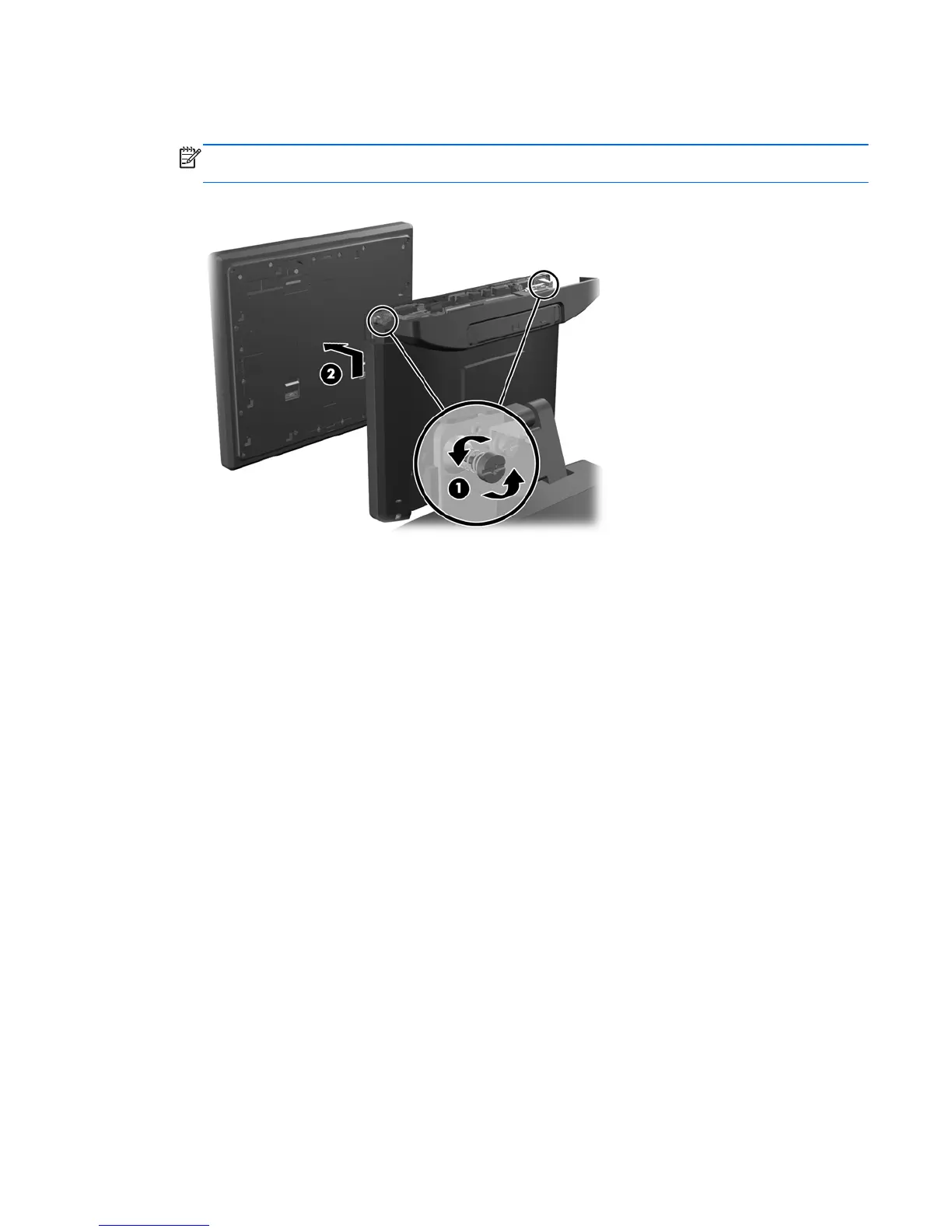
5. Loosen the two captive silver Torx screws that hold the monitor panel onto the computer panel
(1), then slide the monitor panel up to release it and pull it off the computer panel (2).
NOTE: There are also two captive black Torx screws at the top of the computer. These screws
secure the display head panel to the computer.
To install the monitor panel, reverse the removal procedures.
Monitor panel (Associate-Facing Display (AFD)) 29













 To Next Page